Onit's Spend Agent reviews invoices submitted by vendors against natural-language billing guidelines uploaded by customers. It instantly reviews invoices, providing detailed AI summaries to users, enabling them to make highly informed decisions on their approval or dispute of invoices, or allowing the user to choose for the AI to automatically approve or dispute invoices as they come in.
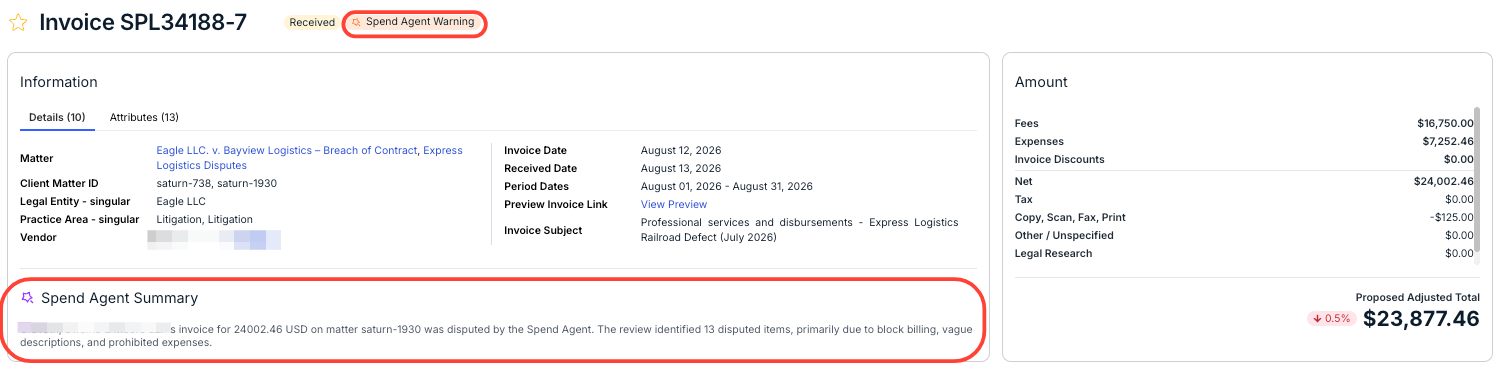
The Spend Agent AI summary can be viewed from the Information section of an invoice record:
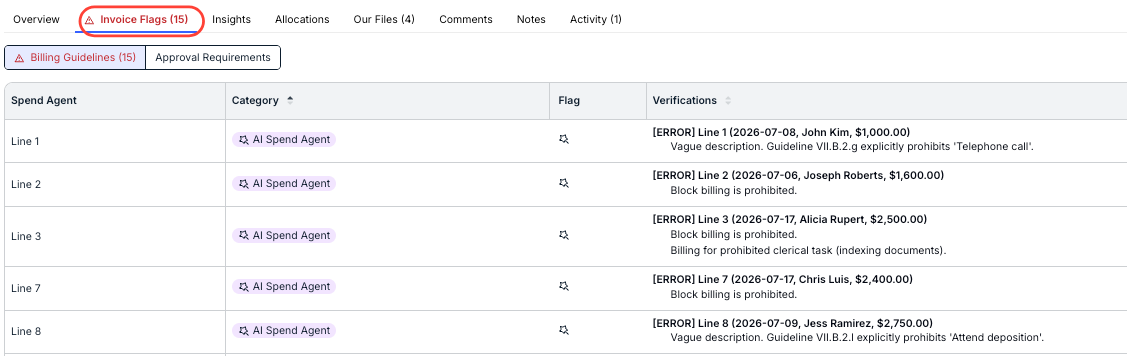
Additionally, you can drill down into line-item flags/issues by clicking on the Invoice Flags tab and viewing the Billing Guidelines details.
For more details on how to use Spend Agent in Unity, including how to enable this feature and upload default billing guidelines, click here.