Onit Documentation

Using Counsel Match in Unity ELM

Updated on

Directly integrated into Unity ELM, Leopard Solutions' Counsel Match gives users the ability to search, identify, and access critical data for about 5,800 law firms and 400,000 attorneys—transforming panel management and legal operations.

To access Counsel Match, click on the link on the left-hand side menu.
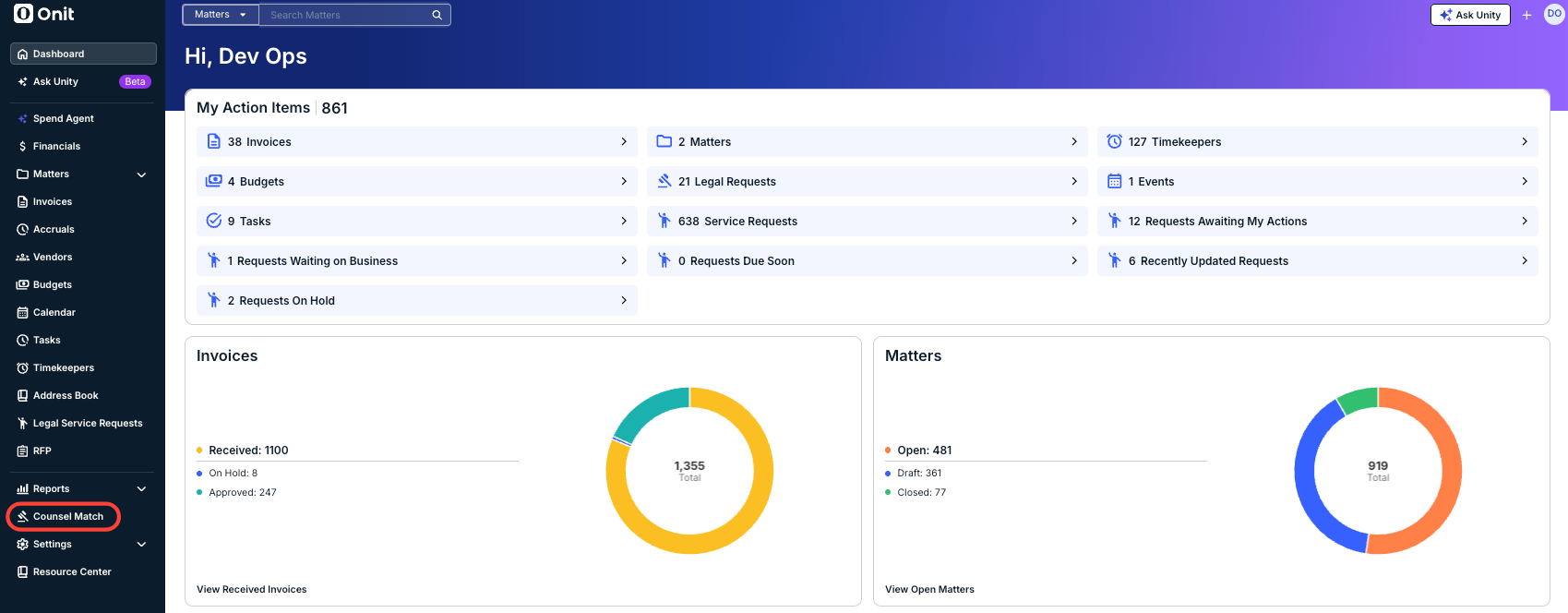
Note: These User Guides will be updated as more features are added and revised. Check in frequently for more information.

For information on how to use Counsel Match, visit the Leopard Solutions Counsel Match user guide page here: https://www.leopardsolutions.com/wp-content/uploads/LeopardPROWESS_DetailedWithScreenshots.pdf

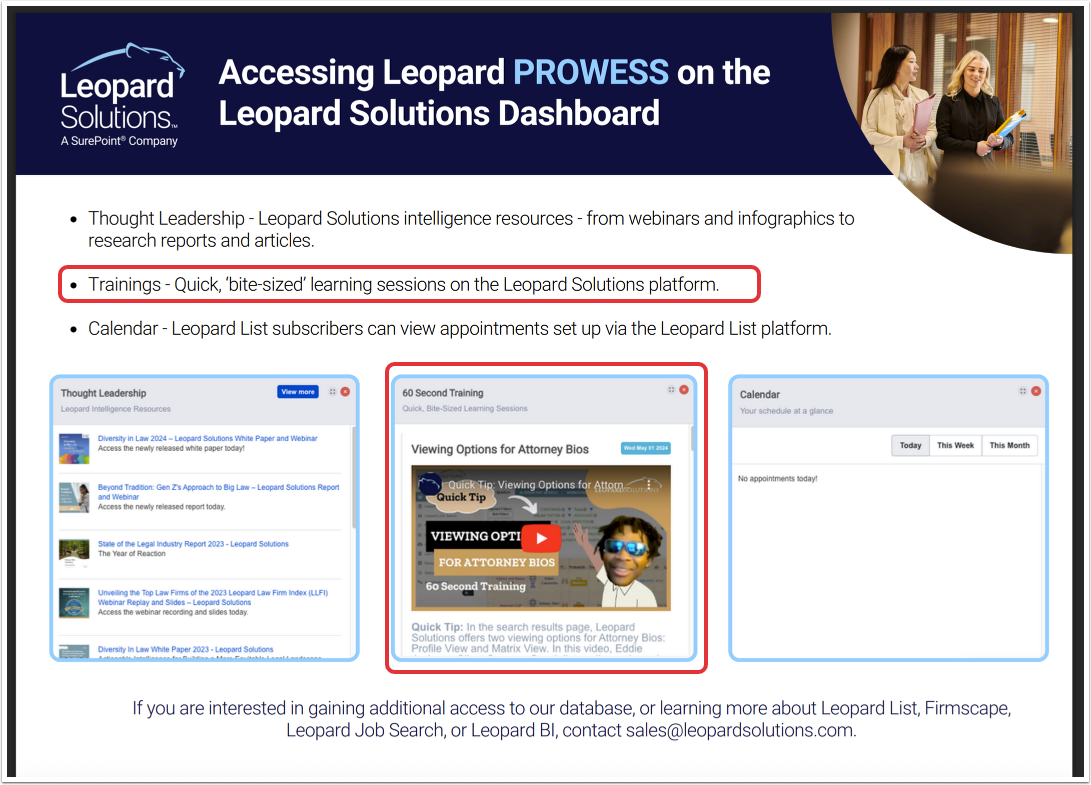
Note that more trainings are available on the Counsel Match system:
Previous Article Spend Agent for Unity ELM

© 2025 Onit, Inc.

docs.onit.com contains proprietary and confidential information owned by Onit, Inc. that is subject to copyright. Onit presents it exclusively to you for your sole use in conjunction with using Onit products. No portion of the materials contained herein may be used for any other purpose. No portion of the materials contained herein may be shared with third parties or reproduced in any form.