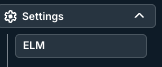
To access the Invoice Payments admin setting, go to the ELM tab under Settings and click on Invoice Payments.

Use the Invoice Payments screen to view and search invoice payments log information posted via flat file or API.
On the main directory, you'll see the Posted time, Payment Date, Batch, Payment Method, Reference Number, Currency, Payment Amount, Vendor, and Invoice. Click the up/down arrow next to each column to sort by that column. Use the Search Payments field to search through the payments. Click the Viewing drop-down menu to customize what you see on the screen. Click the Download button to download the information as an Excel file.
Click the links under Vendor and Invoice to go to the vendor or invoice screen.
