The Financials dashboard is a summary of legal spend for all matters and vendors, including Key Performance Indicators (KPIs) and Top 10 lists for core areas. This allows users to gain insights that help identify top matters/vendors and keep tabs on the climate of legal operations in general.
To view the Financials Dashboard, go to Financials from the left-side navigation to view the dashboard.
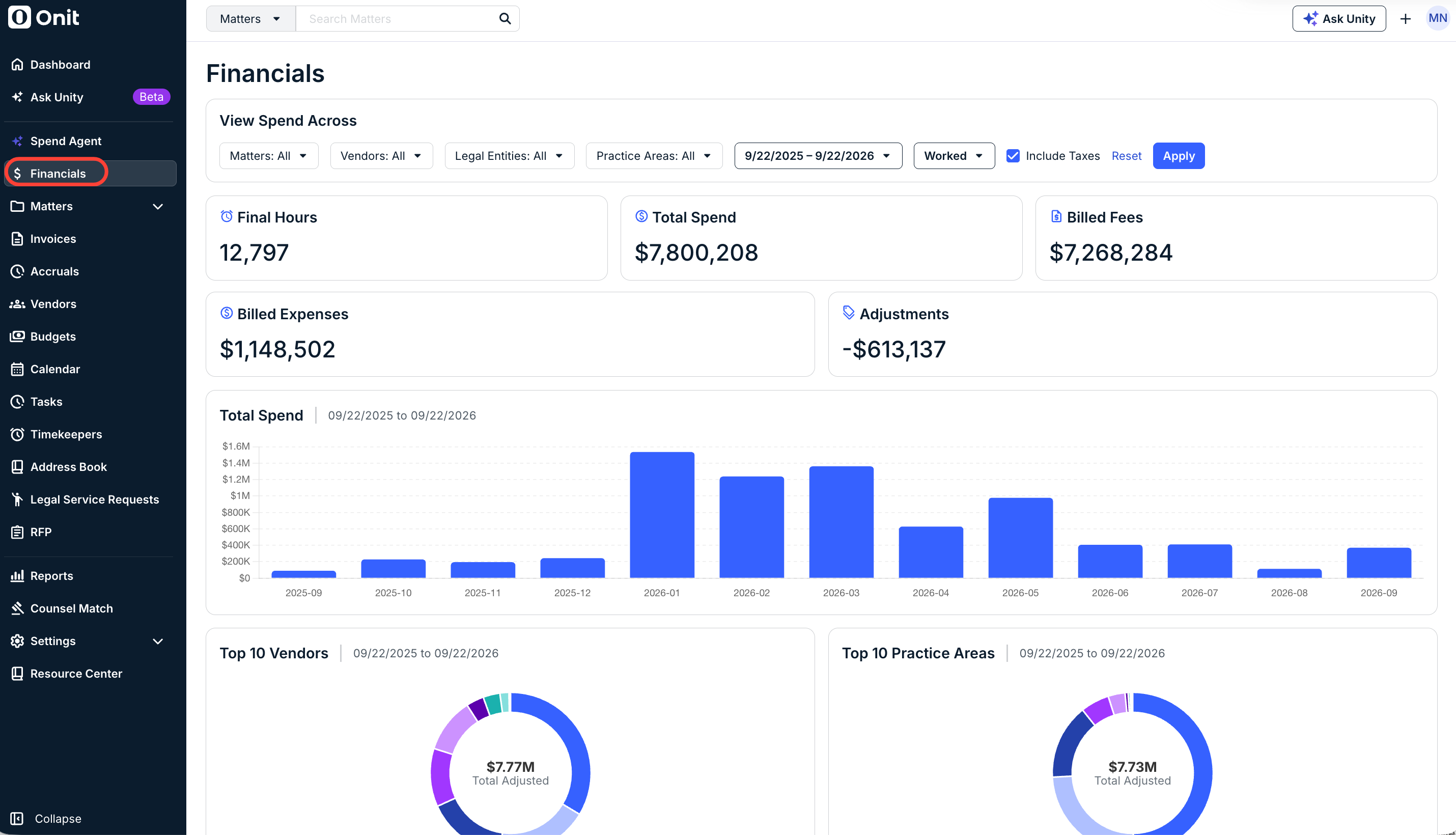
The dashboard is separated into the following charts/sections:
- Final Hours
- Total Spend
- Billed Fees
- Billed Expenses
- Adjustments
- Total Spend
- Top 10 Vendors
- Top 10 Practice Areas
- Top 10 Timekeeper Classification
- Top 10 Matters
- Top 10 Timekeepers
- Top 10 Task Codes
- Adjusted Lines
- Top 10 Expense Codes
Click the links within each section to go directly to the matter, vendor, timekeeper, etc.
This can be useful for answering general spend questions, such as:
- How many hours have been billed?
- How much in discounts have been applied?
- What is the average billed rate by timekeeper classification?
- What are my top 10 billed matters?
- What are my top 10 vendors by billed amount, with hours and average rate?
Filtering
For each filter, leave the default setting or select an option to narrow the results as needed. By default, the View Spend Across dashboard is filtered to show data across all vendors/matters based on Worked Date for the past 12 months.

- Matters (default is all; use the drop-down menu to include a specific vendor or multiple matters)
- Vendors (default is all; select use the drop-down menu to include a specific vendor or multiple vendors)
- Legal Entities (default is all; use the drop-down menu to include a specific legal entity or multiple entities)
- Practice Areas (default is all; use the drop-down menu to include a specific practice area or practice areas)
- Date Range (default is past 12 months; click within the From/To fields to change if needed)
- Date Type (default is Worked Date; change to Invoice Date or Received Date if needed)
You can also check the box to Include Taxes if desired. Click Reset to reset the selections or Apply to apply your changes.