Here are some of the frequently asked questions (and answers) about Unity ELM:
How can I quickly share billing guidelines with a vendor?
Use the Files tab within a vendor's detail page to share billing guidelines. For more, see Outside Counsel Guideline Files.
How can I deactivate a user in the address book?
Go to Settings > Common Module > Users. For more, read the Using the Address Book / Managing Contacts guide.
Can I save views in Unity?
No. However, Unity remembers your configurable table selections.
How can I change the period of an invoice?
This is a function within Counsel Exchange; clients cannot adjust invoice periods.
How can I reassign an invoice to a different budget?
Invoices are not directly assigned to a budget. This information is inherited from the matter/vendor combination, so changing the assigned matter should update the budget.
Can I adjust the notification frequency for invoice approval emails?
Frequency is not configurable globally, but each user's Invoice Notifications can be changed on their user record under Settings > Common Module > Users.
Can I delete invoices?
No. Invoices cannot be deleted in Unity.
How can I turn off email approval notifications?
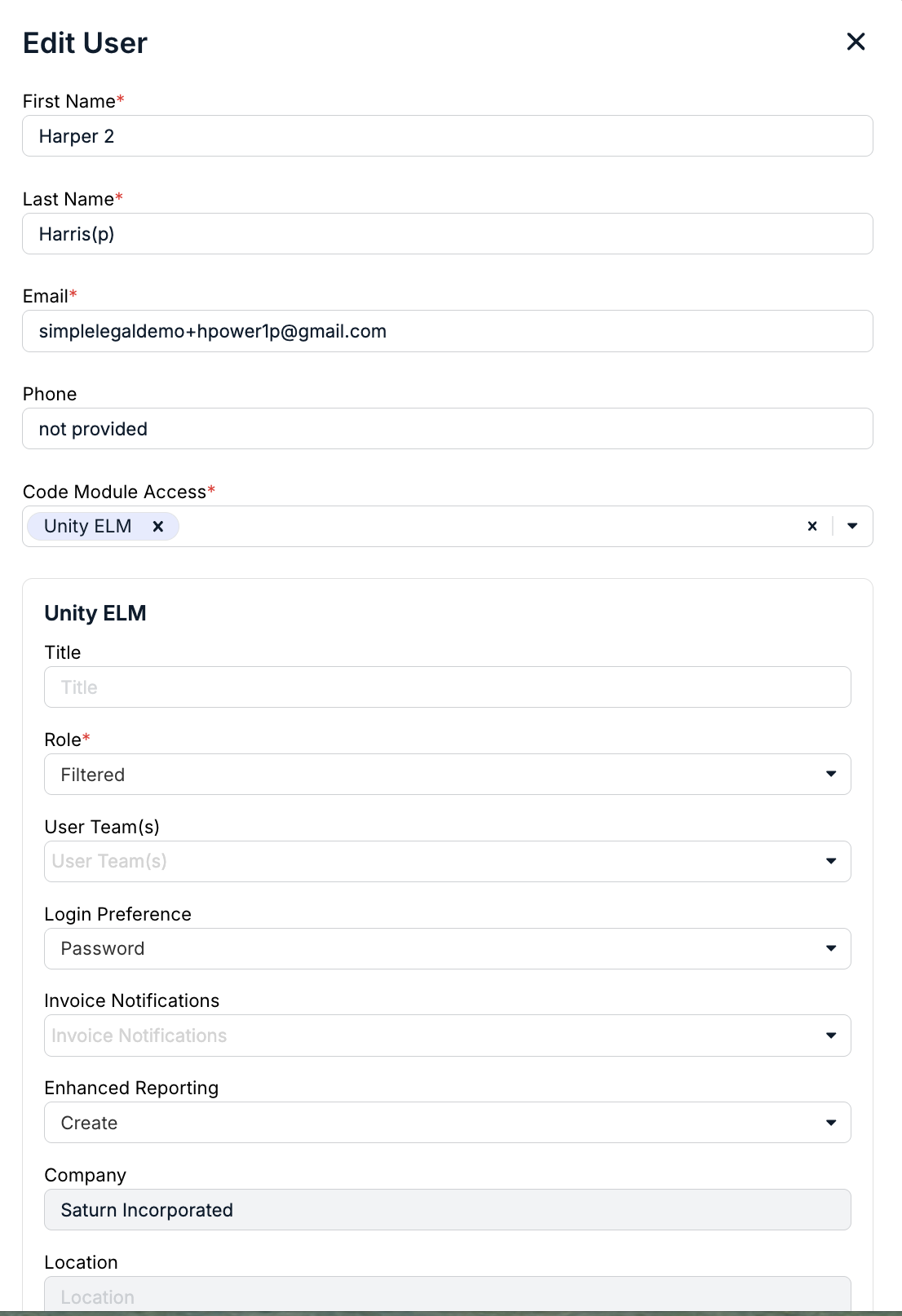
To turn off email approval notifications, an administrator must open the user's record and clear all selections in the Invoice Notifications field under the Unity ELM section.
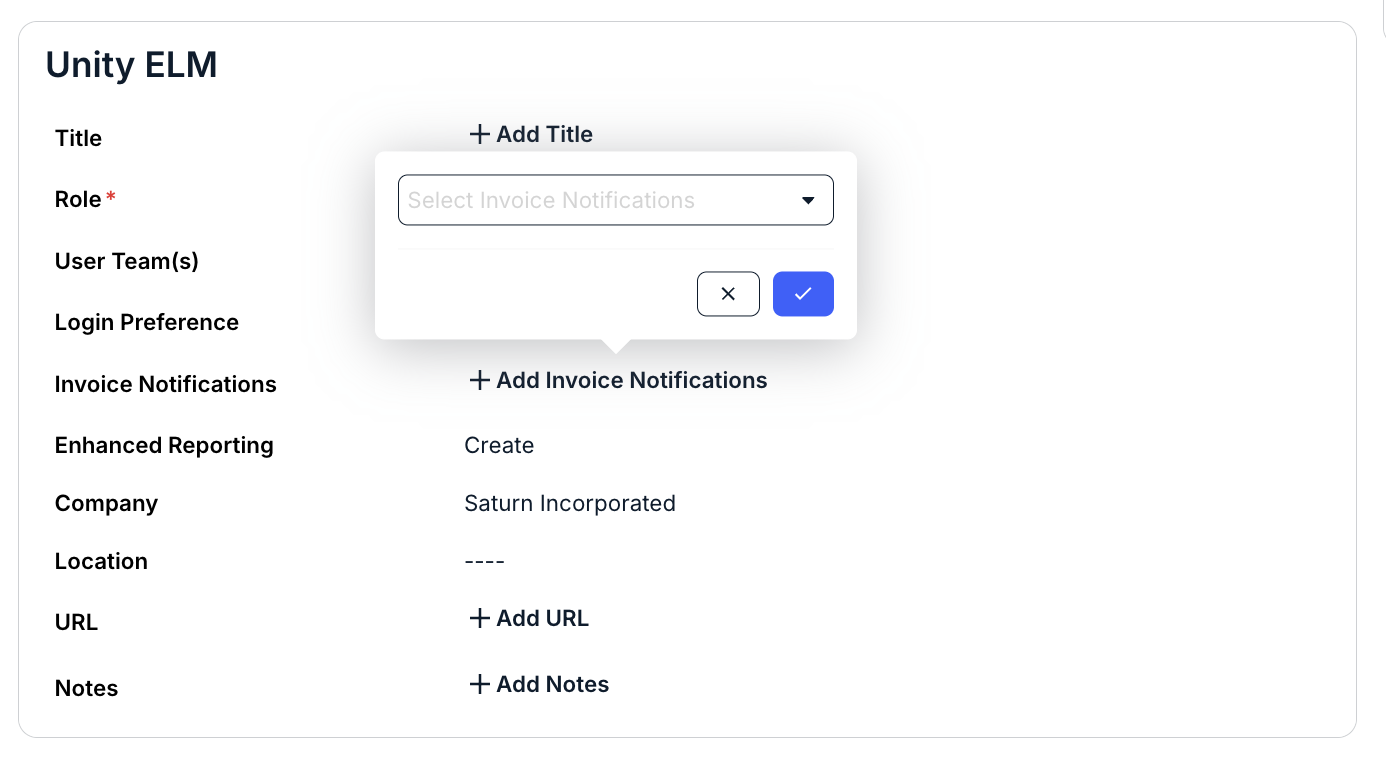
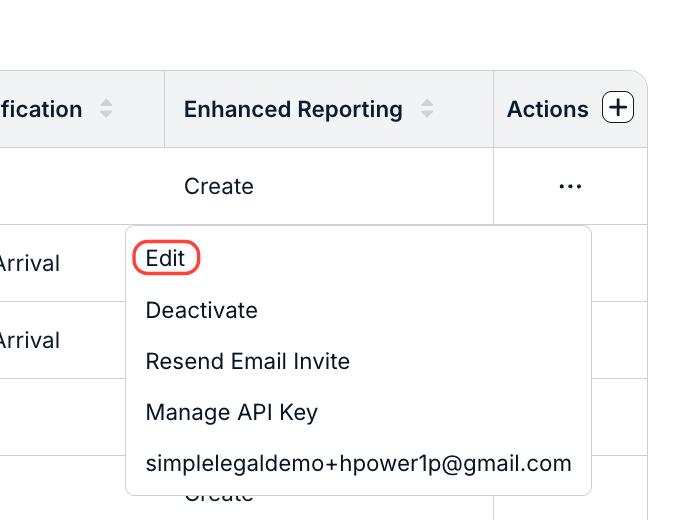
You can also turn off the notifications from the Edit option on the Actions menu in the main directory.
Can I run a report showing who approved invoices in the past quarter?
Yes. The Invoice List report shows all approvals within a specific date range.
How can I change the currency on an invoice?
The invoice currency is set by the vendor within Counsel Exchange. To change the currency on the invoice, reject the invoice back to the vendor and ask them to resubmit with the updated currency.
How can I set custom timeout links for clients?
Custom links can be set by the Onit implementation team or the Onit support team.
How can I access Counsel Exchange?
The Counsel Exchange URL is: https://counselexchange.onit.com/
How can I reactivate a user?
If a deactivated user requires access later, locate them under the Inactive tab, click the ... (more) under the Actions column, and select Activate. You will not be prompted to confirm this action.
Note: Only administrators can reactivate a user; support cannot do this on their behalf.
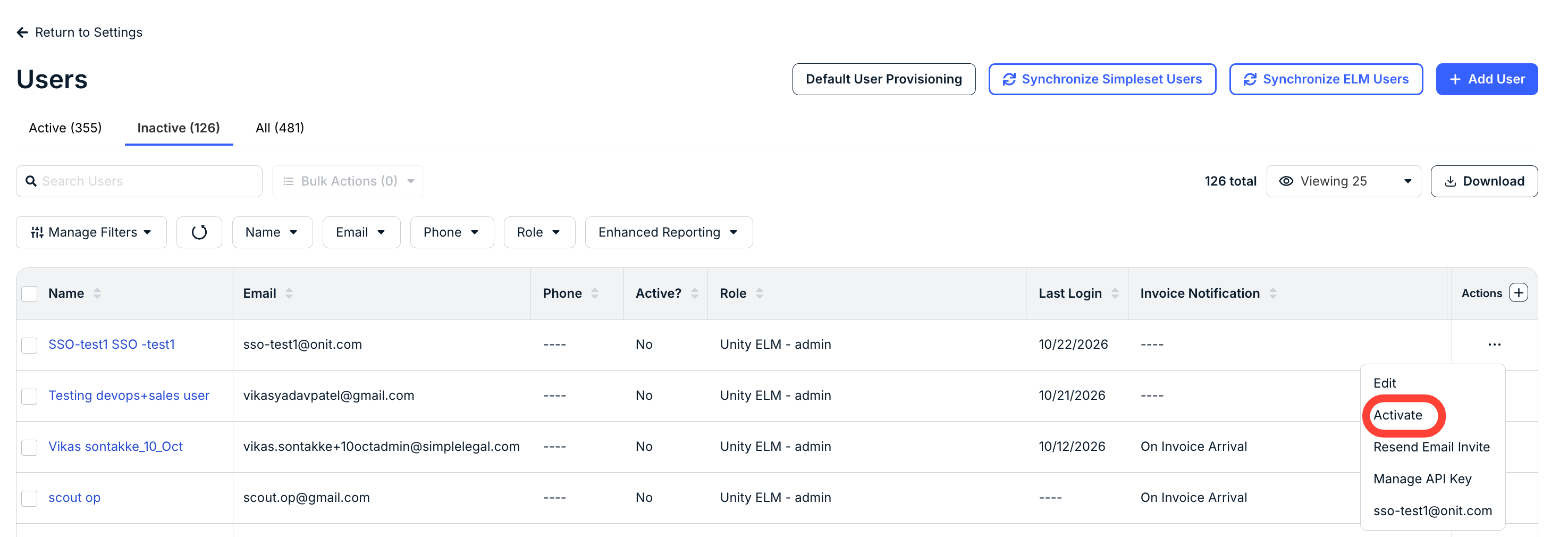
See the Users in Unity guide for more reactivation instructions.