To manage settings related to Budget Refresh Requests for external budgets, go to Settings > Budget Refresh Settings. This menu is separated into the following sections:
- Refresh Cycle
- Renewal Configuration (config)
Refresh Cycle
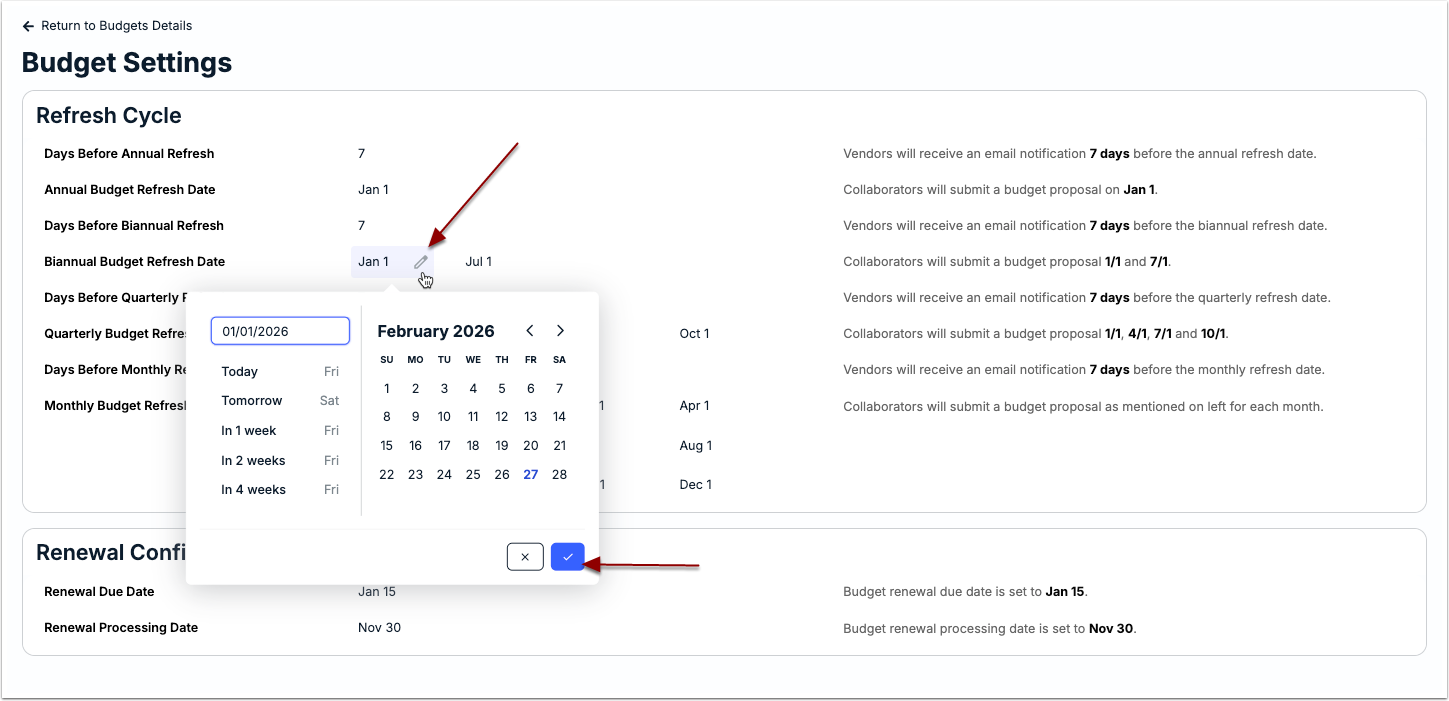
The default notification schedule is set to 7 weekdays prior to the refresh request due date for each available cadence (e.g., Annual, Quarterly, Monthly, etc.). Any changes made to the schedule or refresh due dates apply system-wide. We recommend making sure vendors and other internal users are aware of any impacts before making updates.
To make a change to the notification schedule or refresh due dates, click on the value for that field to enter the value or select the new due date. Make sure to click the checkmark to store your changes. Review the text on the right for additional guidance on each setting.
Renewal Configuration
The renewal option is helpful if your department frequently sends budget requests to a vendor for the same matter on a quarterly basis. This option must be configured at the system level by an admin.
From the Renewal Config section at the bottom of the Budget Settings page, confirm and/or update the following as needed:
- Renewal Due Date: Date by which vendors must submit proposals for the new quarterly budget.
- Renewal Processing Date: Date the next quarterly budget will automatically be created.

To have an external quarterly budget automatically renewed, open the budget record and click on the Auto Renew toggle located under Budget Attributes > General.
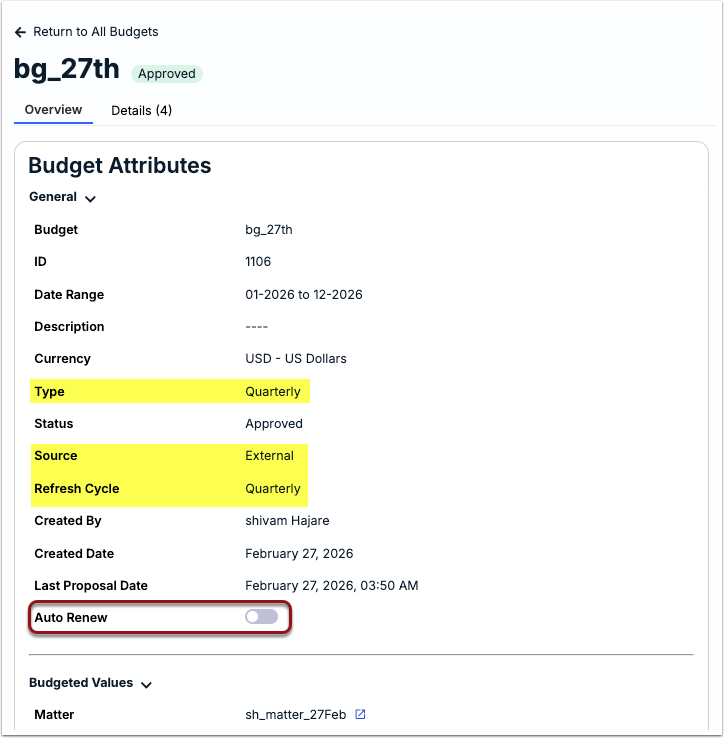
The budget request notification will be sent on the Renewal Processing Date set at the system level and will include the specified due date.