This article covers how to link your matter tasks and events with your external calendar application using a one-way integration between Unity and Google Calendar, Outlook Calendar, or Apple Calendar.
Generating a Sync Calendar Link
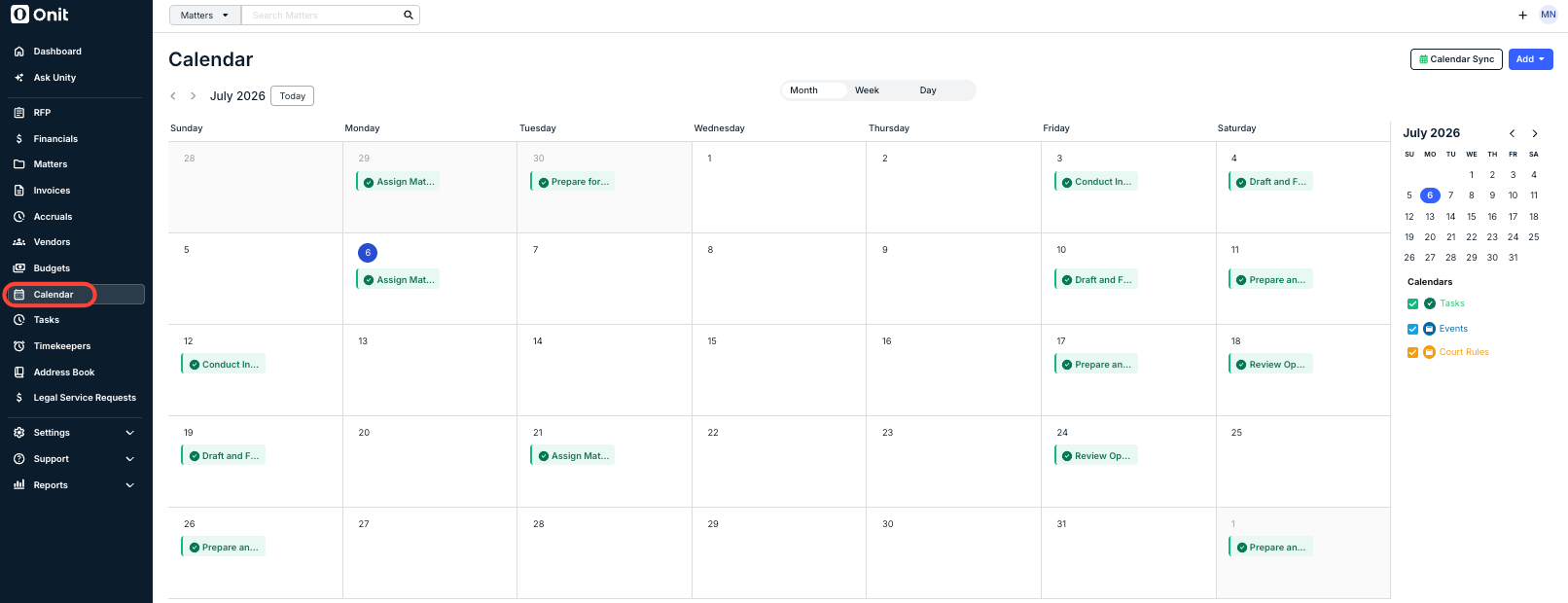
1. Go to Calendar from the navigation menu on the left.
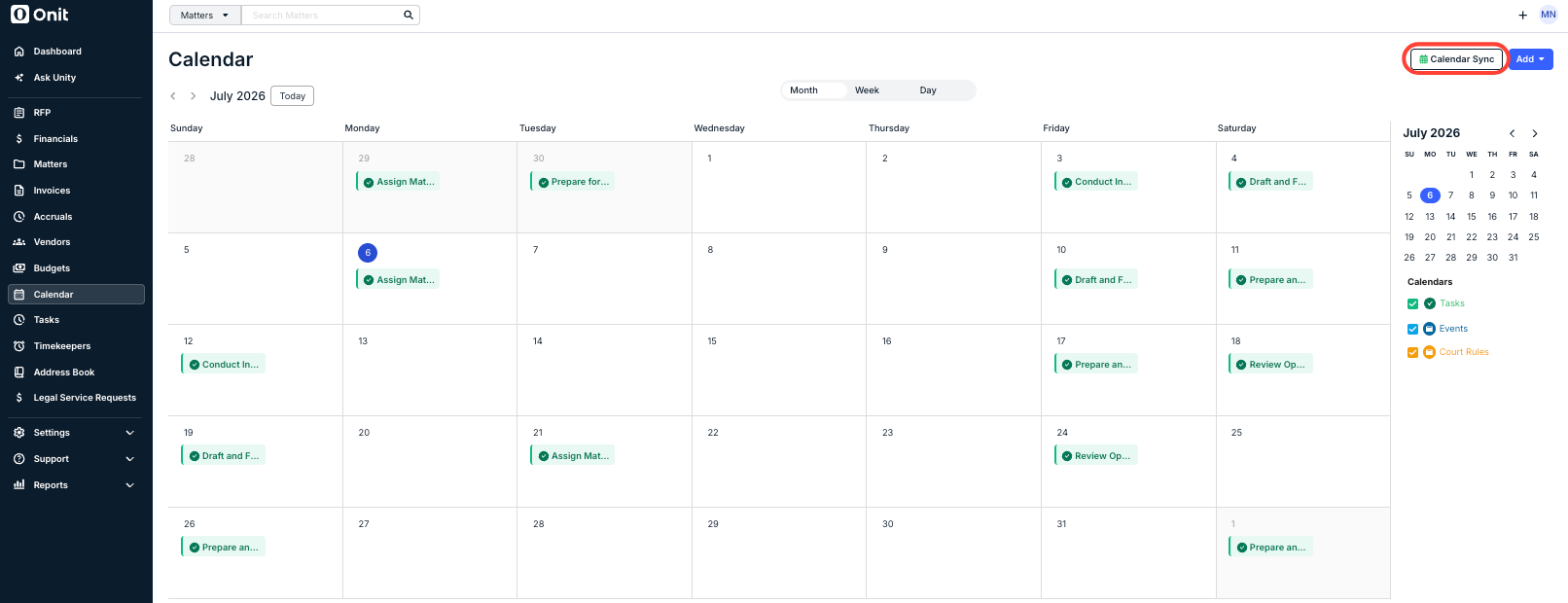
2. Click Calendar Sync in the top-right corner.
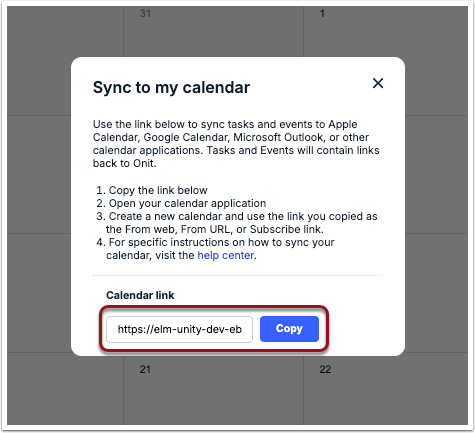
3. Click Copy next to the unique calendar link.
To finish this set up, click on your external application below for instructions.
You can remove the tasks/events from your external calendar application at any time by going to your user profile. For instructions on revoking access, click here.
Google Calendar
1. Copy the calendar link.
2. Log into your Google account and open the Google Calendar.
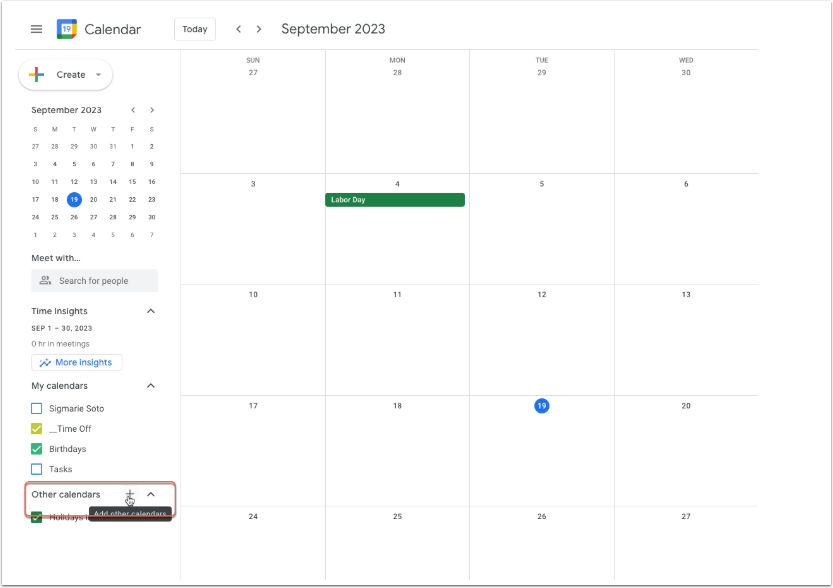
3. Click the + button next to Other calendars section on the left side.
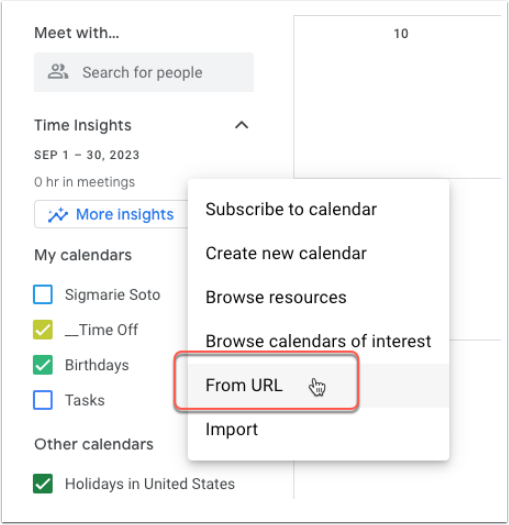
4. Select From URL from the list of options.
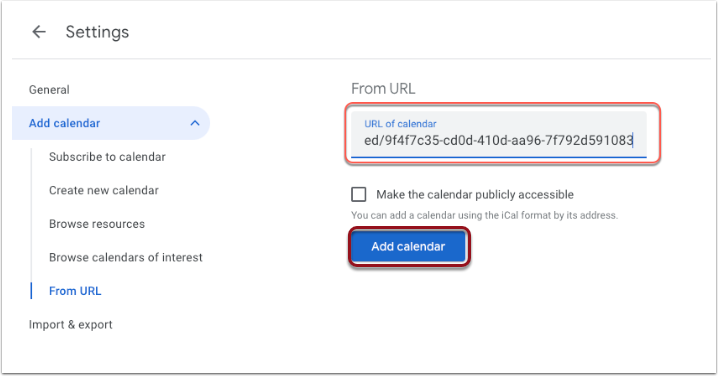
5. Paste the Unity calendar link into the URL field and then click Add Calendar.
Outlook Calendar
1. Copy the calendar link.
2. Log into Office365 and navigate to your Outlook Calendar.
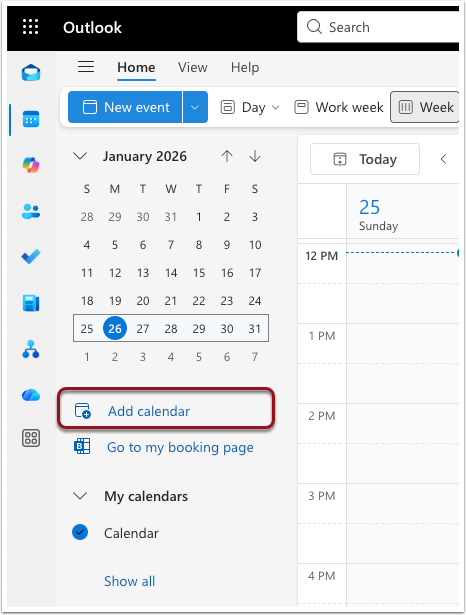
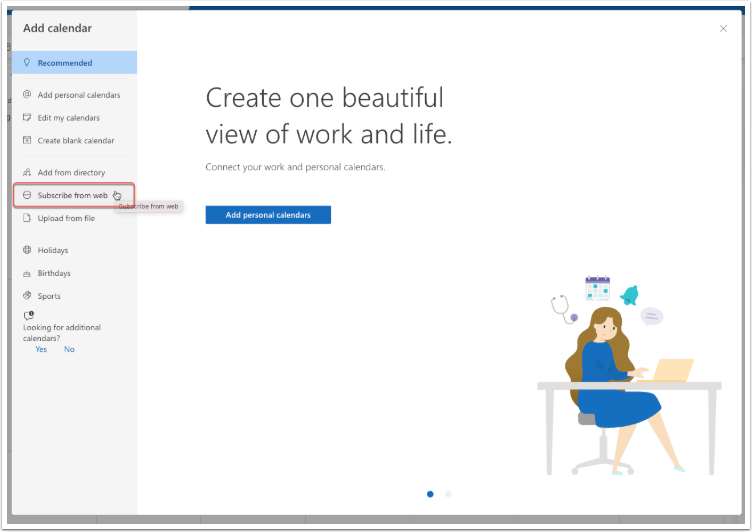
3. Click Add Calendar on the left side.
4. Go to theSubscribe from web option.
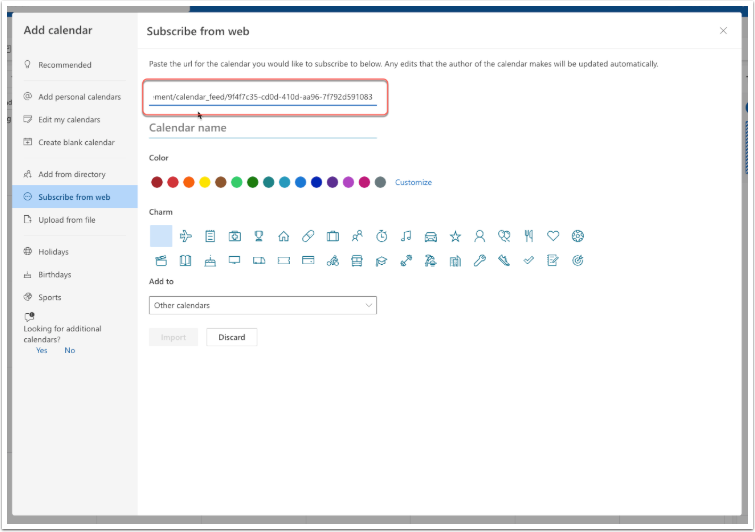
5. Paste the calendar link in the text field.
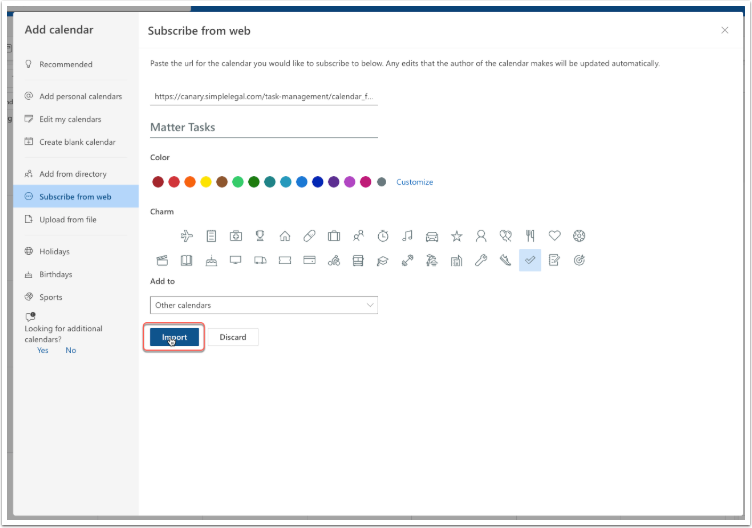
6. Enter a name and update any other preferences, and then click Import.
Apple Calendar
1. Copy the calendar link.
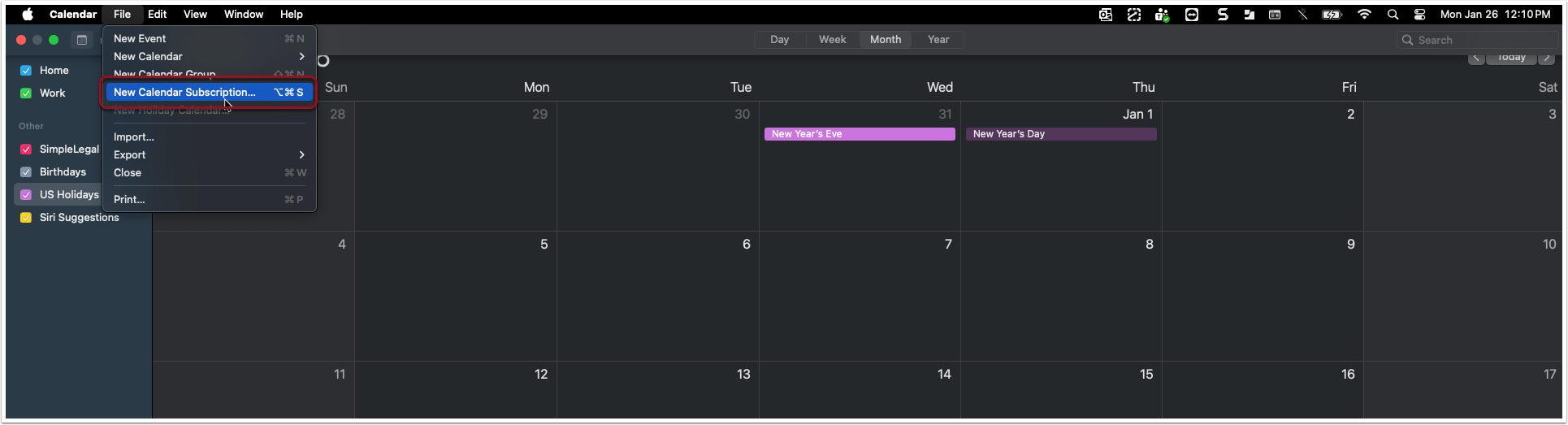
2. Open your Apple Calendar and go to File > New Calendar Subscription.
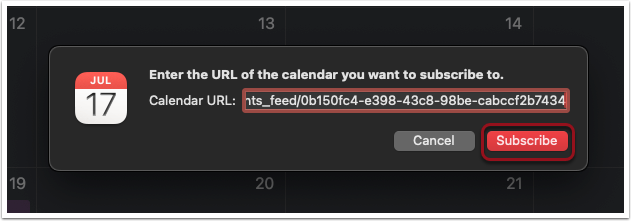
3. Paste the calendar link into the URL field and click Subscribe.
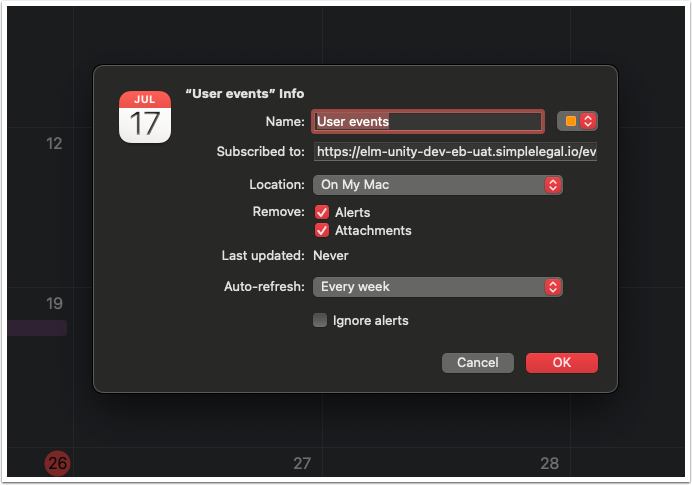
4. Customize your calendar preferences and then click OK.
Revoking Calendar Access
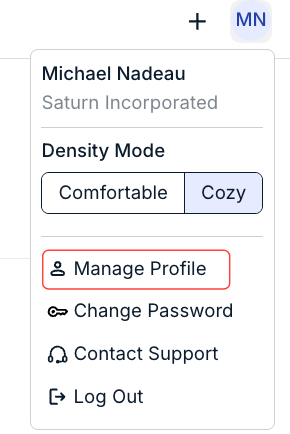
1. Click your initials in the top-right corner of the top navigation bar and select Manage Profile.
2. On your profile, switch to the Calendar Management tab and click Revoke Access.

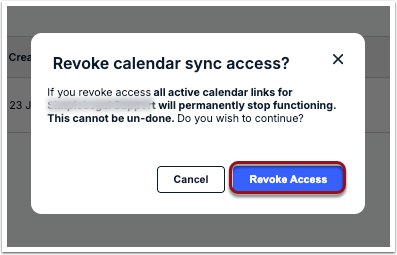
3. Click Revoke Access when prompted to confirm.