Admins can control whether Unity users can sync their tasks and events with external calendar applications at the system level. By default, this is enabled for all customers.
Before Continuing
Review the following notes and other considerations before moving forward:
- Disabling calendar syncing impacts all users who currently have tasks and/or events integrated with an external calendar application. This means that their external calendar(s) will reflect existing tasks/events but will not reflect any updates or new tasks moving forward.
- You can revoke access to external calendars for specific users instead of disabling syncing at the system level. For instructions on revoking specific calendars, click here.
- If calendar syncing is disabled and later re-enabled, users will need to complete the calendar integration steps again to start seeing updates on their external calendars.
Enabling or Disabling Calendar Sync
1. Go to Settings > External Calendar Sync.
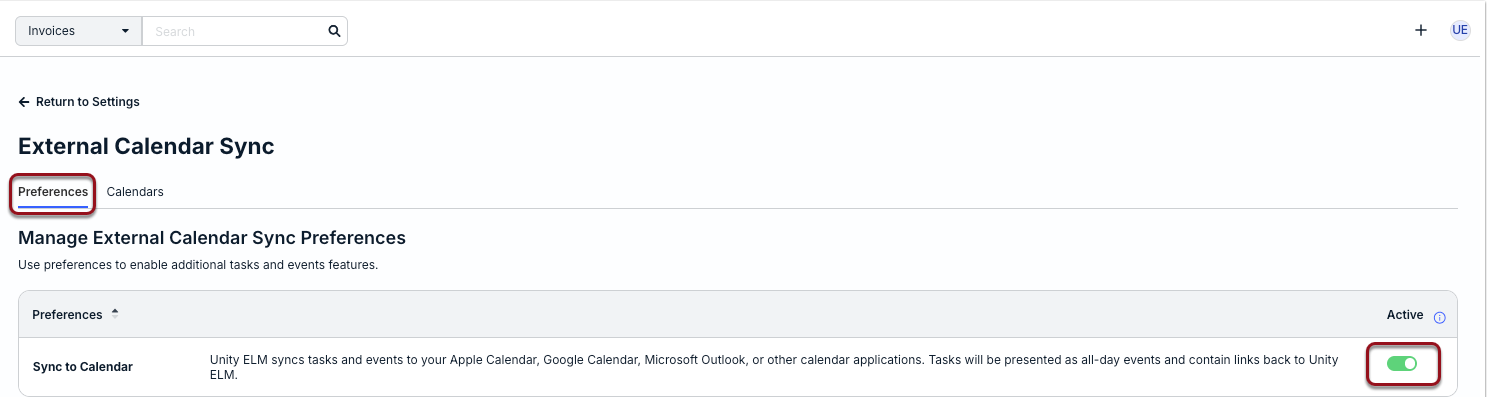
2. From the Preferences tab, click the toggle once for Sync to Calendar.
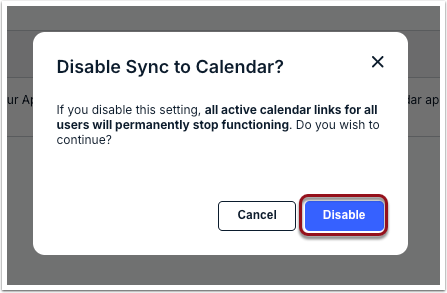
3. Click Disable to continue with turning off calendar syncing.
Managing Access for Specific User Calendars
Admins can view which users have synced tasks/events with their external calendars and revoke access as needed to control the external sharing of data.
1. Go to Settings > External Calendar Sync and switch to the Calendars tab.
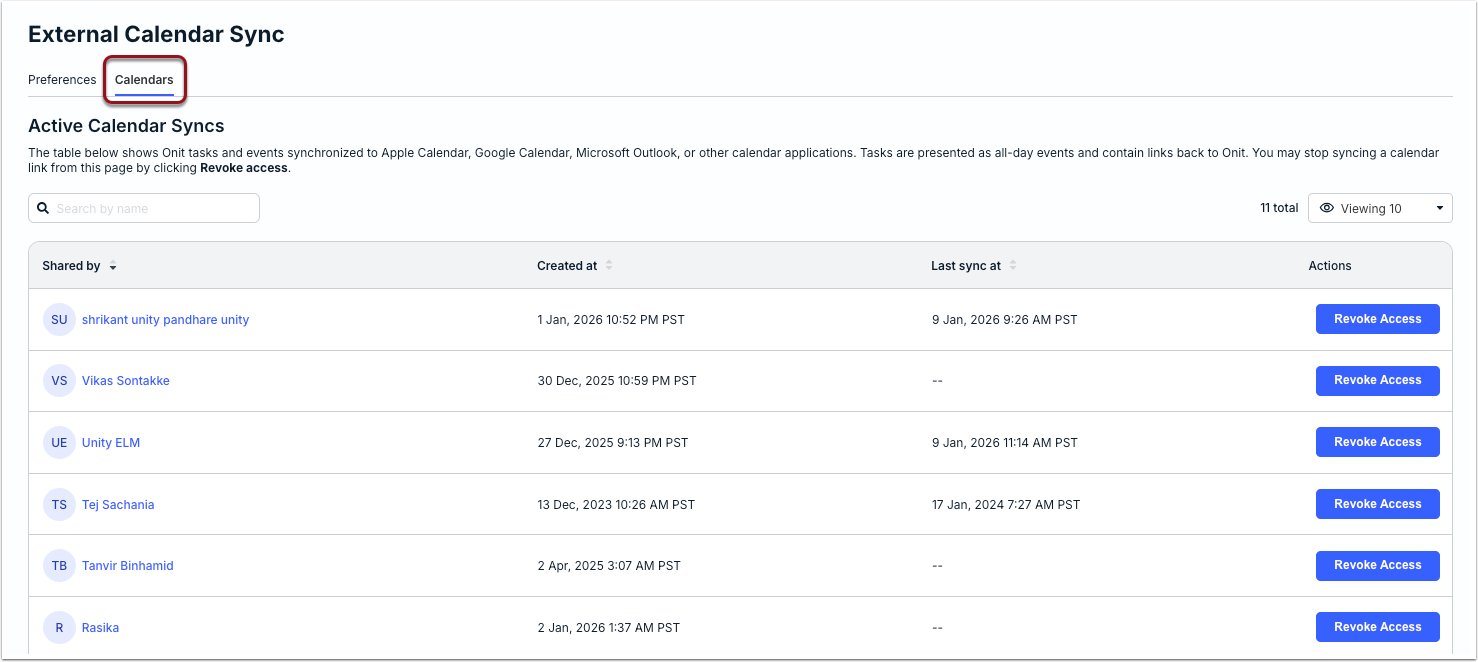
The table displays one record per user who generated/synced their calendar link for at least one external calendar. If the same link was used for more than one calendar, the table displays only one record, including the time/date the sync was created and last refreshed.
2. Click Revoke Access under the Actions column to remove the sync between the user's Unity tasks/events and their calendar(s).
3. Click Revoke Access when prompted to confirm.
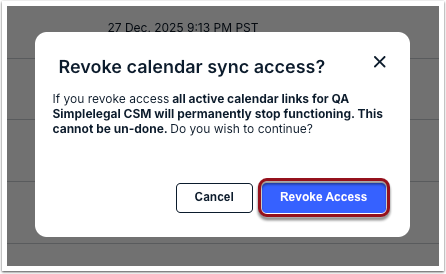
Once access is revoked, existing and future tasks/events will no longer display on the user's calendar(s). Alternatively, users can remove existing calendar integrations manually from their Unity user profiles. For more information, click here.