Accruals are estimates for unbilled work that can be collected from vendors to anticipate fees and expenses for the reporting period. Unity allows broad tracking of accruals to help predict upcoming/future spend as accurately as possible.
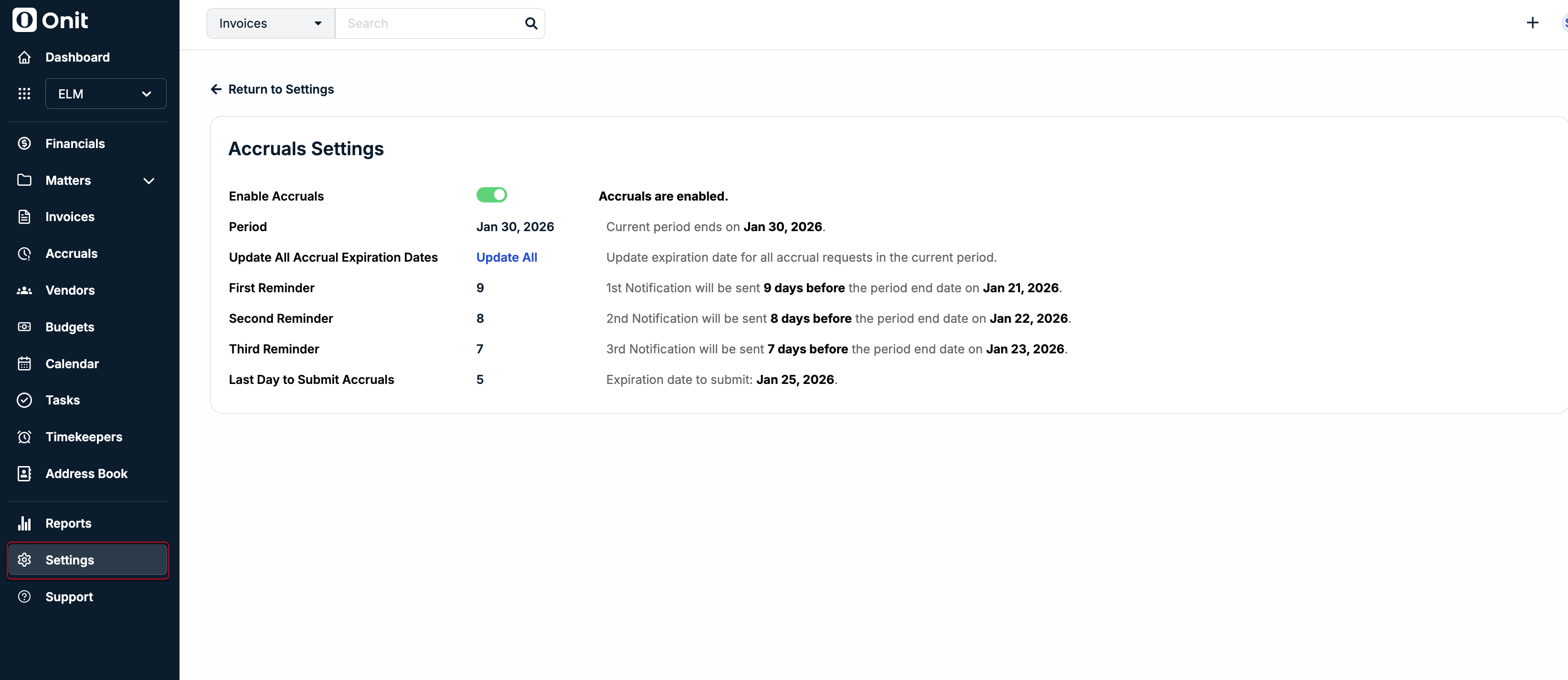
To start collecting accruals from vendors, an admin can confirm whether this option is enabled and complete a one-time setup of a schedule for requests, reminders, and due dates by going to Settings > Accruals Settings.
When enabled, this triggers an automated notification process that repeats each reporting period based on the default or custom schedule. This means Unity moves into the next accrual reporting period automatically on the morning of the first notification day.
Notifications are sent to the vendor's designated Accruals contact(s). If there are no Accrual contact(s), the notifications are sent to the vendor's primary/default contact.
There are multiple options for managing accruals in Unity, including updating expiration dates for all vendors, resending request notifications, and disabling accruals for individual vendors. For additional information, click here.
The default schedule uses the last day of the current month as the Period End Date to set system-generated dates for notifications and due dates as X days before the Period End Date. This will be used to automatically generate dates for each month moving forward.
The schedule sends three notifications for each reporting period as follows:
- First Emailed Request: Initial request with a link to the form is sent to the contact on file for each vendor (e.g., 27 days before the Period End Date).
- Second Email Reminder: Reminder is only sent if the estimate has not yet been submitted (e.g., 17 days before the Period End Date).
- Third Email Reminder: Another email reminder is only sent if the estimate has not yet been submitted (e.g., 10 days before the Period End Date).
- Last Day to Submit Accruals: The latest date by which vendors can submit estimates; the date communicated to vendors is always two days prior to the expiration date.
Adjusting the Recurring Notification Schedule
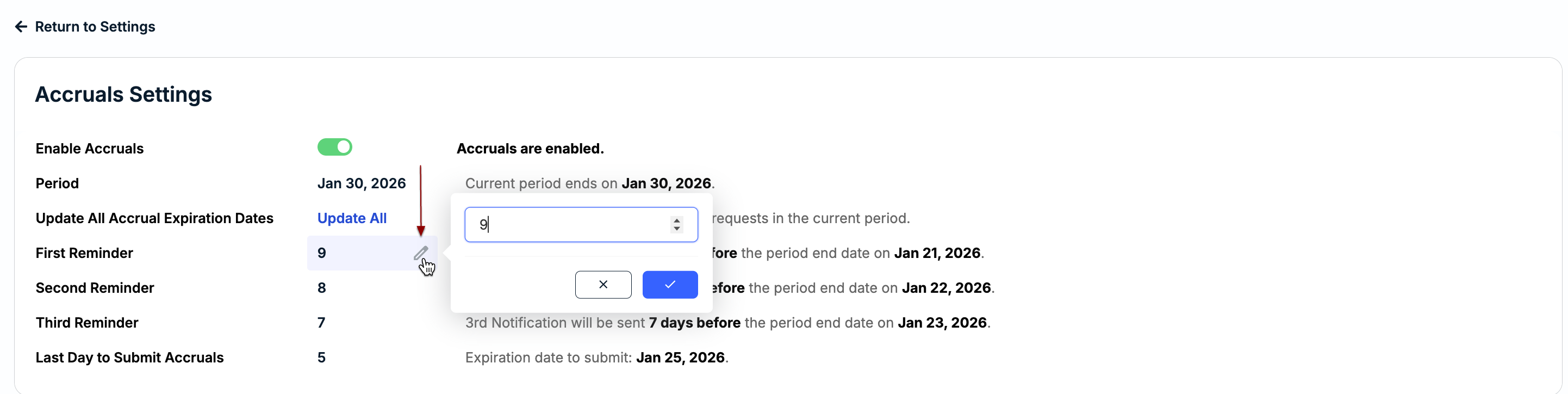
Hover over a reminder field and click on the edit icon to adjust the number of days the reminder is set before the Period End Date and then click the checkmark to save the changes.