This article covers the Settings > Matter Settings menu, which is used to enable/disable the following:
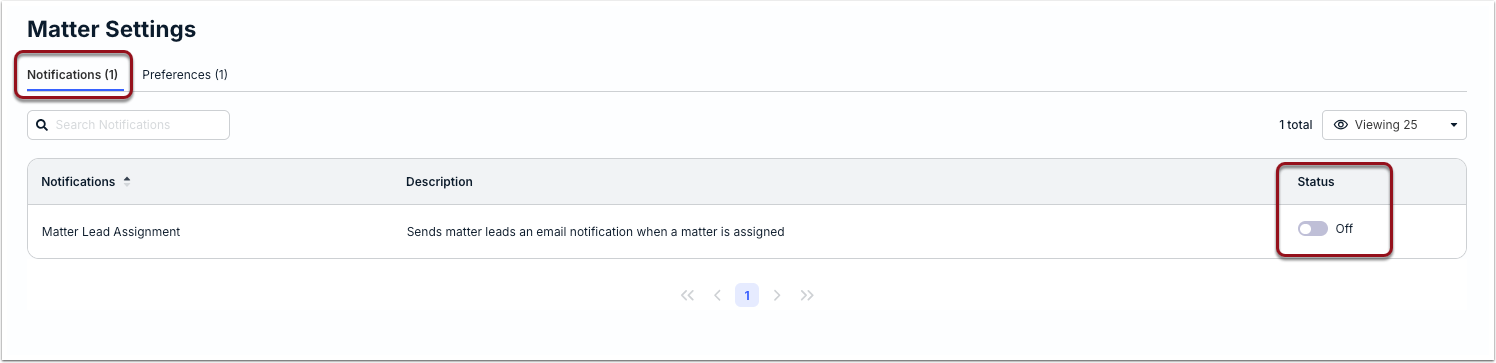
Matter Lead Assignment Notifications
Admins can choose whether Matter Leads are notified via email when assigned to a new matter from the Notifications tab. This setting is turned on by default. Click the toggle to turn it on or off depending on the communication needs of your organization.
Matter Updates
The Matter Updates functionality allows legal teams and outside counsel to share comments/notes about specific matters via Unity and the Vendor Portal instead of having to rely on back-and-forth email threads. In addition to streamlining communication, this creates a reliable audit trail and better transparency for matters.
If your organization does not want or need to share matter updates with vendors or allow vendors to share updates, you can click on the toggle under the Preferences tab.

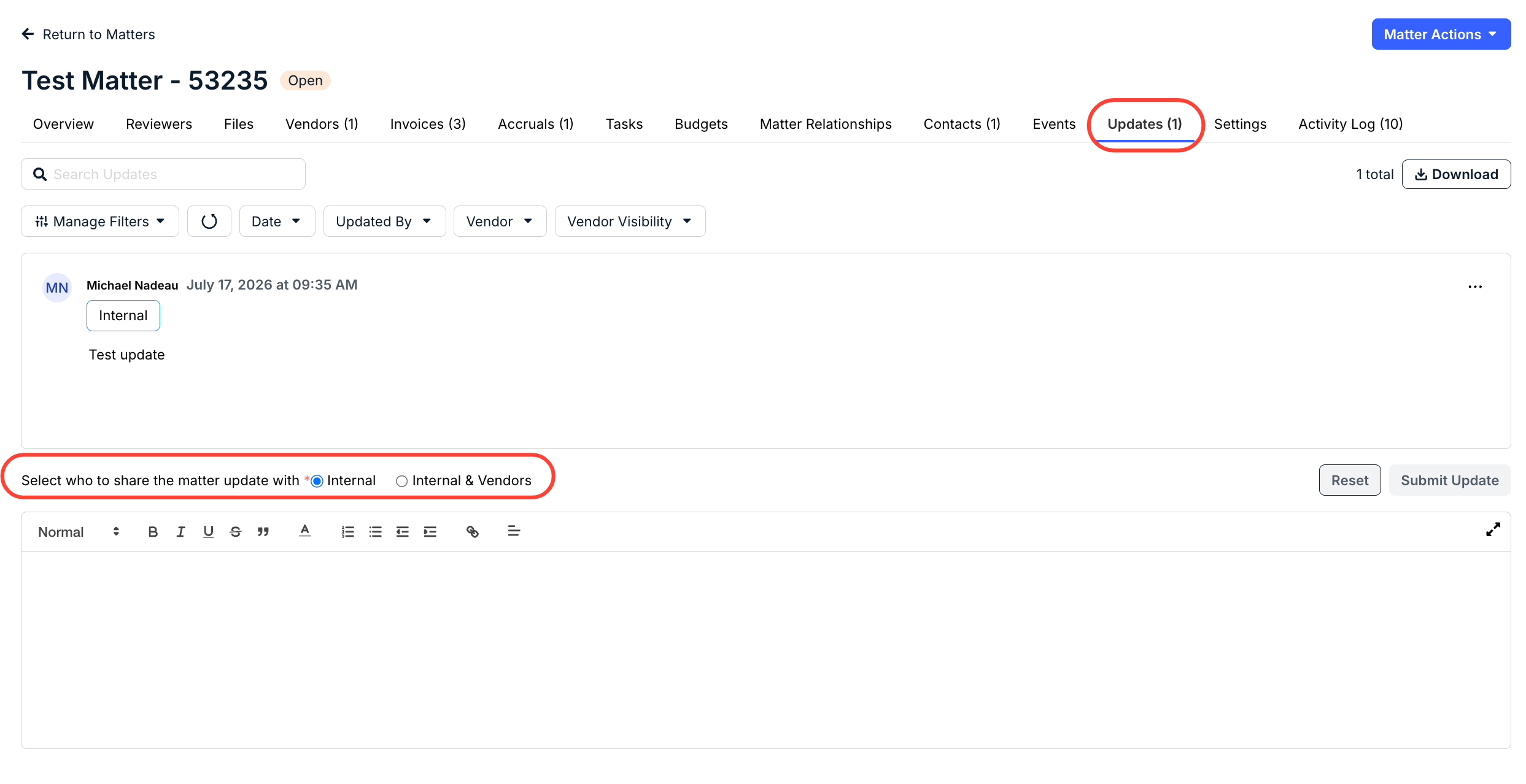
Once disabled, this means the Internal & Vendors option under the Updates tab of matter records will be disabled moving forward (see image below). Unity users will be able to see the history of previous updates shared with and from vendors but will not be able to share additional matter updates with vendors. For additional information about Matter Updates, click here.