Here's how to find a specific invoice within Counsel Exchange:
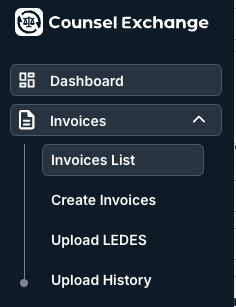
- After logging into the standard client view in Counsel Exchange, navigate to "Invoices" > "Invoices List" from the left-hand menu.
- The full list of invoices will appear.
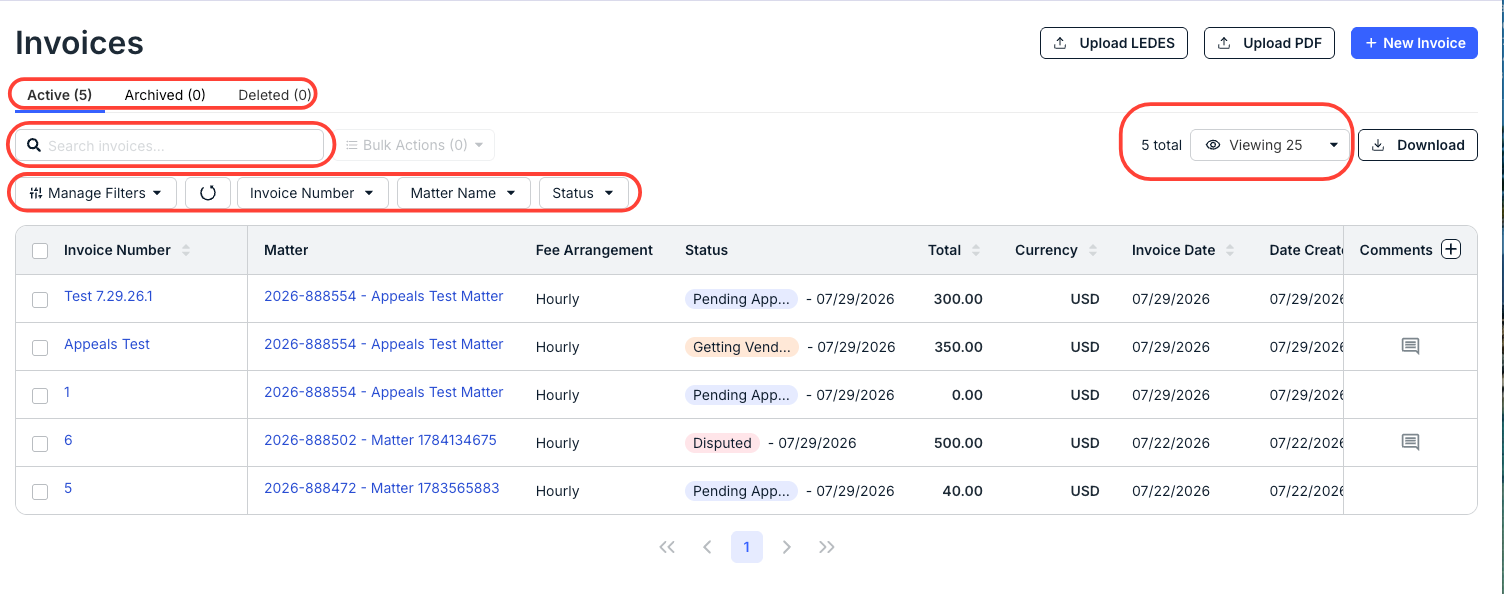
From here, you can sort by:
- Invoice Number/Name
- Matter
- Total
- Currency
- Invoice Date
- Date Created
- Submitted On
Use the links at the top to switch between Active, Archived, and Deleted invoices.
You can also use the drop-down menus to filter by invoice attributes such as Invoice Number, Matter Name, or Status. Use the Manage Filters drop-down menu to adjust the available filter options. Use the Search Invoices bar to search for a specific invoice.
Use the Viewing drop-down menu to adjust the number of invoices displayed per page.