Onit's Appeals function offers clients and vendors a streamlined process for reconciling adjusted fees or expenses. When an invoice is adjusted during the review process, clients can efficiently resolve disputed line items by sending the invoice back to the vendor in Counsel Exchange for review.
The vendor can then appeal any adjustments in Counsel Exchange (providing justifications or supporting documentation for their charges) or accept the adjustments and the invoice will continue processing for payment.
This in-depth guide details how to work with the Appeals feature in Counsel Exchange during the invoice process.
Working with the Appeals Function
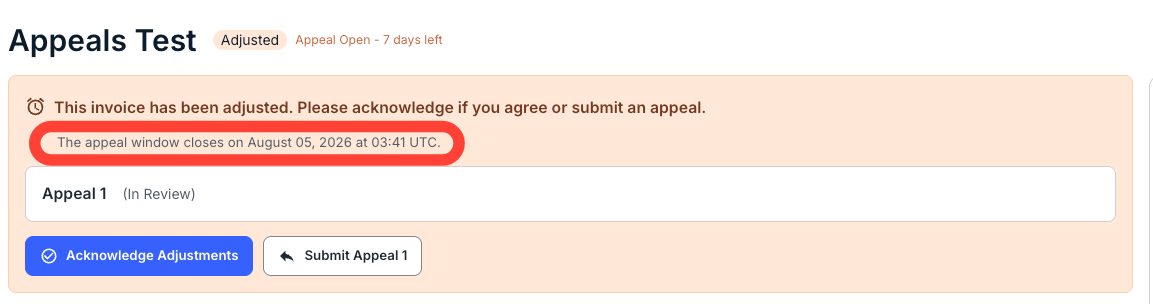
- Once the client sends the invoice back for adjustment (kicking off the appeals process), you will receive an email notifying you of the adjustment and letting you know how long you have to appeal the invoice.
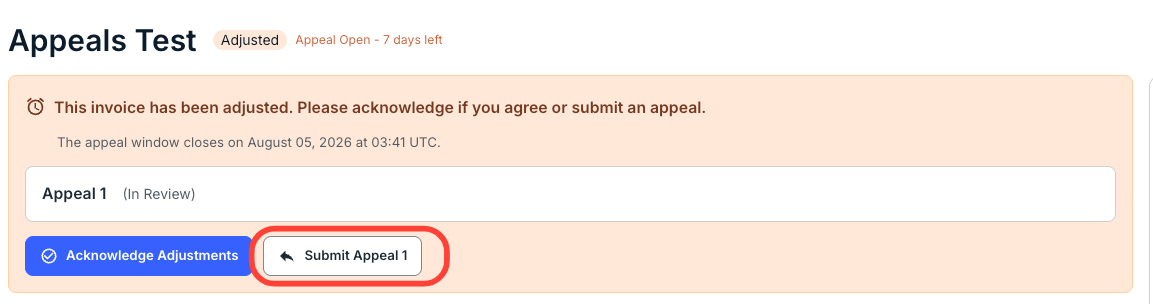
You will also receive a notification on the invoice directly within your Counsel Exchange account and a banner at the top of the screen reminding you of the appeals deadline. You can also Acknowledge Adjustments or Submit Appeal.
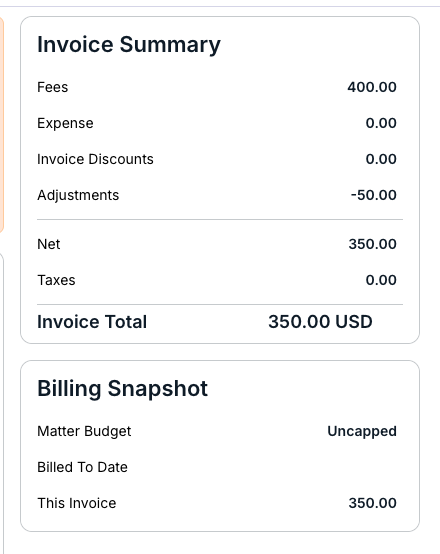
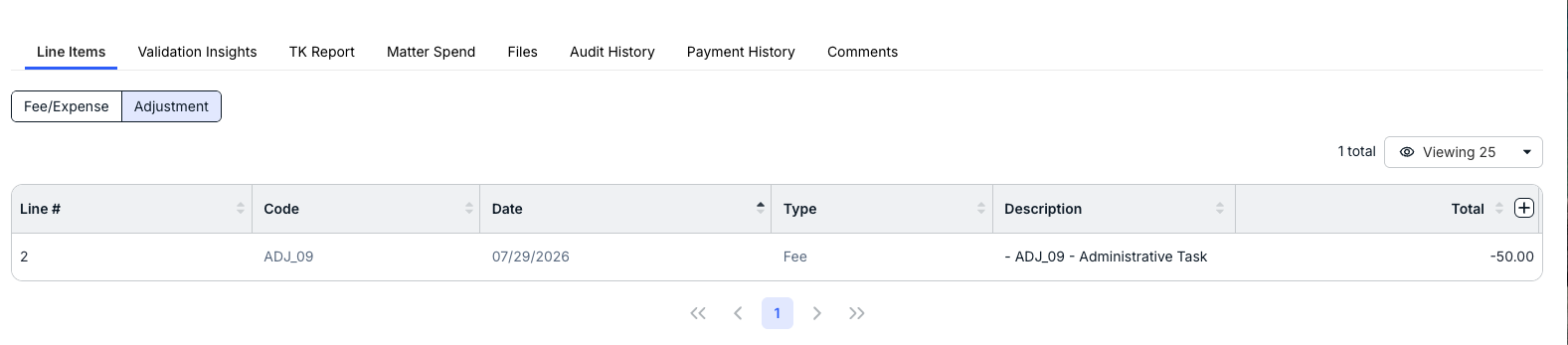
You'll see the adjustments on the right-hand side of the screen or under the Adjustments tab at the bottom of the screen.
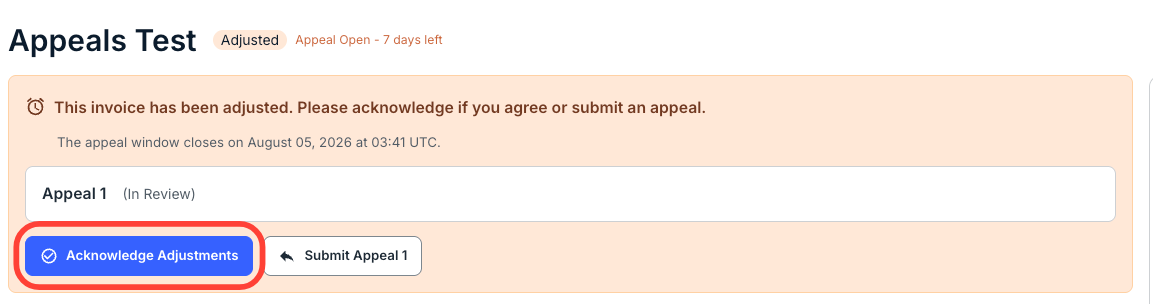
- If you are okay with the adjustment, you can simply click on Acknowledge Invoice Adjustment and send it back to the designated next approver on the client side.
- If you want to make an appeal, add any necessary comments to the line item.
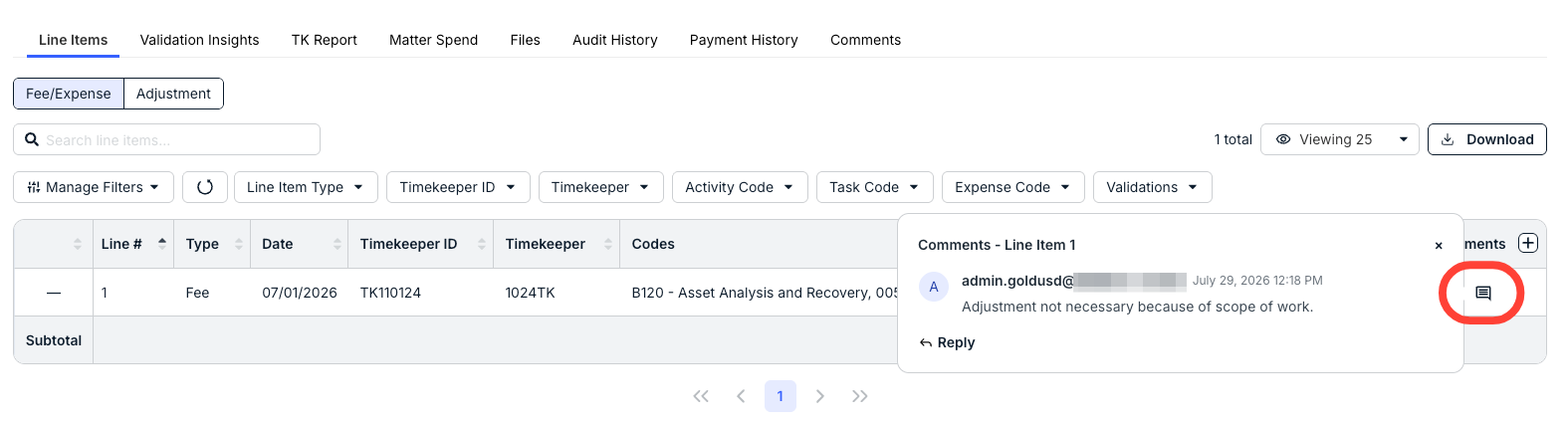
- After you've put in your comments, click Submit Appeal to start the appeal process.
Your comment will appear at the top of the screen.
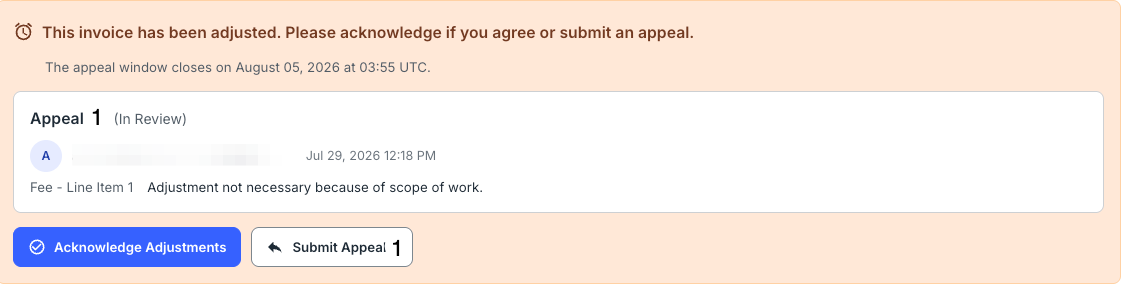
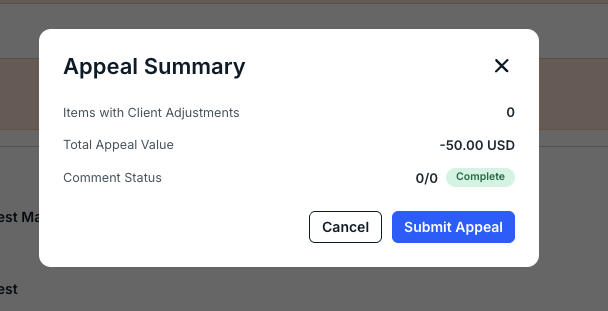
- The Appeal Summary screen will appear.
Click Submit Appeal to send in your appeal or Cancel to back out.
- From there, the client will see the appeal come up with details provided in the comments.
If the client agrees with the appeal, they can remove the adjustment, and the invoice will then go back to the designated first approver for review. However, if they want to send the invoice back to you, they can add the necessary comments in response to your input and send it back for another round of appeals.