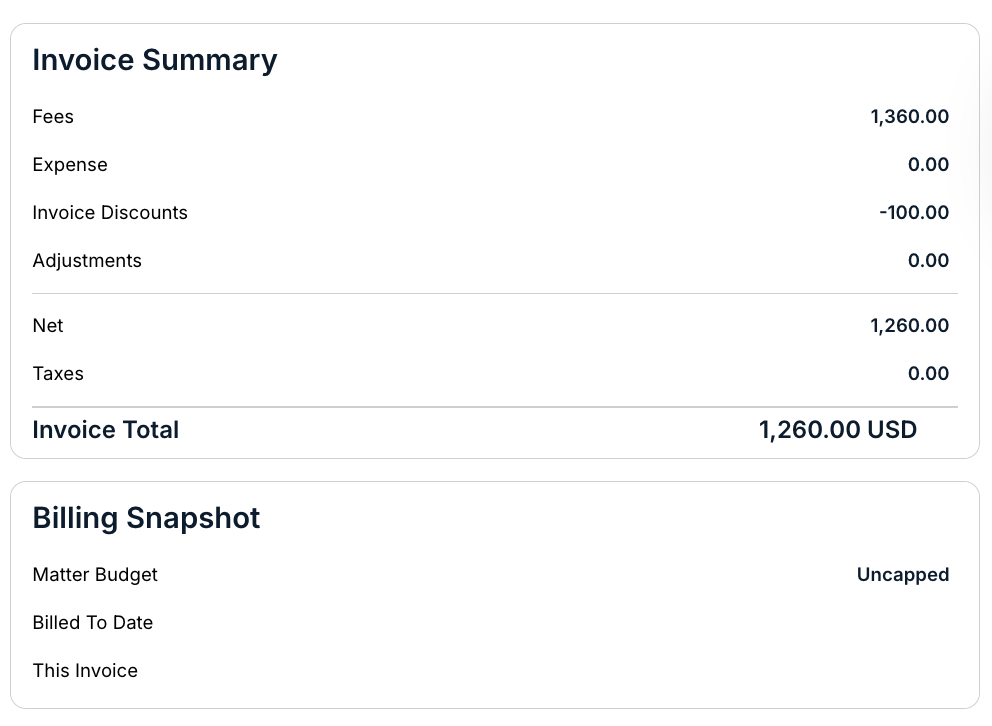
The Tiered Volume Discount structure is used when the vendor is engaged in a large quantity of work for the client and both parties agree to increasing discount rates as total fee spend increases.
Here's how to apply a Tiered Volume Discount to an invoice:
- Fill in your invoice as you usually would and then click on "Add Discount."
Click here to learn more about manually creating an invoice.
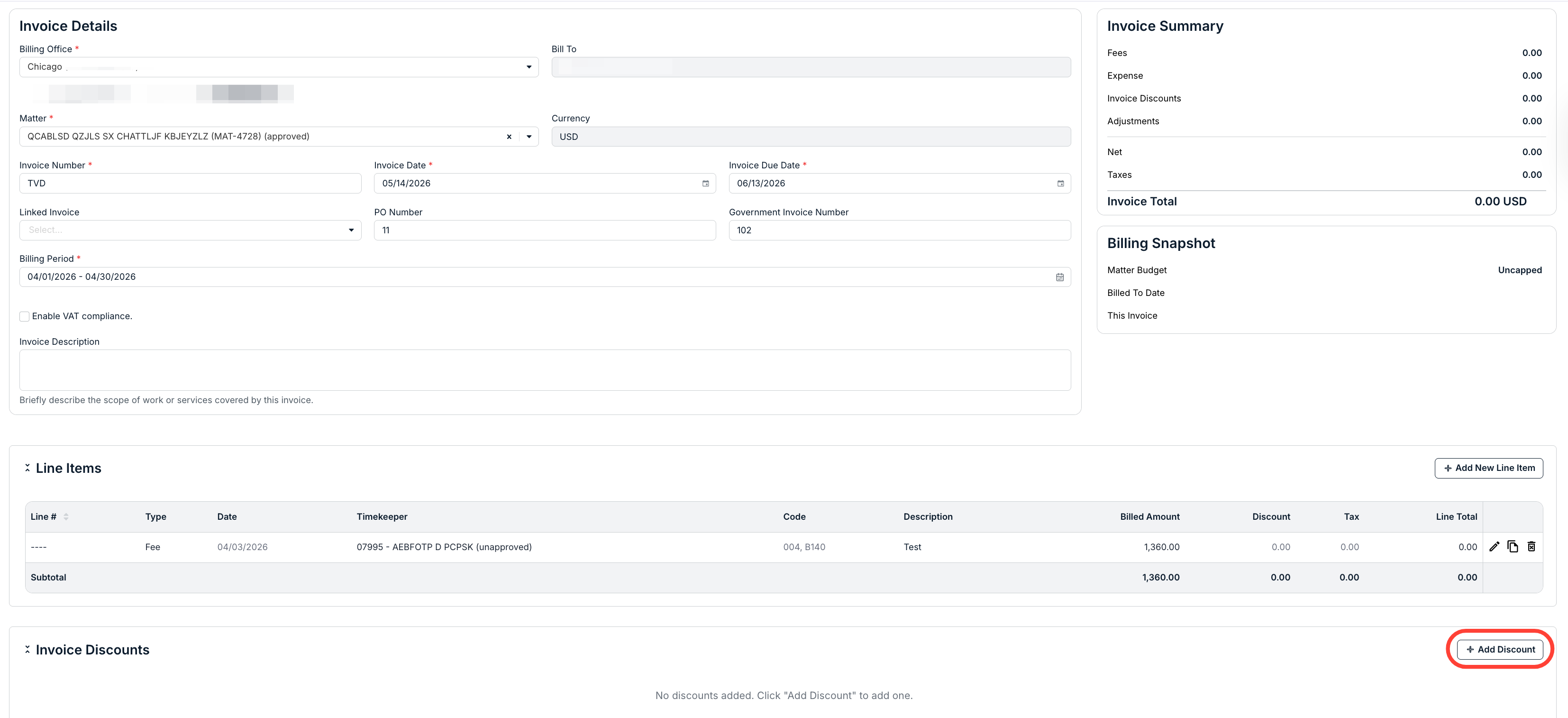
- Select "Tiered Volume Discount" (TVD01) from the Discount Code drop-down menu.
Add the discount in the form of a negative number ("-"). You'll also have to fill out the Date, Discount Type, Discount Amount, and Description of Service fields.
Check the Taxable box if the item is subject to tax. If so, you'll have to fill out the Tax Code and Tax Rate. Amount totals will automatically update at the bottom right of the screen. Click Save to save the discount, Save and Add Another to add another discount, and Cancel to back out.
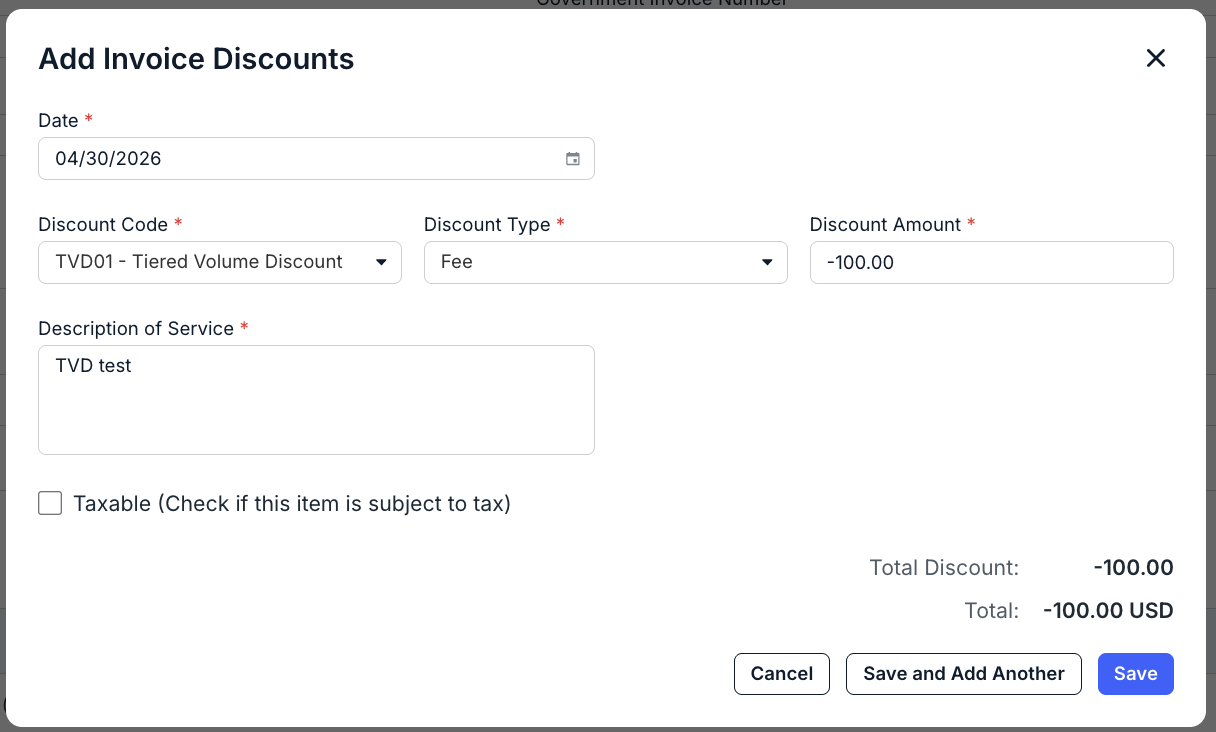
The new amount will automatically update on the Invoice Summary.