Here's how to resubmit a disputed timekeeper rate in Counsel Exchange:
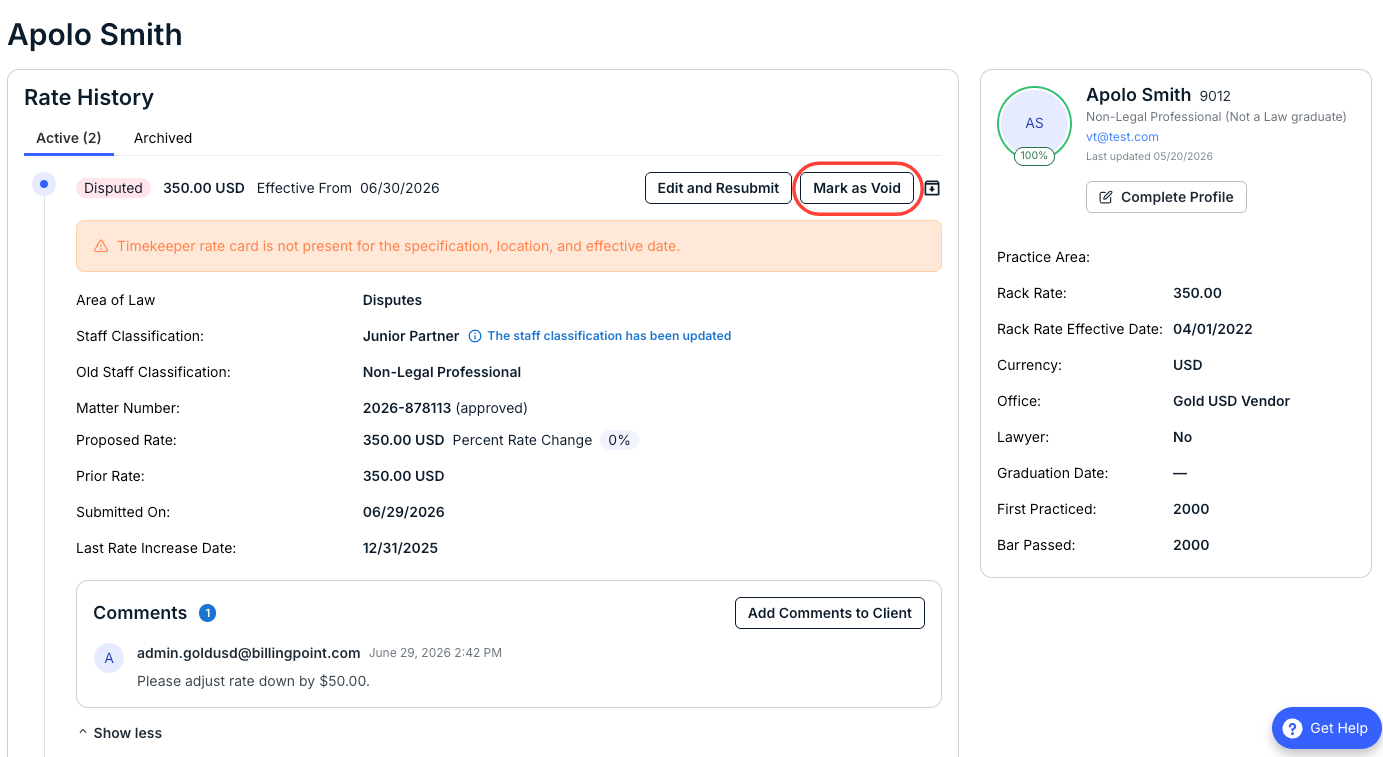
- Open the "Timekeeper Rates" section on the left-hand side menu in Counsel Exchange.
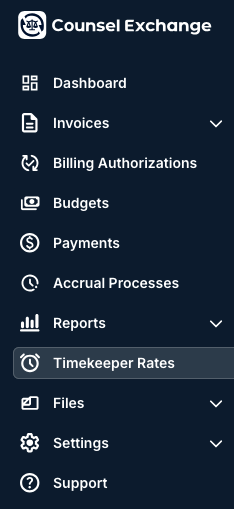
- Find the disputed rate you need to adjust.
You can see rates in dispute marked with a red Alert button on the first (Active) tab.
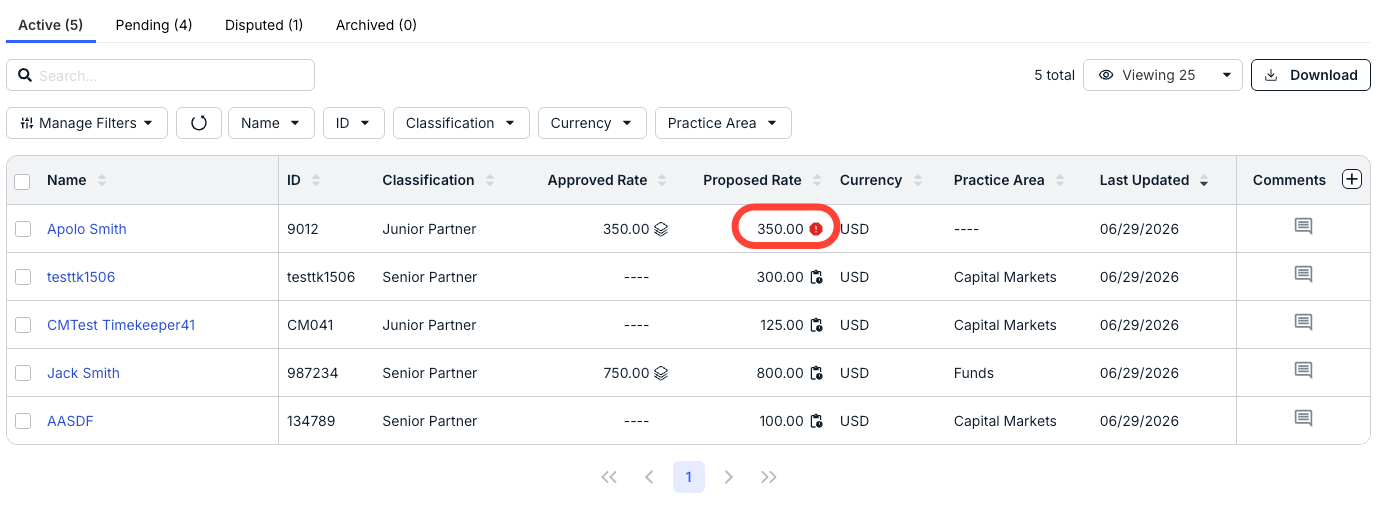
You can also click on the Disputed tab to go directly to the disputed rates.
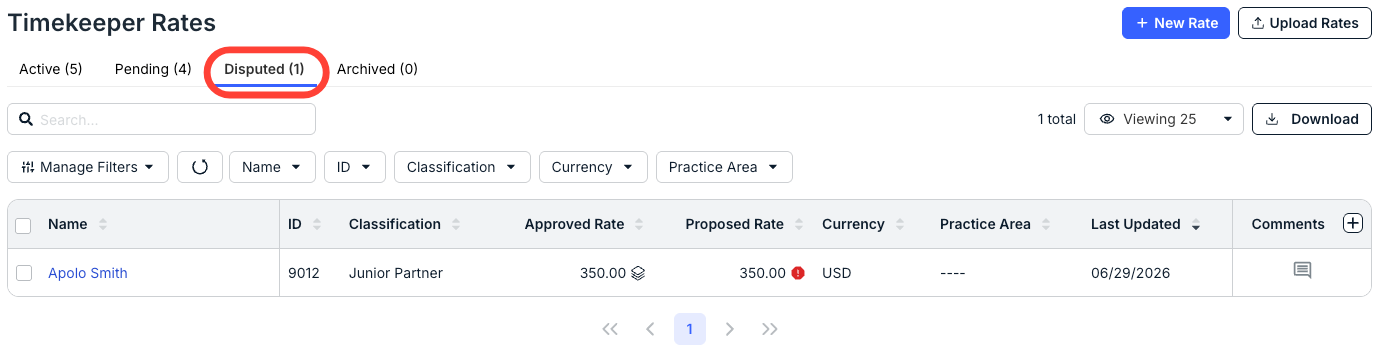
- Click on the name of the timekeeper with the disputed rate to open the timekeeper page; there, you'll see the reason for the dispute.
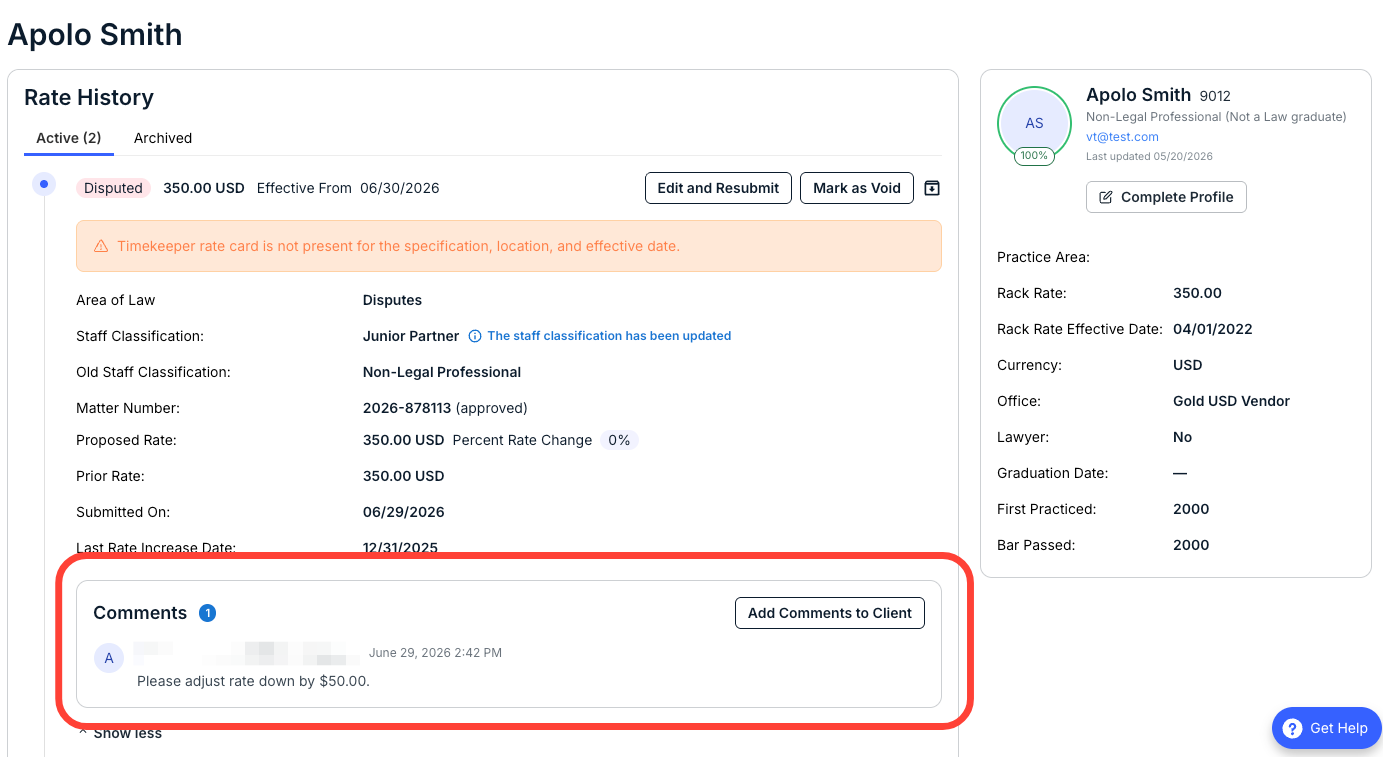
When the client disputes a rate, they should leave a comment indicating the reason for the dispute. An email notification with the comment will be sent to the Billing Contact for your account.
You can see the comments (and leave others for the client to view) in the Comments section.
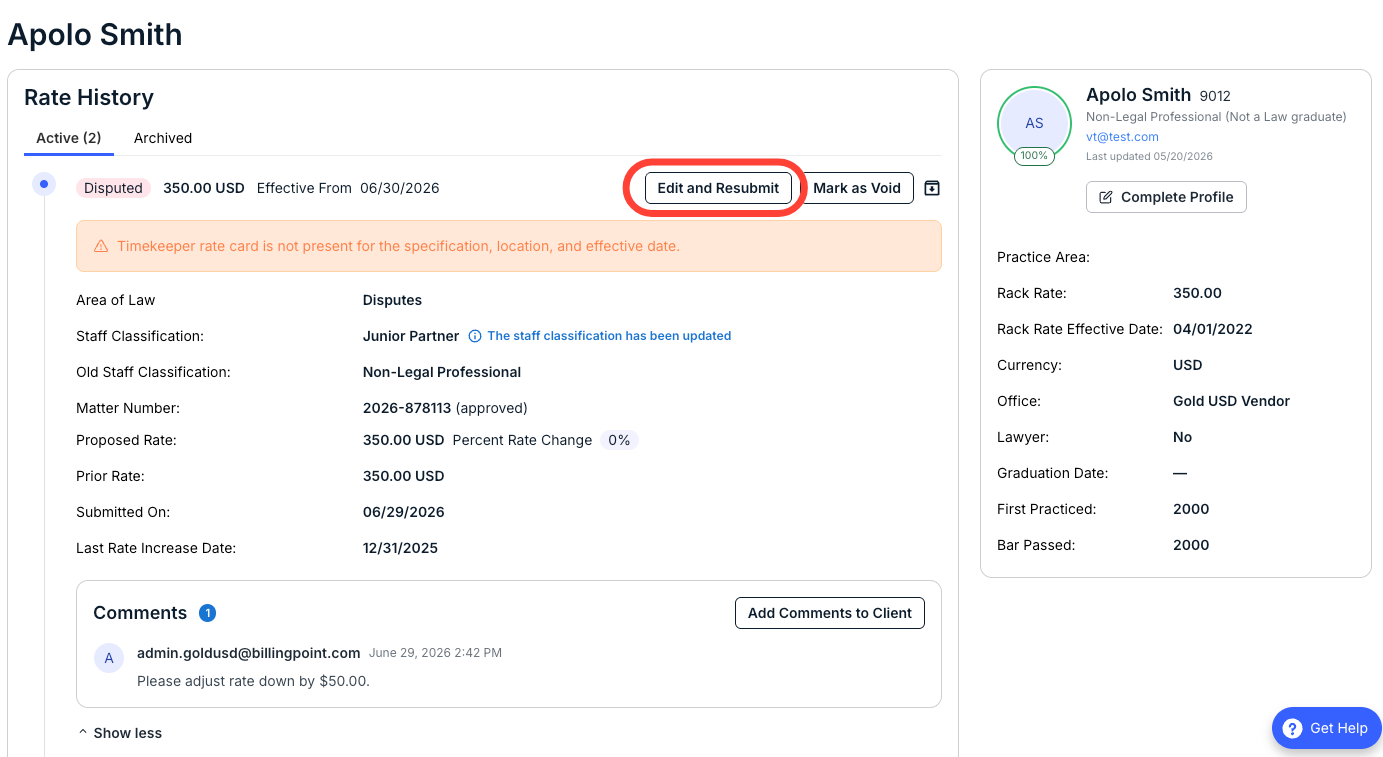
- Click "Edit and Resubmit" to edit the timekeeper rate.
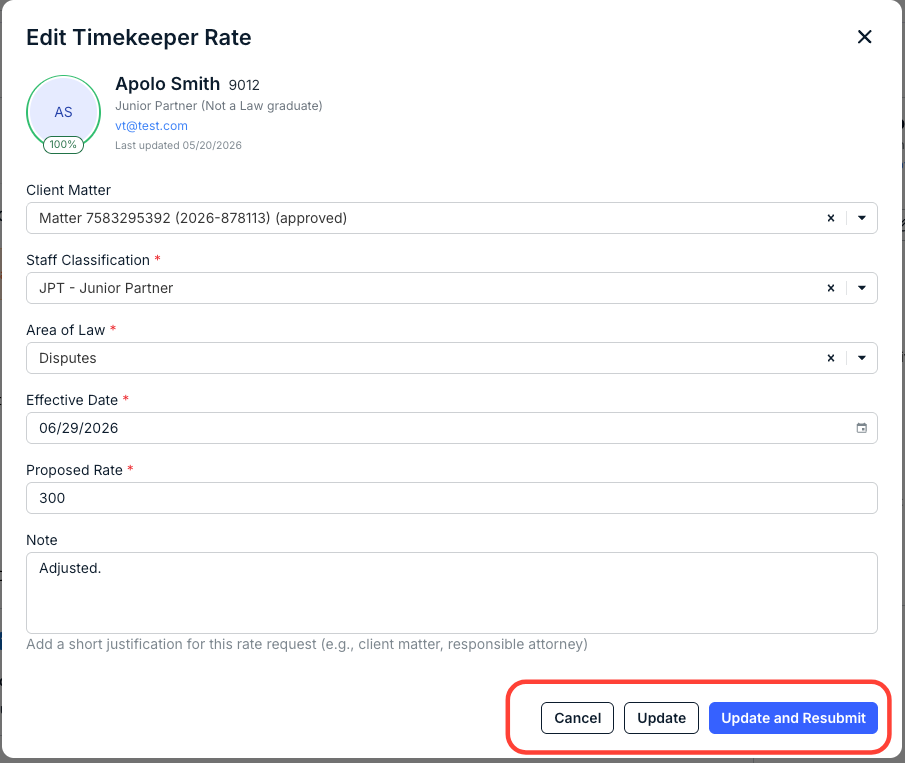
- The Edit Timekeeper Rate screen will appear.
Make any changes necessary; you can also add a Note to the client if needed. Click Update and Resubmit to update and send the new rate in, Update to just update the rate (and submit later), or Cancel to back out.
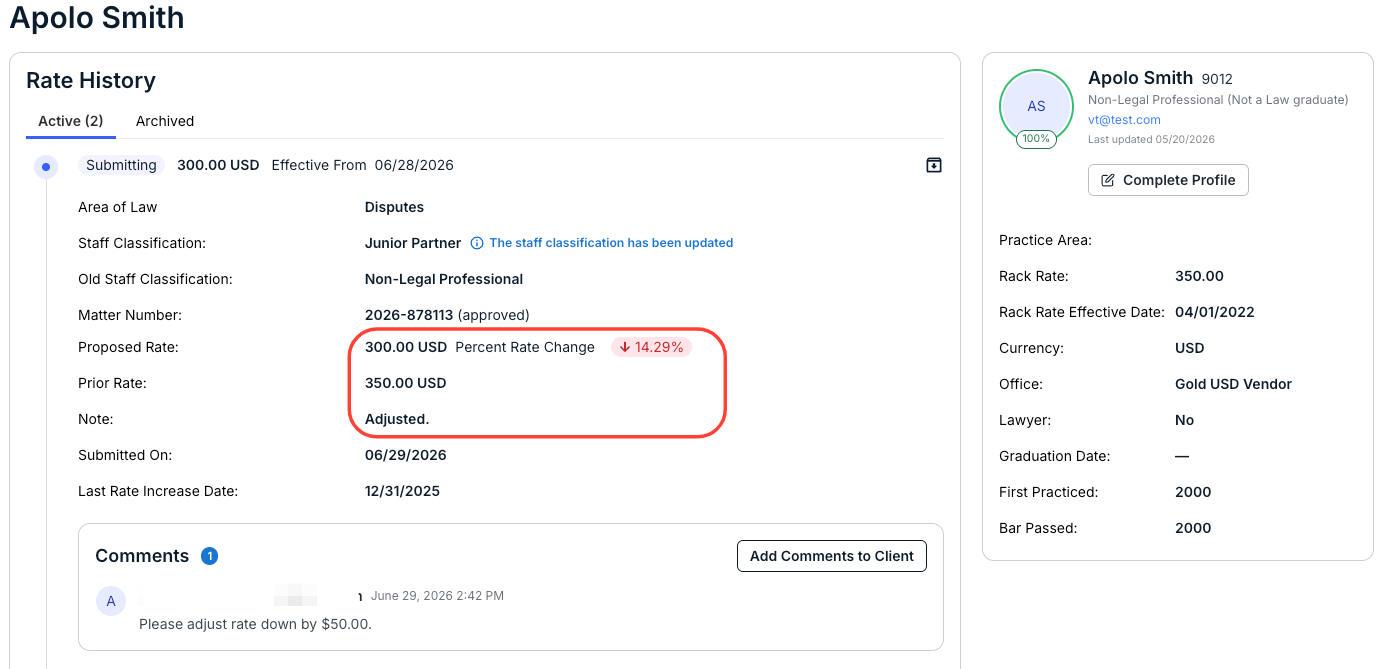
The new rate (along with the percentage change) and any notes will appear on the Rate History screen.
- The Edit Timekeeper Rate screen will appear.
Note that you can also Void the rate entirely to start the process over.