Counsel Exchange is the next evolution of Onit's ebilling services. Counsel Exchange brings CounselGO and BillingPoint together with a responsive UI refresh and modern UX, improving speed, accessibility, and intuitive navigation, reducing vendor training time, and increasing adoption.
This guide will take you through the basics of navigating Counsel Exchange.
The Counsel Exchange Menu
- After logging into Counsel Exchange, you'll see the main menu on the left-hand side of the screen.
Click the bottom Collapse option to toggle between the large and small menu options.

- Within the menu, you will have access to some or all these features, depending on the selected client and their settings:
- Dashboard
- Invoices (Invoice List, Create Invoices, Upload LEDES, LEDES History)
- RFP
- Matter
- Billing Authorizations
- Budgets
- Payments (Payments Collected, Revenue by Client, Aged Accounts Receivable)
- Accrual Processes
- Reports
- Timekeeper Rates
- Rate Cards
- Files (Billing Guidelines)
- Settings (Tax Code Mappings, Client Spot Rates)
- Support
- Within the menu, you will have access to some or all these features, depending on the selected client and their settings:
Using the Dashboard
- After logging in, you'll start on the Dashboard screen. You can also access the Dashboard through the icon on the left-hand menu.

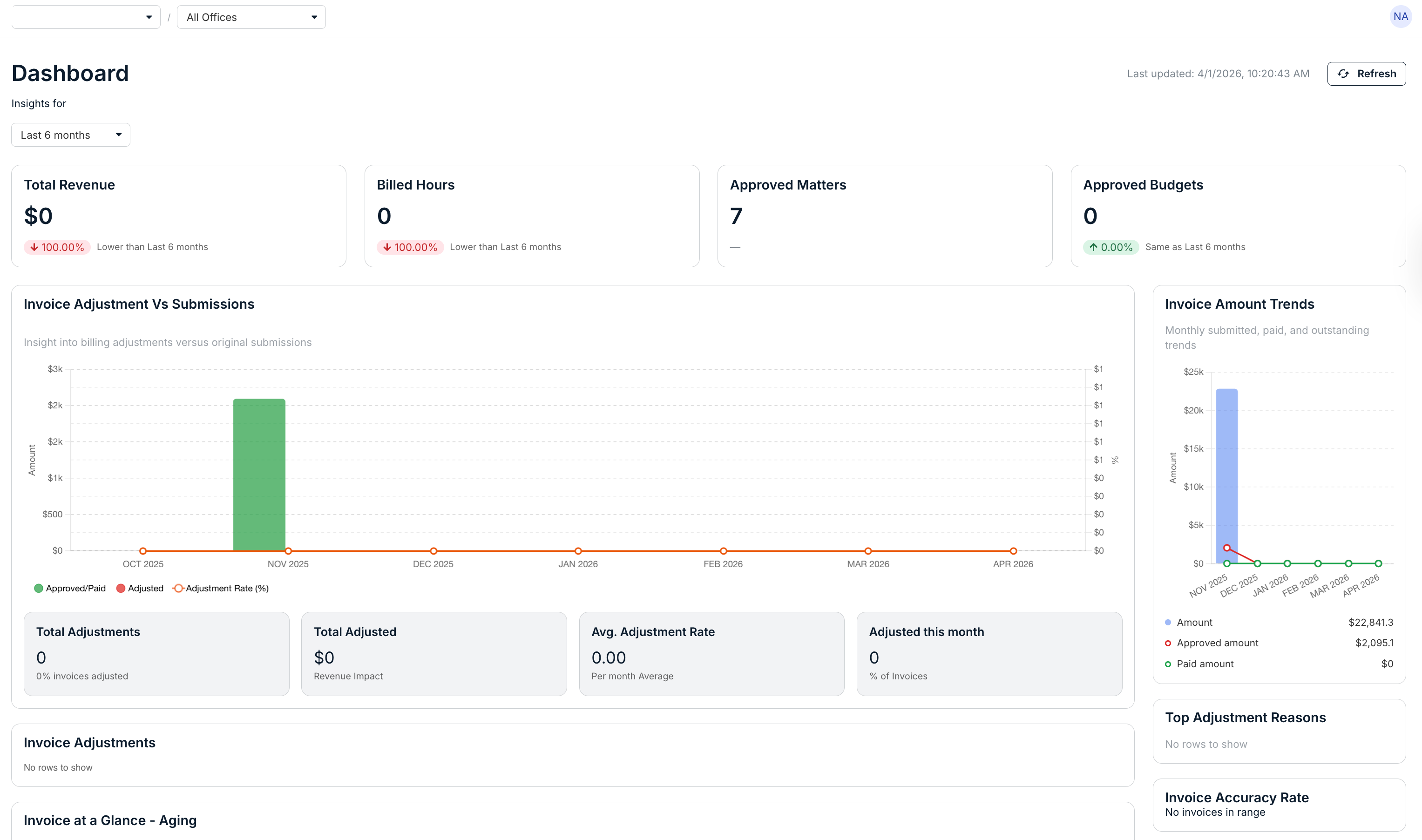
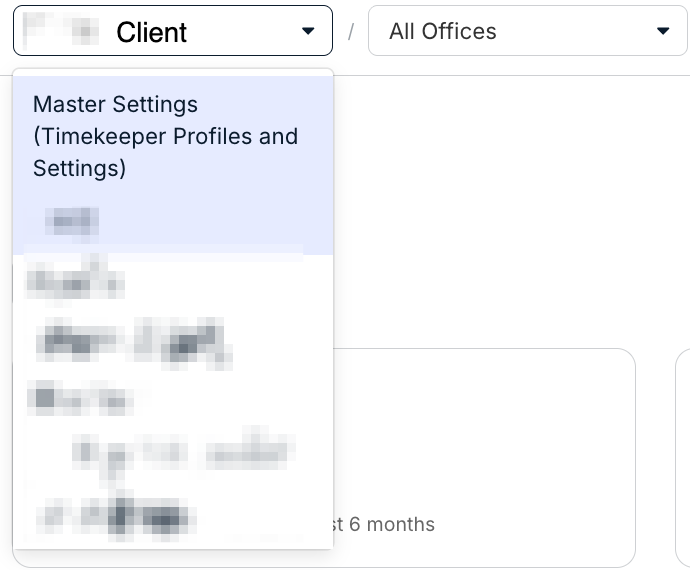
- At the top of the screen, you can switch between clients and offices.
This is also where you can select the Master Settings option.
- Under "Dashboard" you'll see the client name and when the Dashboard was last updated.
Hit "Refresh" to refresh the data below; you can also use the drop-down menu to select a data date range (6 months, year-to-date, and custom)

- The rest of the page shows key analytics.
Note that the data displayed may change depending on your/the client's settings.
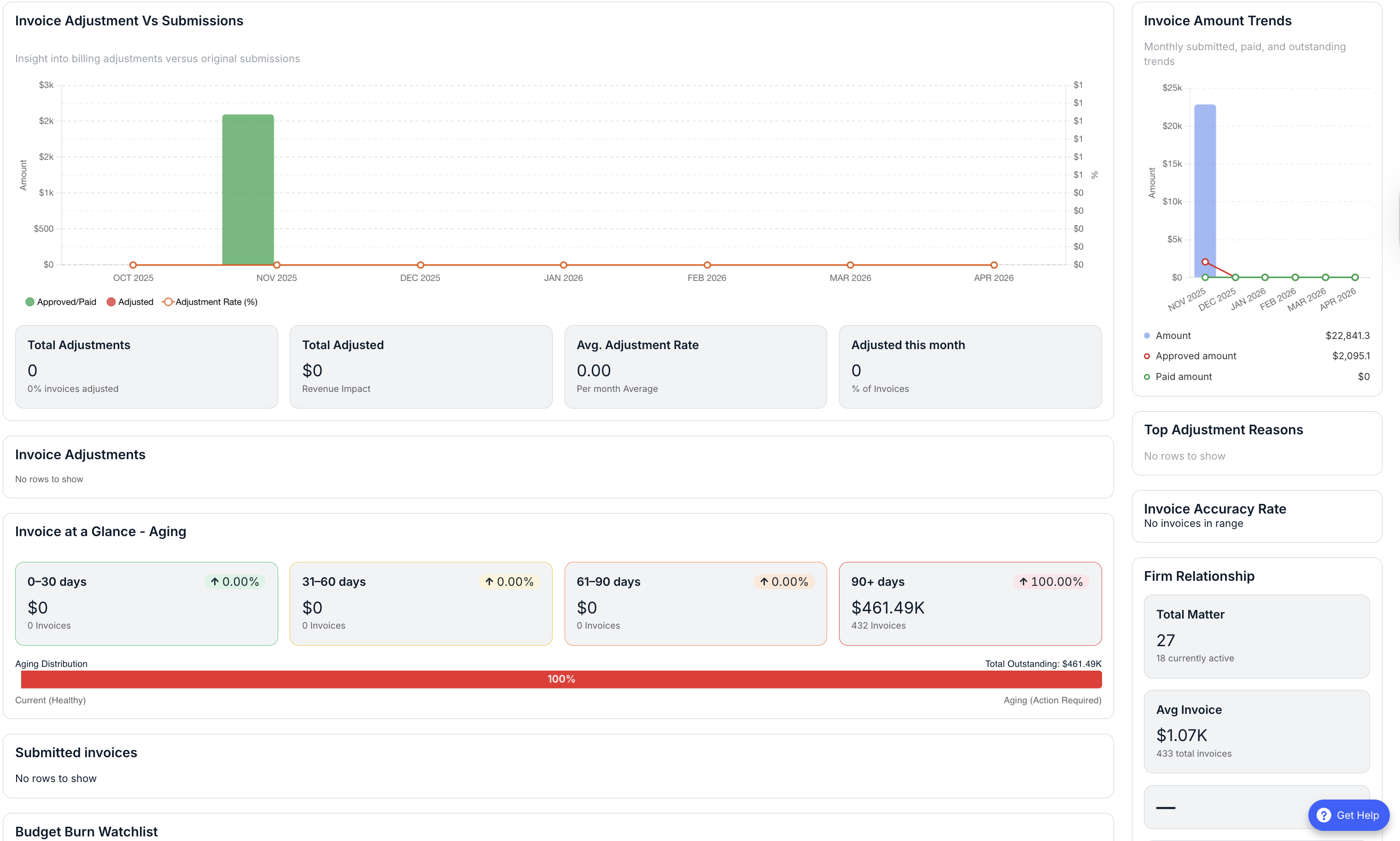
Key Metrics definitions:
- Total Revenue - Total monetary value of payments received within the selected period based on payment date.
- Billed Hours - Total hours billed (prior to any adjustments) on invoice line items whose activity date falls in the selected period.
- Approved Matters - Count of matters that are approved as of the date of report (no date filter).
- Total Adjustments - Percentage of total adjustment amount relative to original billed amount for the same line-level population as the numerator.
- Total Adjusted - Total monetary value of adjustments on lines whose activity date falls in the selected period.
- Avg. Adjustment Rate - Mean of per-line adjustment rate:
adjustment_amount / original_billed_amount, over lines in scope for the period. - Adjusted in Period (%) - Among invoices that have at least one line item with
activity_datein the selected period, the percentage that have at least one adjustment on any line whoseactivity_dateis in that same period. - Top Adjustment Reasons - Top 10 adjustment reason values by total
adjustment_reasonfor lines withactivity_datein the selected period. - Invoice at a Glance - Aging: Breakdown of approved invoices with positive open balance, grouped by age since approval.
- Firm Relationship Metrics
- Total Timekeepers - Distinct timekeepers associated with the firm (or scoped entity) in the data model.
- Average Invoice - Average submitted/approved/sent/paid invoice amount (excluding invalid statuses), over the metric’s chosen time window.
- Lifetime Revenue - Total revenue from all included payments over all time (or over product-defined “lifetime” scope).