Here's a list of the common LEDES file errors users may encounter when uploading files to Counsel Exchange, and details on how to solve them.
Timekeeper ID is Invalid Value
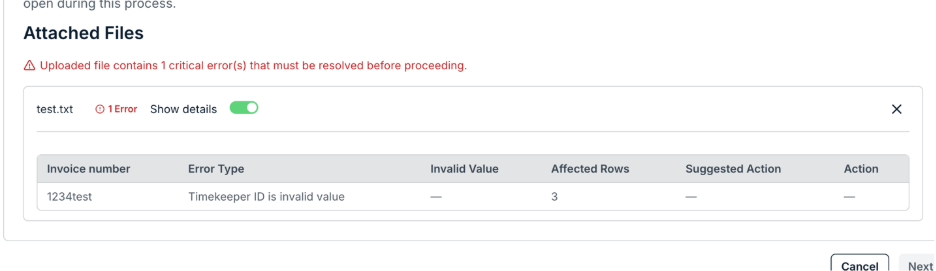
This error means the timekeeper ID being used on your file does not match a timekeeper ID in Counsel Exchange.
TO RESOLVE: Find the correct timekeeper ID. You can find the timekeeper ID under Timekeeper Rates in the menu on the left-hand side of the screen.
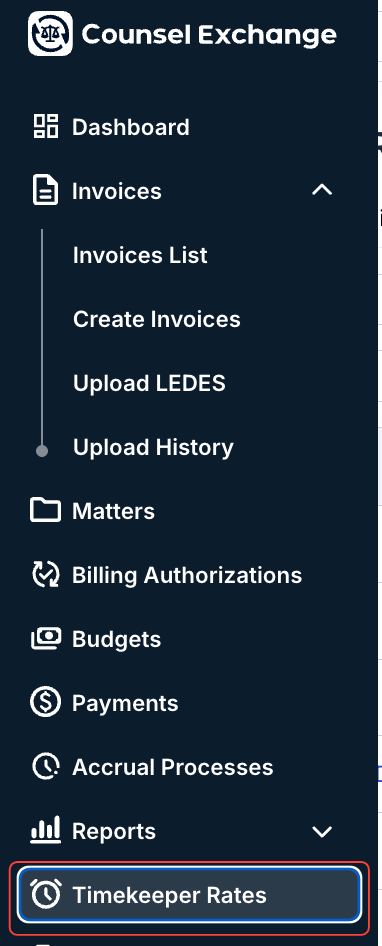
After you open Timekeeper Rates, the full directory of timekeeper rates will appear.
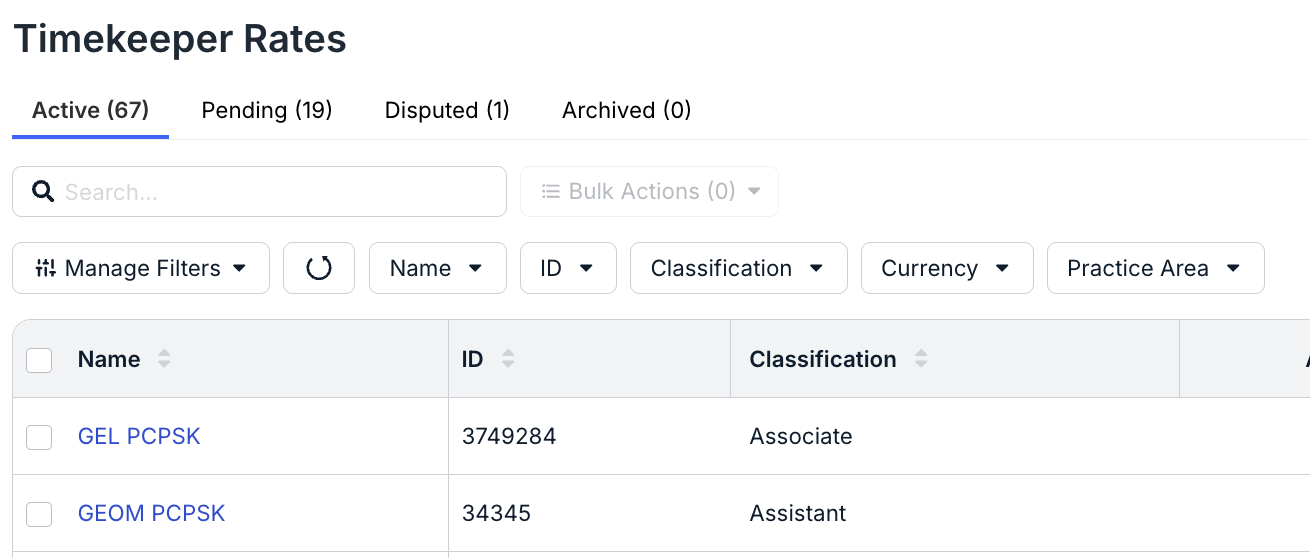
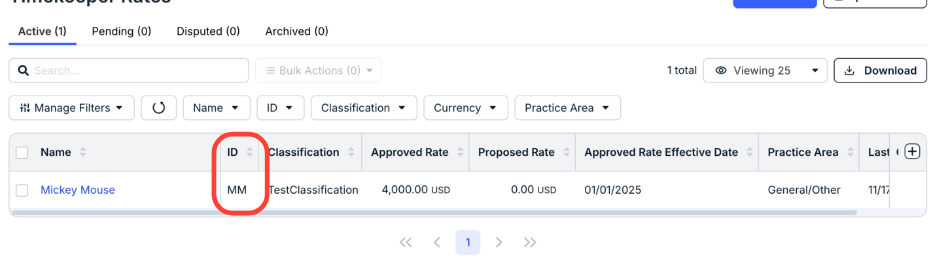
Once in Timekeeper Rates, you can search to find the timekeeper by name. The ID needed on your file is what is listed in the ID column as seen below.
Matter Number is Invalid Value
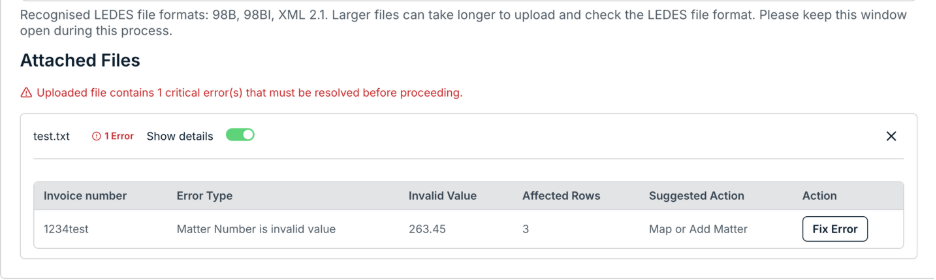
This error means the matter number being used on your file does not match the client approved matter number.
TO RESOLVE: Find the correct matter number. The matter number can be located in your Counsel Exchange account under Billing Authorizations in the menu on the left-hand side of the screen.
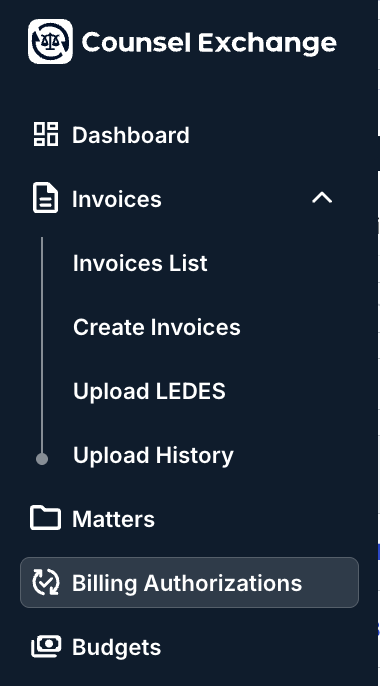
After you open Billing Authorizations, the full directory of billing authorization requests will appear.
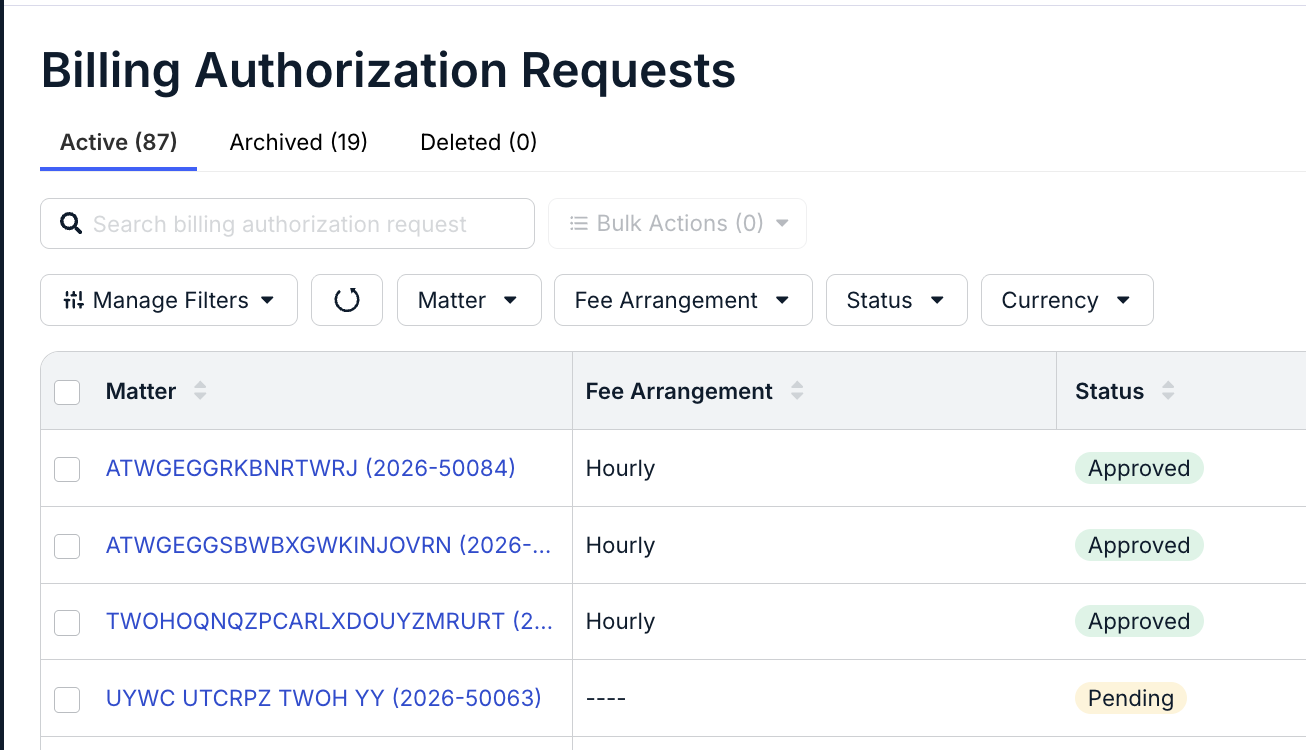
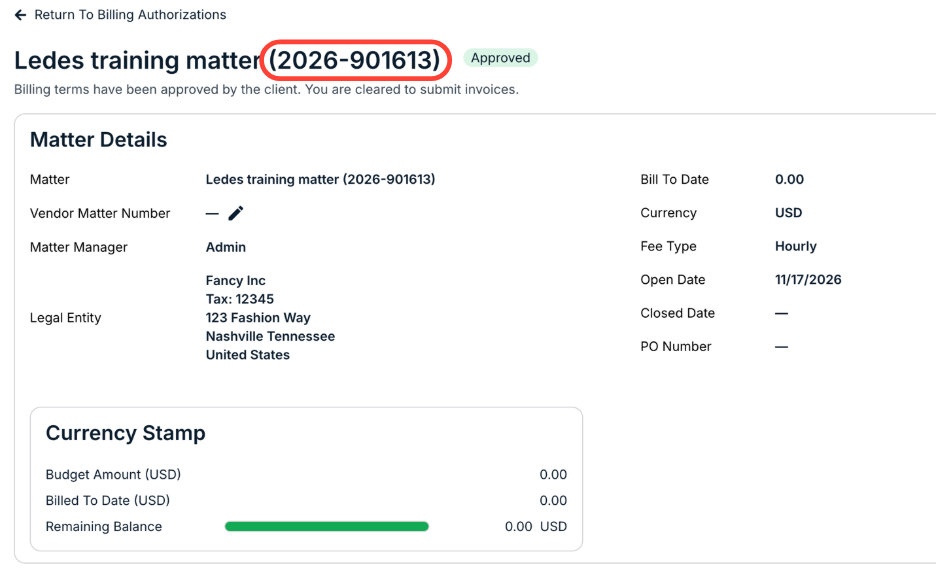
You can search the matter name to bring up the correct matter. Once opened, the correct matter is listed in parenthesis next to the matter name. This is what has to be used on your LEDES file.
Post-Submission Invoice Failures
The Line Item Math Does Not Calculate Correctly

One of the most common invoice failures after submission is due to the fee line item calculation. The system calculates each fee line as (line item units * line item cost) + line item adjustments.
TO RESOLVE: You will need to validate that the math in your fee line is calculating as expected. Check that the units, cost, and any adjustments on each fee line add up to the line total, and that adjustments (such as discounts) are entered with the correct sign. For example, 2 units at a cost of $100.00 with a -$20.00 adjustment should total $180.00.