Follow these steps to archive an invoice in Counsel Exchange (Unity):
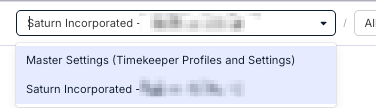
- Select your client in the standard client view.
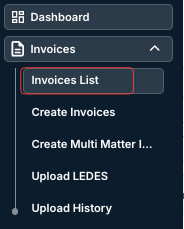
- On the left-hand menu, open the Invoices List.
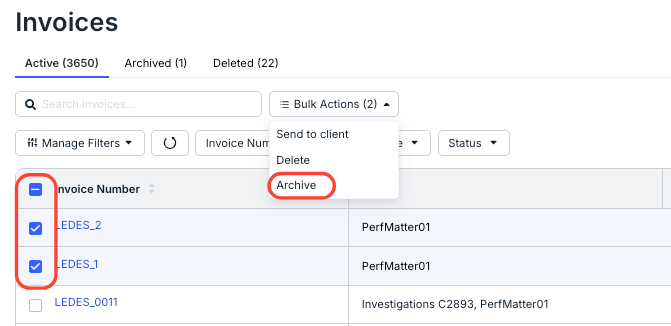
- The main invoices list will open.
Select the invoice(s) you want to archive using the checkboxes on the left (or use the top checkbox to select all). Then open the Bulk Actions drop-down menu and select Archive.
- Click the Archived tab at the top of the screen to view the archived invoices.
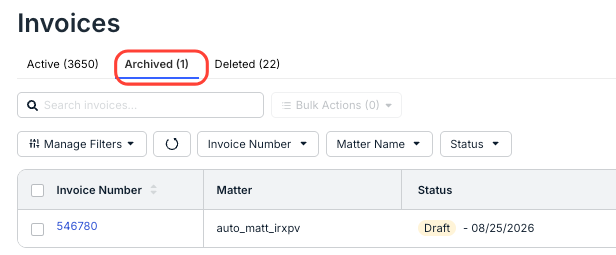
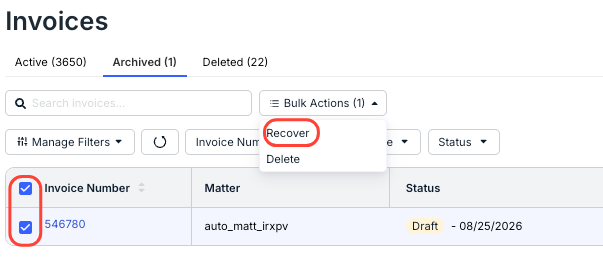
Within this tab, you can also select invoices with the checkboxes on the left and use the Bulk Actions menu to Recover them to Active status.