Clients and vendors can use the Matter File Sharing option to exchange key files throughout the matter and invoicing process.
Here's how to use matter file sharing within Unity:
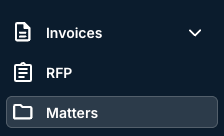
- On the main left-hand side menu, click on "Matters."
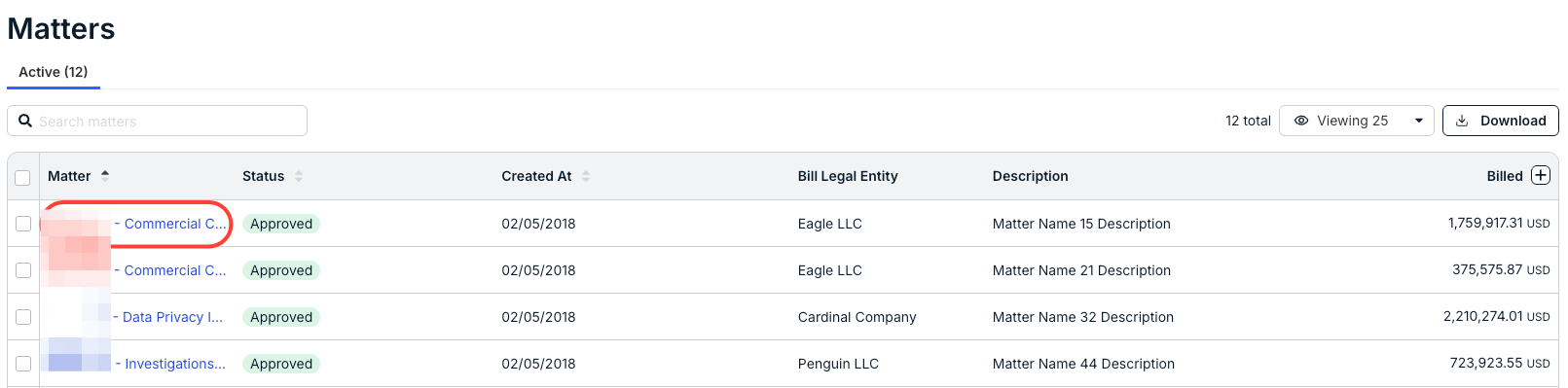
- Open the matter you need to work on.
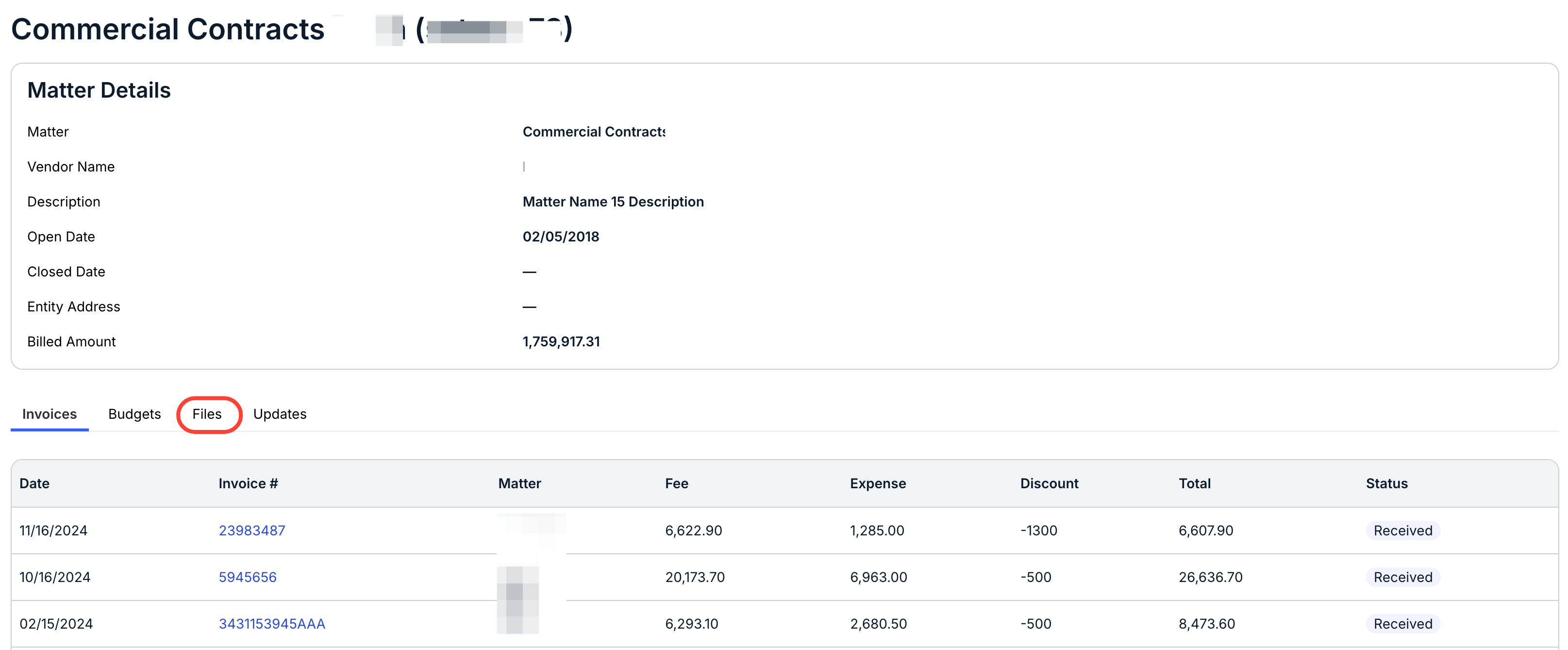
- The matter detail page will open; click on "Files" on the bottom tabs.
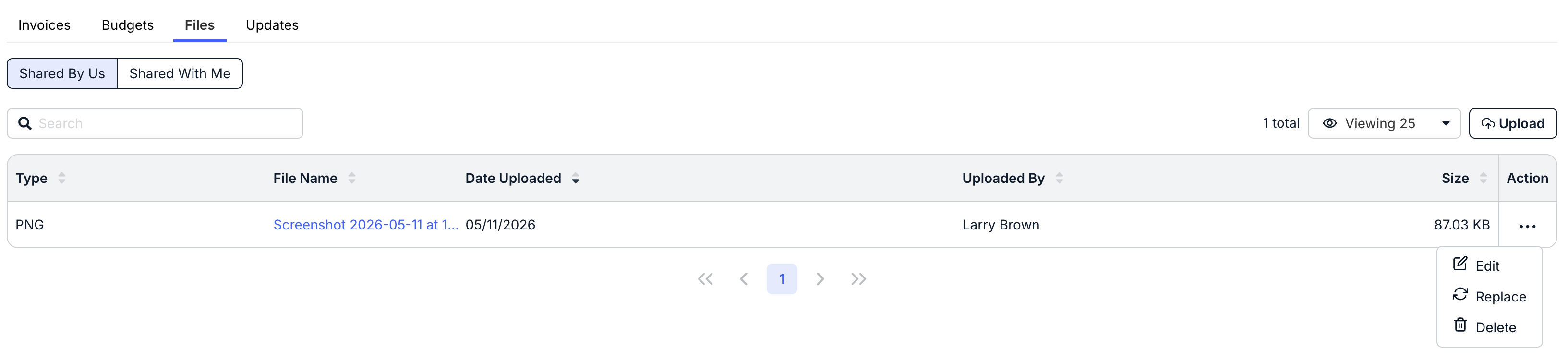
- The Files tab will show you either files "Shared by Us" or "Shared With Me."

- Click on "Shared by Us" to view all of the files you've shared with the client.
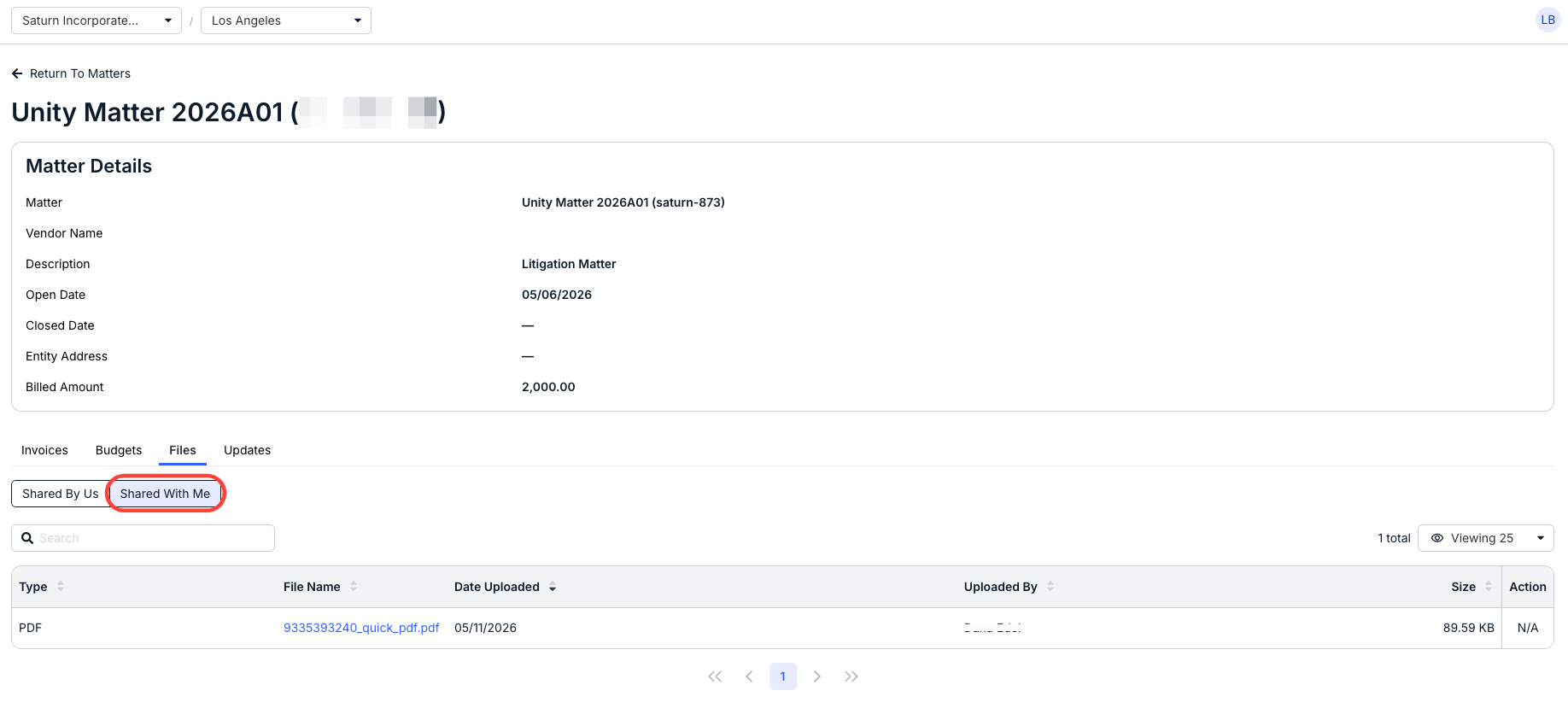
There, you can see key document information, including Type, File Name, Date Uploaded, Uploaded By, Size, and the Action menu.
Click the up/down area next to each column to sort by that column. Use the search bar to search for a specific file, and the Viewing drop-down menu to customize exactly how much you want to see on the screen.
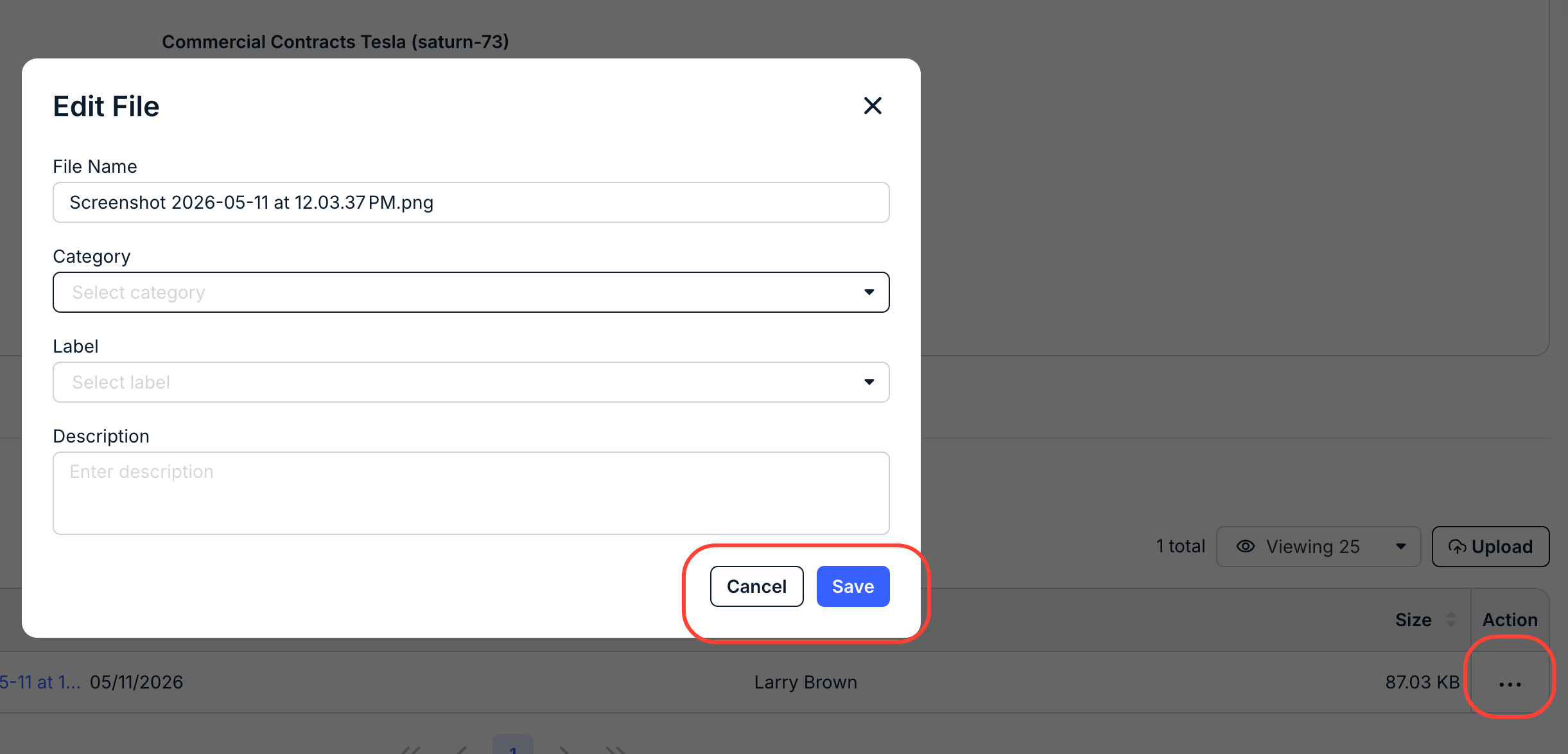
Use the Action three-dot menu to either Edit, Replace, or Delete the file.
Clicking the Edit button lets you edit the File Name, Category, Label, and Description. Click Save to save the update or Cancel to back out.
- Click on Upload to upload a new file.

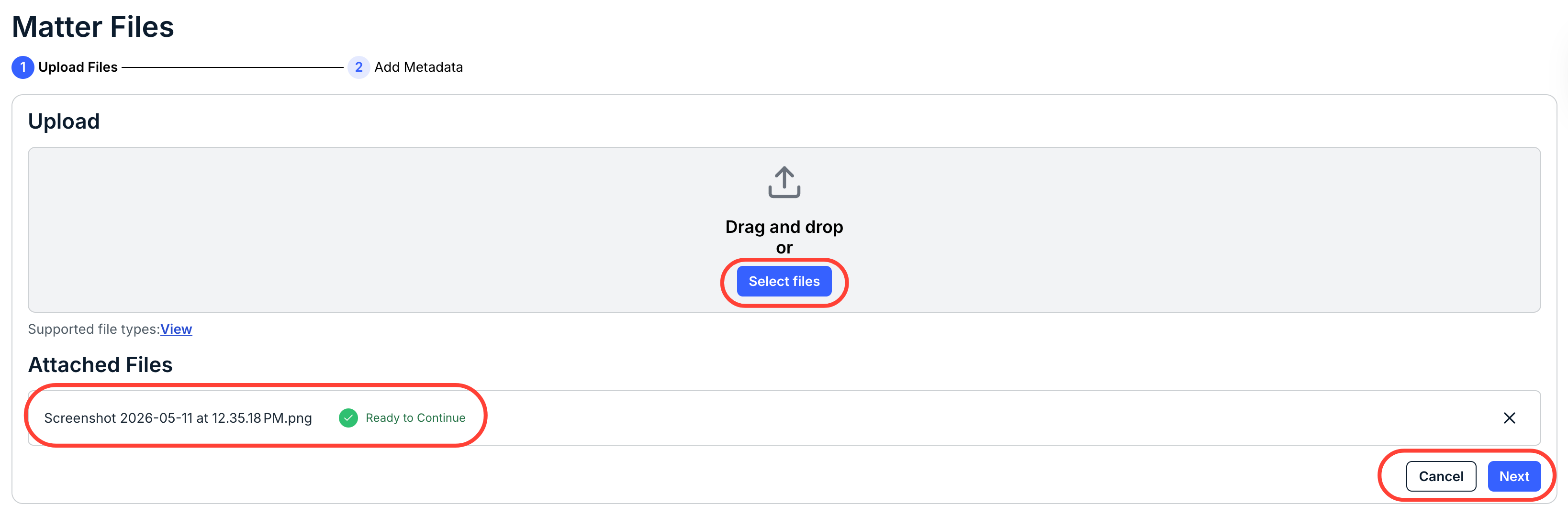
When you click Upload Files, the Upload Files screen will appear. Drag and drop your files, or click Select Files to choose a file to upload. Attached files will appear at the bottom of the screen with a Ready to Continue message when uploaded.
Click Next to continue or Cancel to back out.
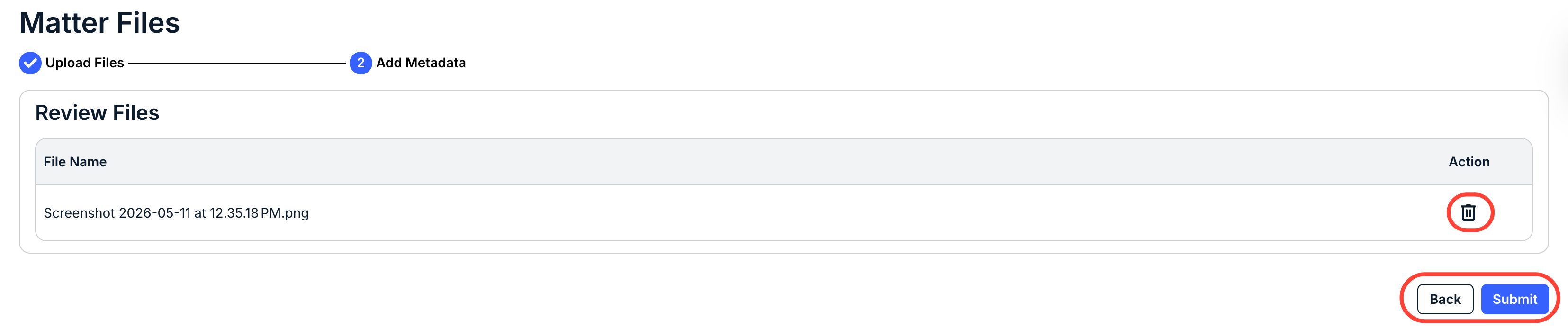
Review your upload and click Submit to submit the file or Back to back out. You can also click on the Delete (trash can) option to delete the file.
You'll see the uploaded file in the Shared by Us section.

- Click on "Shared With Me" to view files that the client has shared with you.
- Click on "Shared by Us" to view all of the files you've shared with the client.