Onit Documentation

Downloading Invoice Lists in Counsel Exchange (Unity)

by Michael Nadeau Updated on

Here's how to download invoice information within Counsel Exchange.

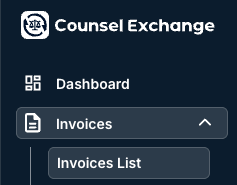
  1. After choosing your client, go into "Invoices" and then "Invoices List" on the left-hand side column. 
  2. Click the "Download" button on the right-hand side of the screen.

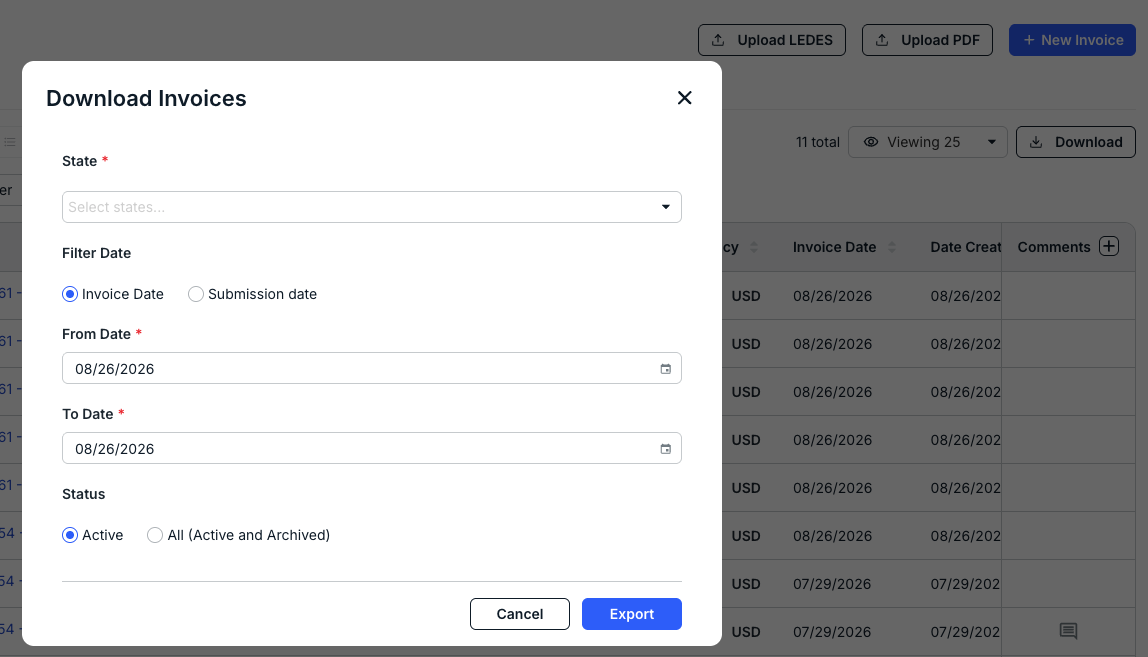
    The Download Invoices screen will appear for you to customize the information you want to download; you can filter by:

    • State (drop-down menu)
    • Invoice or Submission Date, with the From and To Date parameters
    • Status, either Active or All (Active and Archived) 

    Click Export to export the data as an Excel file. 
Previous Article Finding an Invoice in Counsel Exchange (Unity)

© 2026 Onit, Inc.

docs.onit.com contains proprietary and confidential information owned by Onit, Inc. that is subject to copyright. Onit presents it exclusively to you for your sole use in conjunction with using Onit products. No portion of the materials contained herein may be used for any other purpose. No portion of the materials contained herein may be shared with third parties or reproduced in any form.