The Matter File Sharing Updates role can be assigned by your client or an admin from your firm. Admins can follow the instructions in this article to grant or revoke these permissions.
Here's how to set Matter File Sharing Updates permissions in Counsel Exchange:
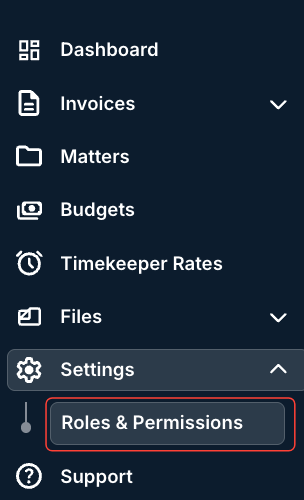
- In the standard client view, open the left-hand side "Settings" menu and click on "Roles and Permissions."
- The Roles & Permissions screen will appear.
Go to the user you'd like to edit, open the three-button Actions menu next to their name and click on Edit.

- The User menu will appear.
Check or uncheck the Matter File Sharing box and hit Save to save your changes or Cancel to back out.
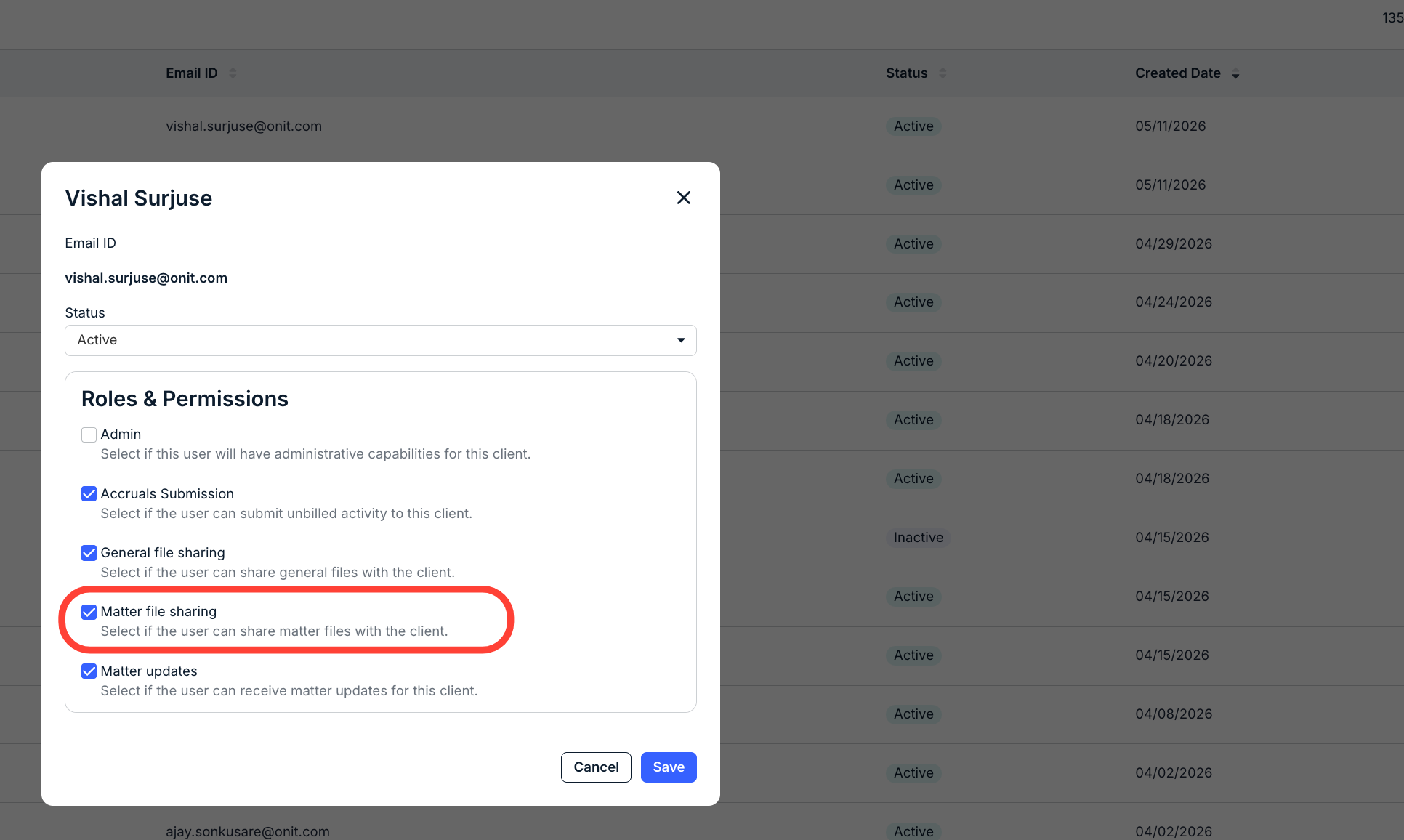
Once this role is assigned, the user will be able to see the Updates tab in matters for this client and will be able to add updates that are visible to the client.