Here's how to submit a fixed fee invoice in Counsel Exchange for Unity:
- Create an invoice and add a new line item as usual.
You can find more information on the invoice creation process here.
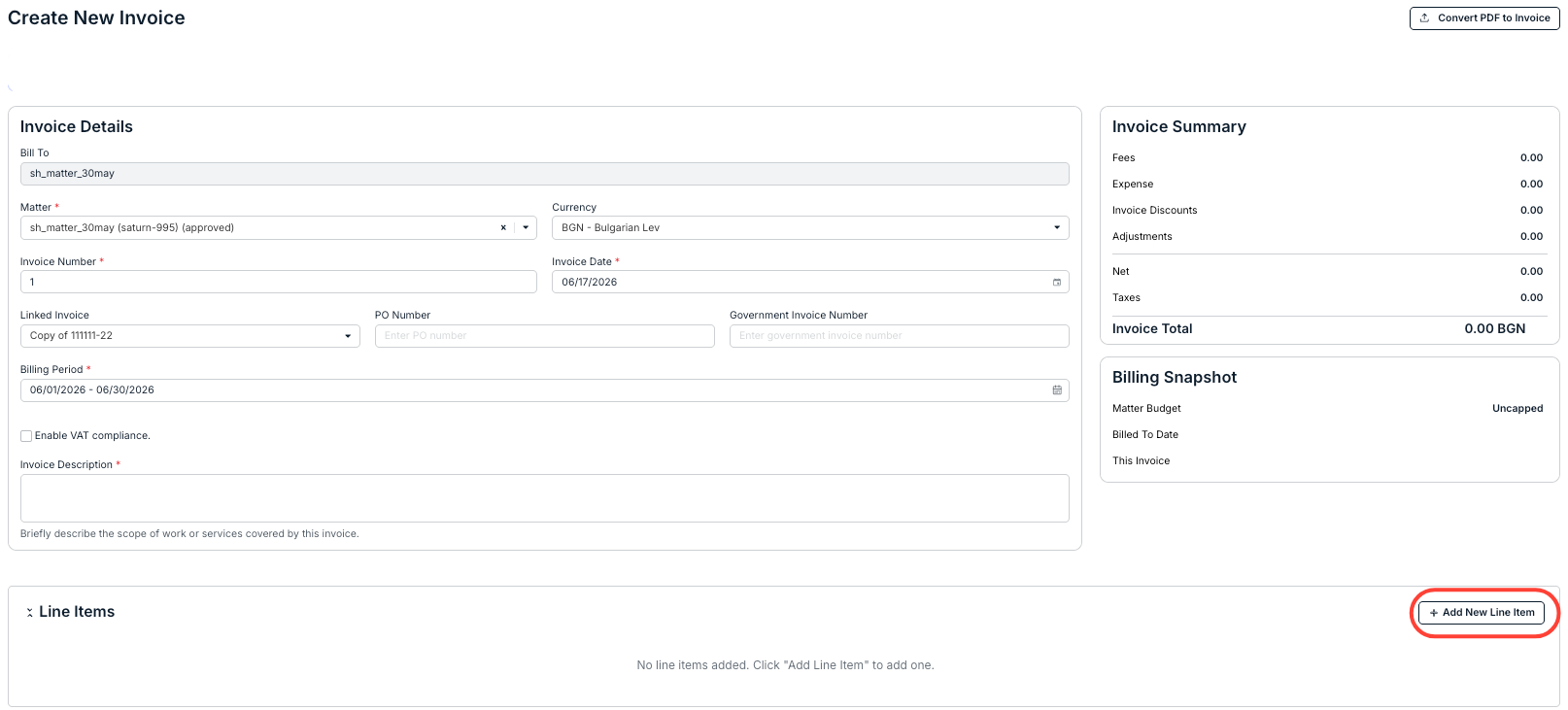
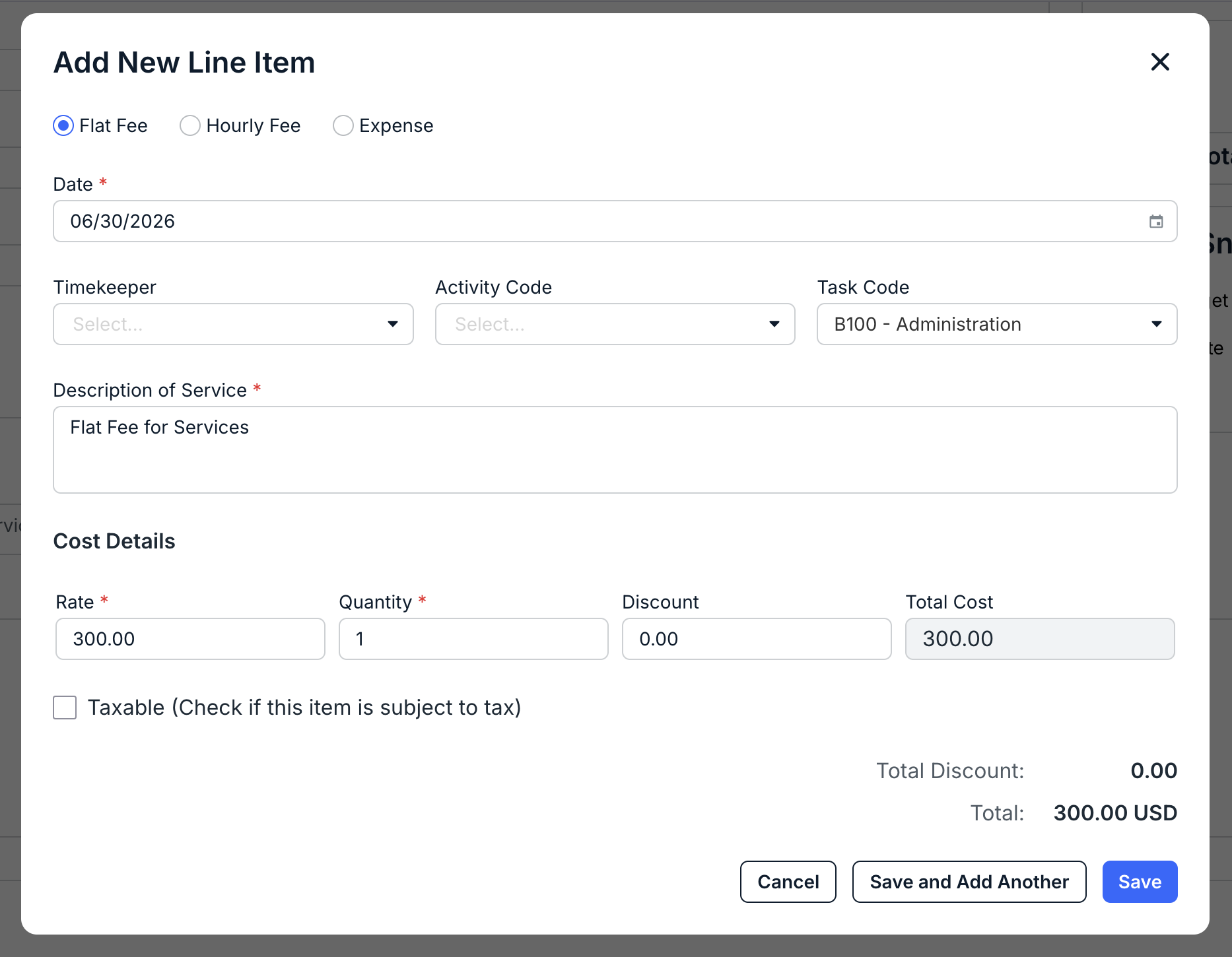
- Choose "Flat Fee" in the Add New Line Item box.
Fill out the remaining fields as outlined in the invoice creation guide. For Fixed/Flat Fees, the rate should be the rate of the fixed/flat fee and the quantity should be 1.
Hit Save to save the line item or Cancel to back out.
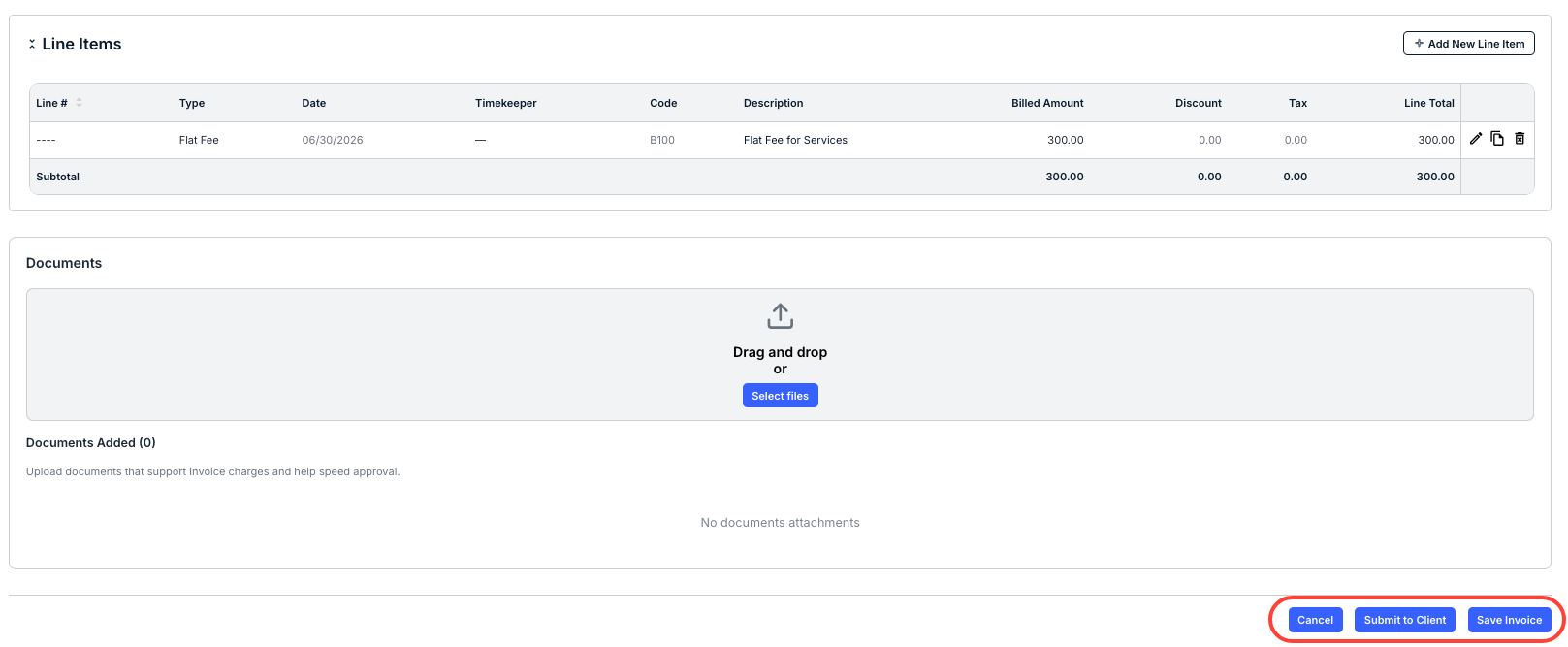
The new flat fee will appear on the invoice screen. Fill out the rest of the invoice information and click Submit to Client when you're ready.