In Counsel Exchange for Unity, administrators can add existing users and customize their permissions (learn more about how to add users through the master settings here) to different clients within Counsel Exchange.
Here's how to add users to clients in Counsel Exchange for Unity:
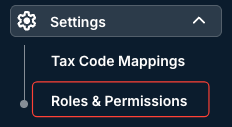
- After selecting your client, go into "Settings" and click on "Roles & Permissions."
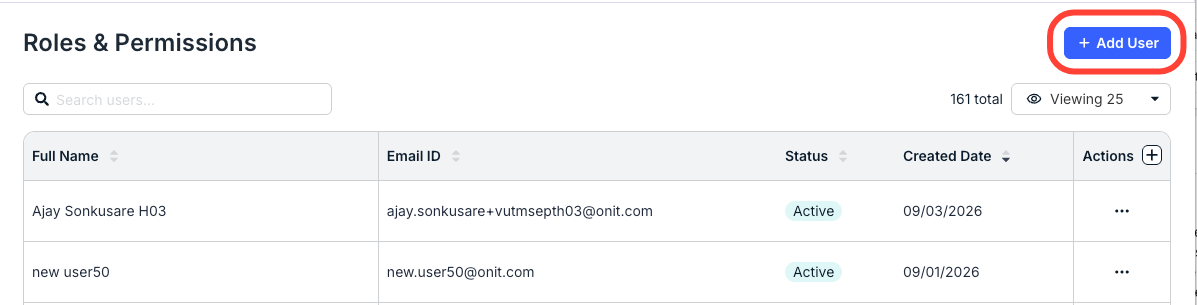
- On the "Roles & Permissions" page, click on "Add User."
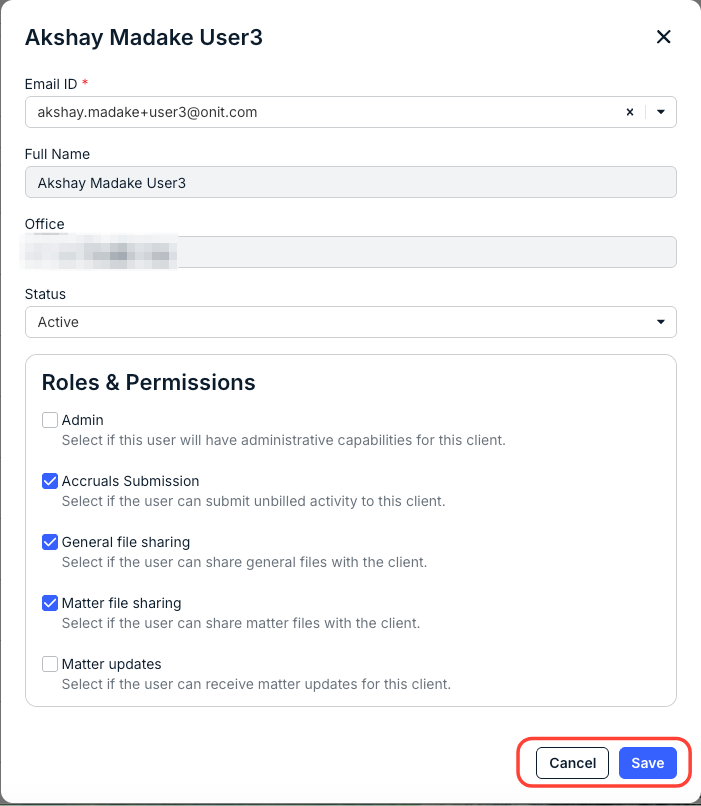
- The "Add User" screen will appear.
On this page, you'll need to select:
- The Email ID from the drop-down menu. Note that the Full Name and Office will populate automatically. Remember, this must be an existing user added through the master settings.
- The Status (Active or Inactive): Active gives the user access to the client after the changes are saved, while Inactive does not.
- The various Roles & Permissions (check the box next to each one to activate it, or clear the box to deactivate it):
- Admin (Select if this user will have administrative capabilities for this client)
- Accruals Submission (Select if the user can submit unbilled activity to this client)
- General file sharing (Select if the user can share general files with the client)
Matter file sharing (Select if the user can share matter files with the client)
Matter updates (Select if the user can receive matter updates for this client)
Click Save to save your changes or Cancel to back out.
Note that you can click the three-dot Actions menu next to each user to Edit a user's permissions or Deactivate the user.
