Counsel Exchange is the next evolution of Onit's e-billing services. Counsel Exchange brings CounselGo and BillingPoint together with a responsive UI refresh and modern UX, improving speed, accessibility, and navigation, while reducing vendor training time and increasing adoption.
This guide will take you through the basics of navigating Counsel Exchange for Unity.
- After logging into Counsel Exchange, you'll see the main menu on the left-hand side of the screen.
Click Collapse at the bottom of the menu to toggle between the large and small menus.

- Within the menu, you will have access to some or all of these features, depending on the selected client and their settings:
- Dashboard
- Invoices (Invoices List, Create Invoices, Create Multi Matter Invoice, Upload LEDES)
- RFP (if available)
- Matters
- Budgets
- Timekeeper Rates
- Files (Shared With Us, Shared By Us)
- Settings (Tax Code Mappings, Roles and Permissions)
Support
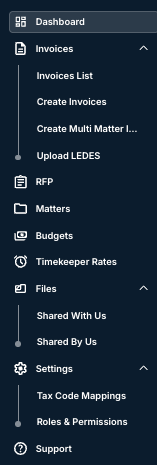
- Within the menu, you will have access to some or all of these features, depending on the selected client and their settings:
- You'll start on the Dashboard screen. You can also access the Dashboard through the icon on the left-hand menu.

- After clicking "Dashboard" at the top of the screen, you can switch between clients and offices.
This is also where you can select the Master Settings option.
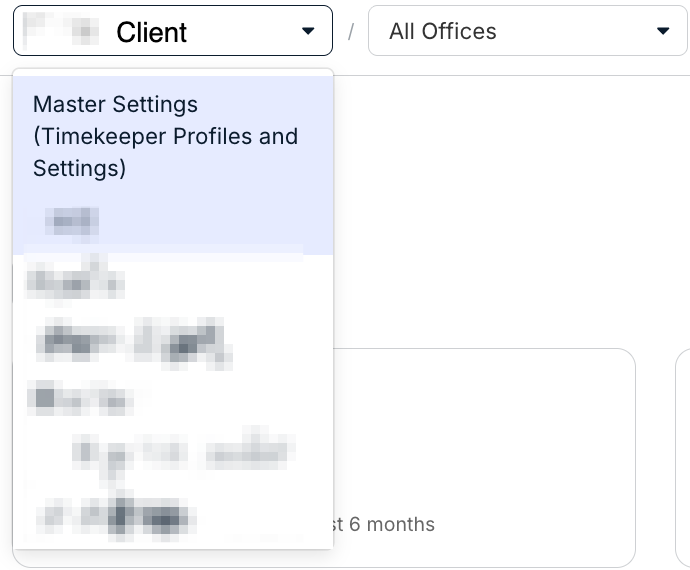
- Under "Dashboard" you'll see the client name and when the Dashboard was last updated.
Click "Refresh" to update the data below. You can also use the drop-down menu to select a date range (six months, year-to-date, or custom).

- The rest of the page shows key analytics.
Note that the data displayed may change depending on your or the client's settings.
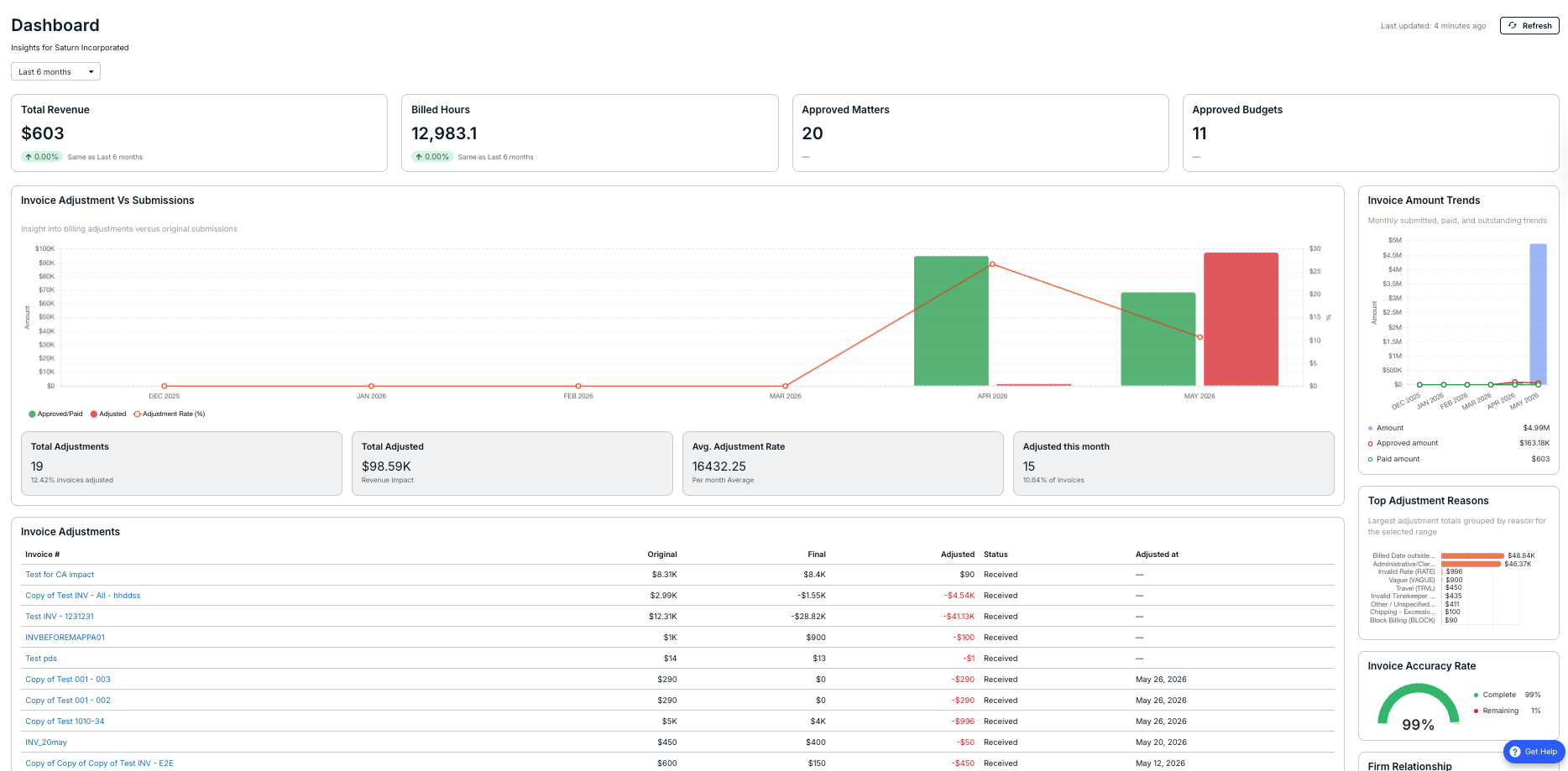
Key Metrics Definitions:
- Total Revenue - Total monetary value of payments received within the selected period based on payment date.
- Billed Hours - Total hours billed (prior to any adjustments) on invoice line items whose activity date falls in the selected period.
- Approved Matters - Count of matters that are approved as of the date of the report (no date filter).
- Total Adjustments - Total adjustment amount as a percentage of the original billed amount, across the same invoice lines.
- Total Adjusted - Total monetary value of adjustments on lines whose activity date falls in the selected period.
- Avg. Adjustment Rate - Average of the adjustment rate (adjustment amount divided by original billed amount) across invoice lines in the selected period.
- Adjusted in Period (%) - Percentage of invoices with at least one line item dated in the selected period that also have at least one adjustment on a line dated in that same period.
- Top Adjustment Reasons - Top 10 adjustment reasons, ranked by total adjustment amount, for lines whose activity date falls in the selected period.
- Invoice at a Glance (Aging) - Breakdown of approved invoices with positive open balance, grouped by age since approval.
- Firm Relationship Metrics
- Total Timekeepers - Number of distinct timekeepers associated with the firm.
- Average Invoice - Average amount of submitted, approved, sent, and paid invoices (excluding invalid statuses) over the selected time window.
- Lifetime Revenue - Total revenue from all included payments over all time.