Here's how to find a specific invoice within Counsel Exchange:
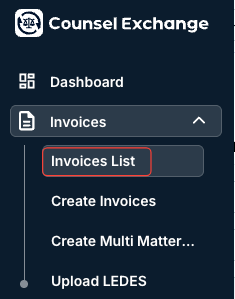
- After logging into the standard client view in Counsel Exchange, navigate to "Invoices" and then "Invoices List" on the left-hand side menu.
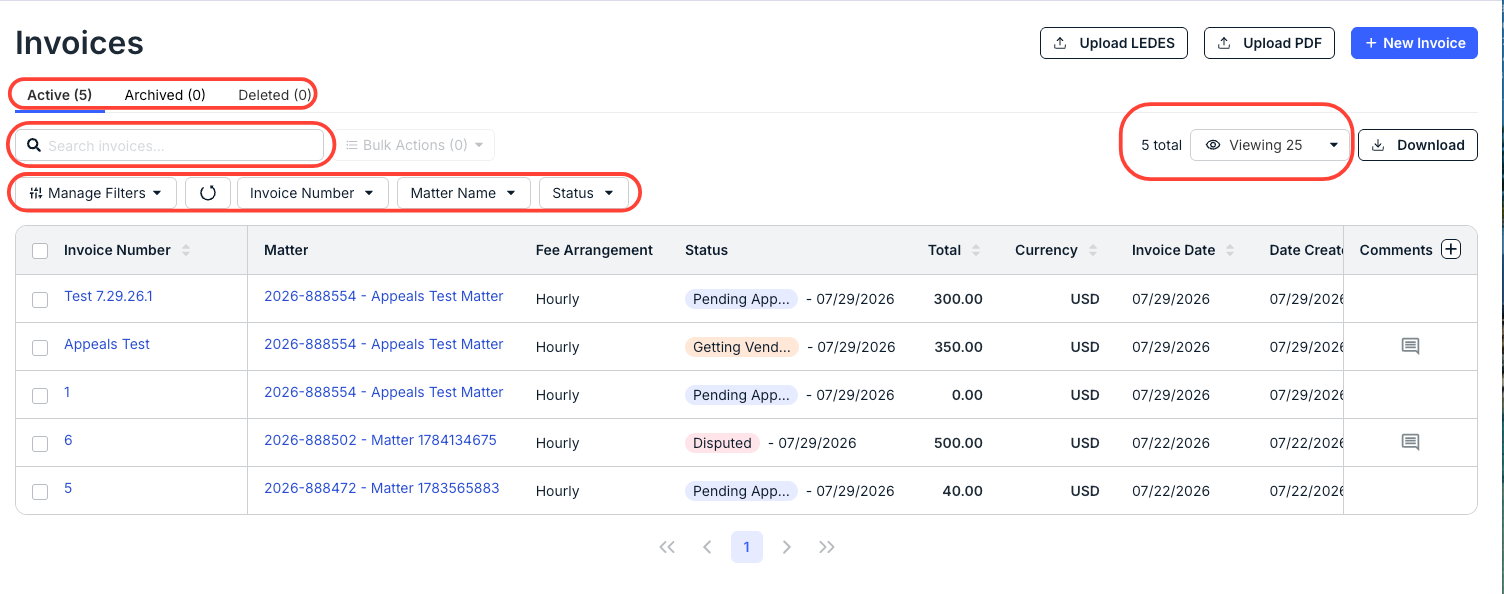
- The full list of invoices will appear.
Here, you can sort by:
- Invoice Number/Name
- Matter
- Total
- Currency
- Invoice Date
- Date Created
- Submitted On
You can also use the links at the top to switch between Active, Archived, and Deleted invoices.
You can also use the drop-down menus to filter by certain invoice aspects (Invoice Number, Matter Name, Status); use the Manage Filters drop-down menu to adjust the filter options. Use the Search Invoices bar to search for a specific invoice.
Use the Viewing drop-down menu to adjust the number of invoices you want to see on the screen.