Overview
In several countries, invoices must be cleared with the national tax authority before they are valid. During this clearance, the tax authority platform assigns the invoice a government reference number that proves the invoice is compliant.
EBilling.Space now supports storing this number directly on the invoice via the new field "Gov. Invoice ID" (German: "Staatl. Rechnungsnr."). Once saved, the number is visible in the invoice details and available in customized e-mails and invoice notifications – if configured by the Client.
| Property | Description |
| Field name | Gov. Invoice ID (GER: Staatl. Rechnungsnr.) |
| Format | Alphanumeric, up to 50 characters |
| Example (Poland) | First 2 digits: vendor ID, followed by a reference number of up to 30 digits |
| Availability | Law Firm side and Client side |
| Uniqueness | The number is not validated for uniqueness |
| E-mail placeholder | ###gov_e_invoice_no### |
Adding the Government Invoice Number
You can enter or update the Government Invoice Number in eB.S at three different touch points.
When recording an invoice
- Go to Invoices > Record Invoice.
Fill in the invoice details. A new field "Gov. Invoice ID" is available on the form as follows:
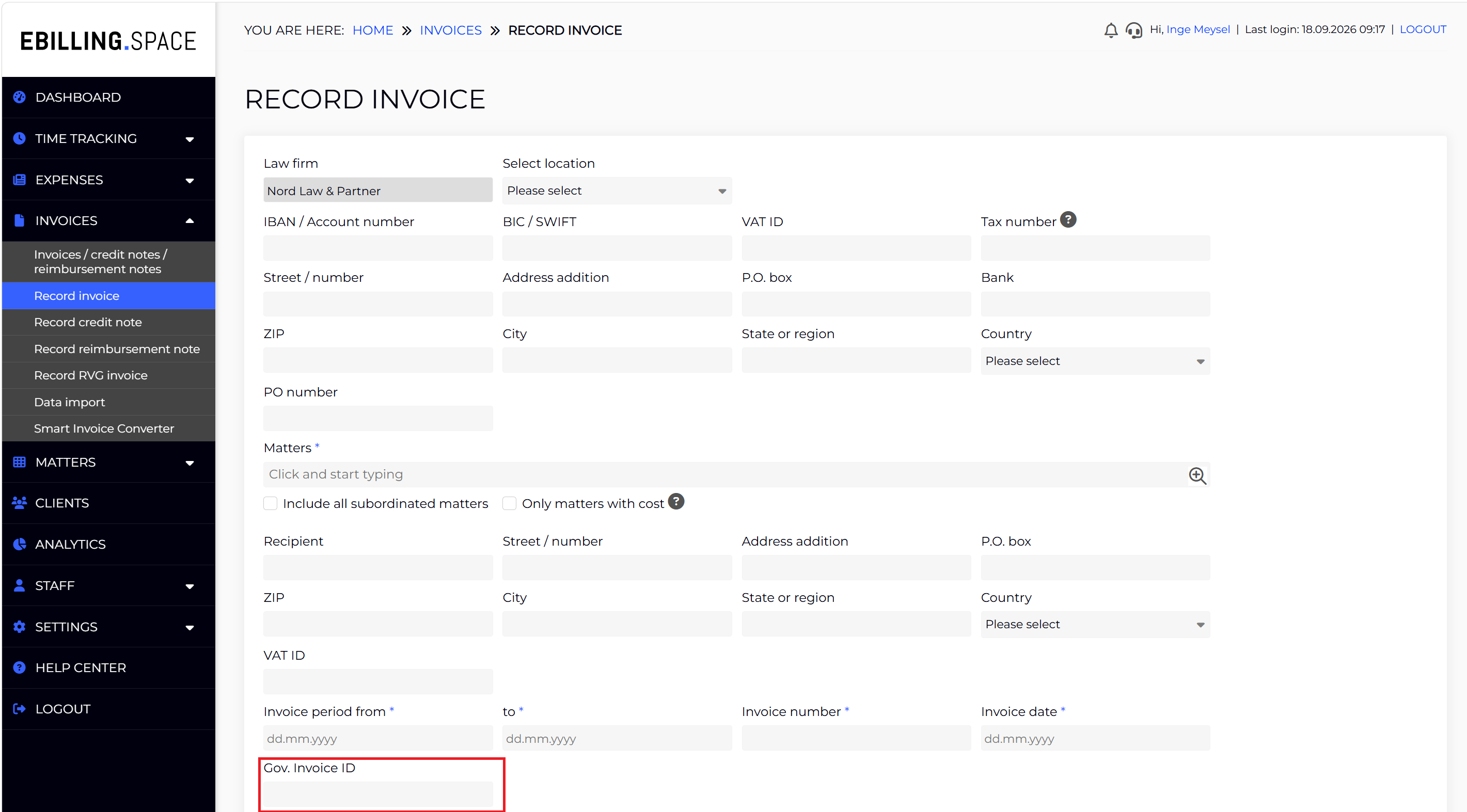
- You can enter the Government Invoice ID assigned by the tax authority.
- Save the invoice. The number is stored together with the invoice.
From the invoice list page
If the number was not available when the invoice was recorded (for example, because tax clearance completed later), you can add or change it afterwards from the invoice list.
For this, do the following:
- Go to Invoices > Invoices/Credit Notes
- Select an invoice, open the '…' menu and and open the Edit dialog.
The Edit dialog contains the field "Gov. Invoice ID" as follows:
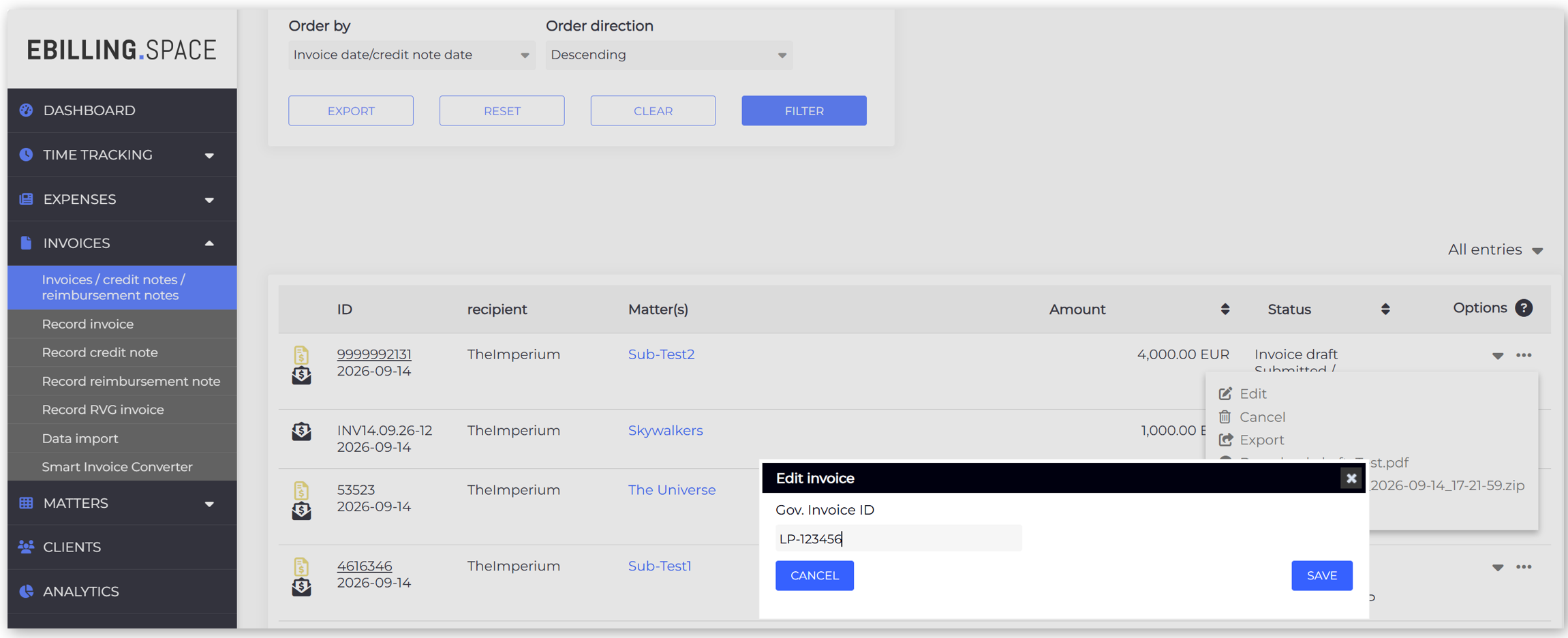
- Enter or update the number and save your changes.
From the LEDES upload protocol (Data Import)
You can add the Government ID No. after successfully uploading the invoice as follows:
- Go to Dashboard > Data Import.
- Open the 'Upload Protocol' tab
In the Options column of the relevant invoice, choose the edit action to add the Government Invoice Number as follows:
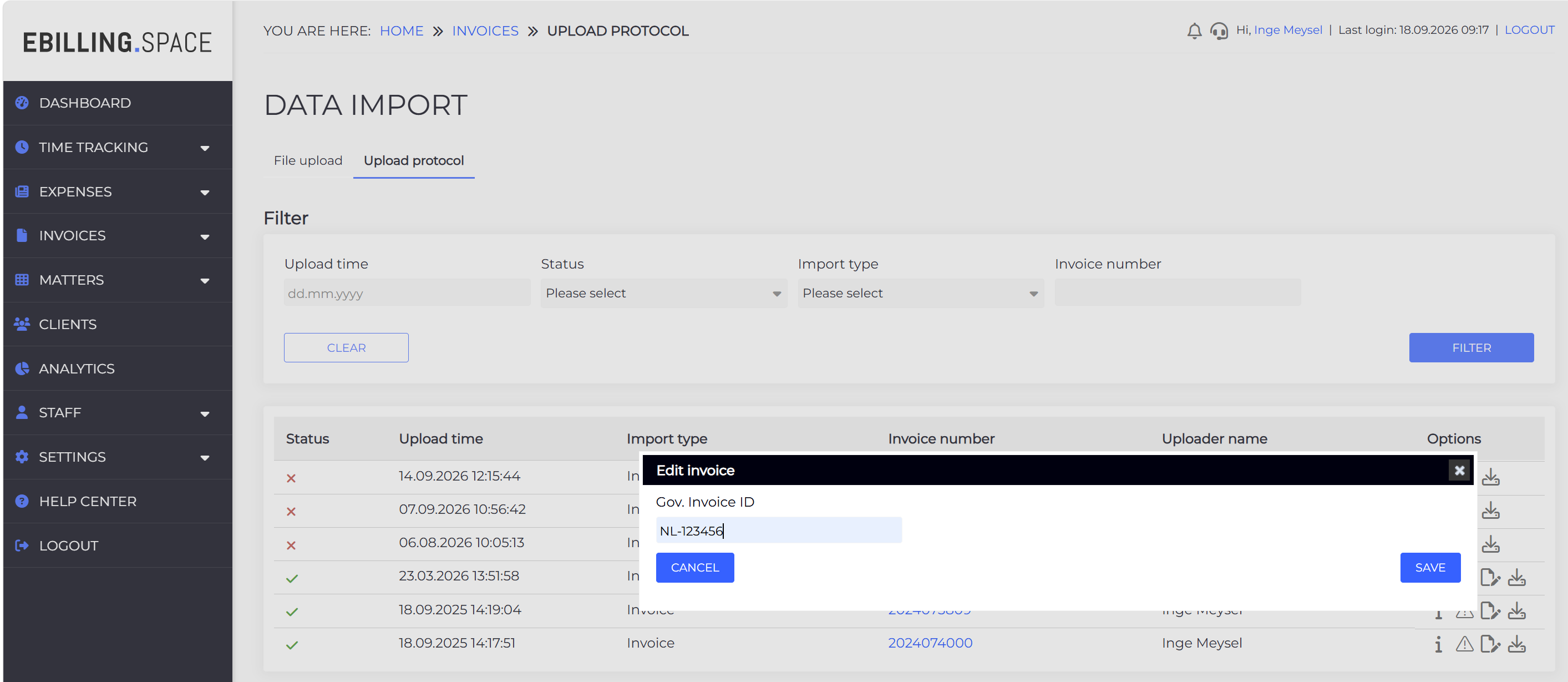
- Enter the number manually and save.
Viewing the number
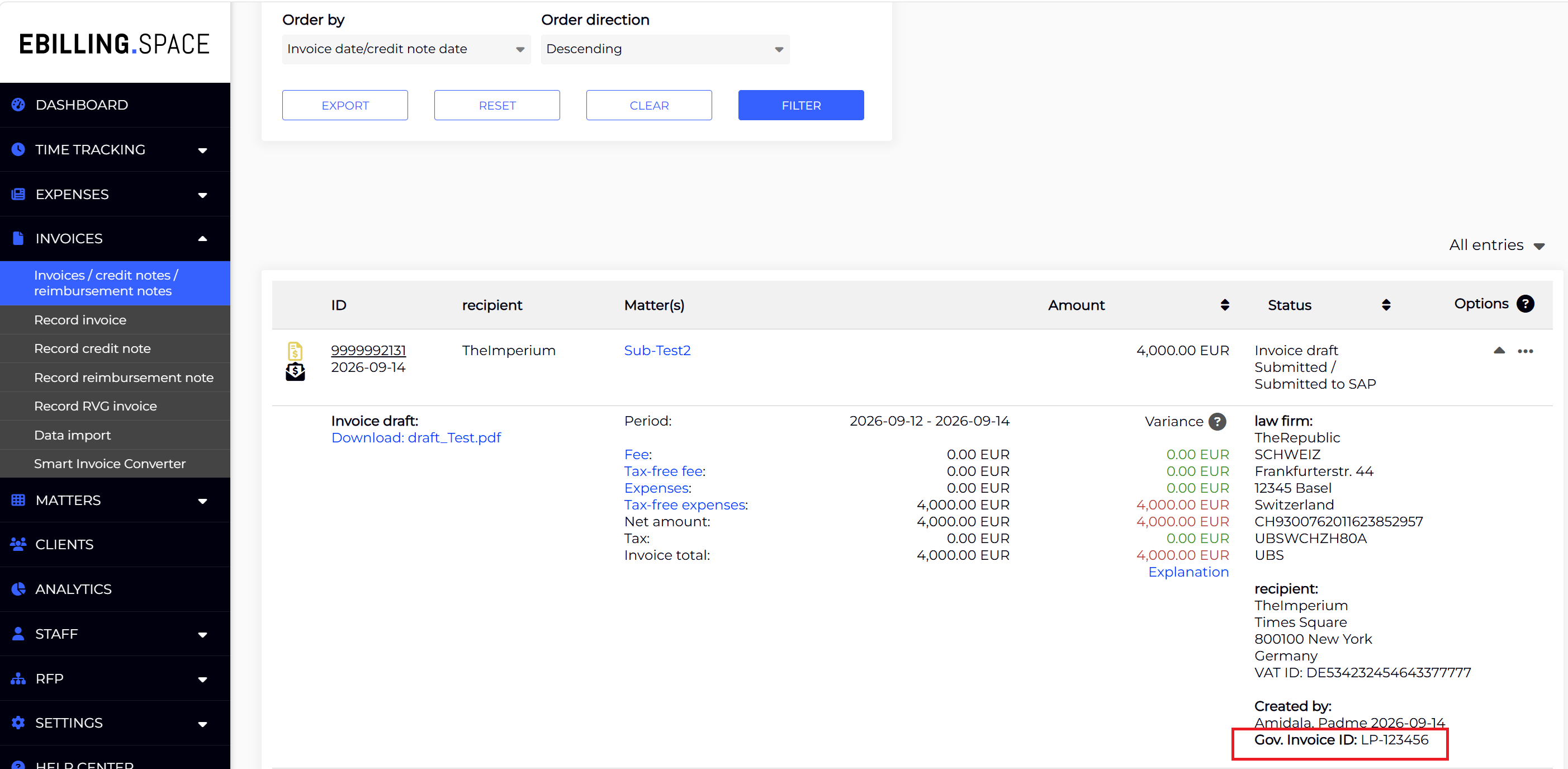
Once saved, the Government Invoice Number is displayed in the details section on the right-hand side of the expanded invoice. Expand an invoice in the invoice list to review the stored value at any time.
Reporting and data export
The invoice data export has been extended. The Government Invoice ID is included as an additional column to the export.
Notes and current limitations
- The Government Invoice Number is not checked for uniqueness. Please verify the value you enter, as duplicates are not rejected by the system.
- Extended LEDES files including this number are not yet supported.
- E-Mail Notifications may show the Government Invoice ID provided that your client has configured the E-Mail Notifications accordingly.
- The field accepts any alphanumeric value up to 50 characters; the exact format depends on your country’s tax authority.