Here's how to request changes to add additional staff to a matter or increase timekeeper rates:
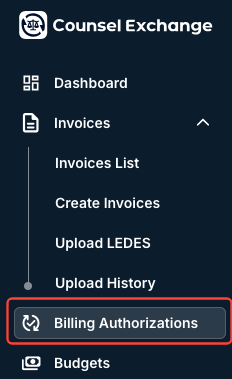
- Open the "Billing Authorizations" link on the left-hand side menu in Counsel Exchange.
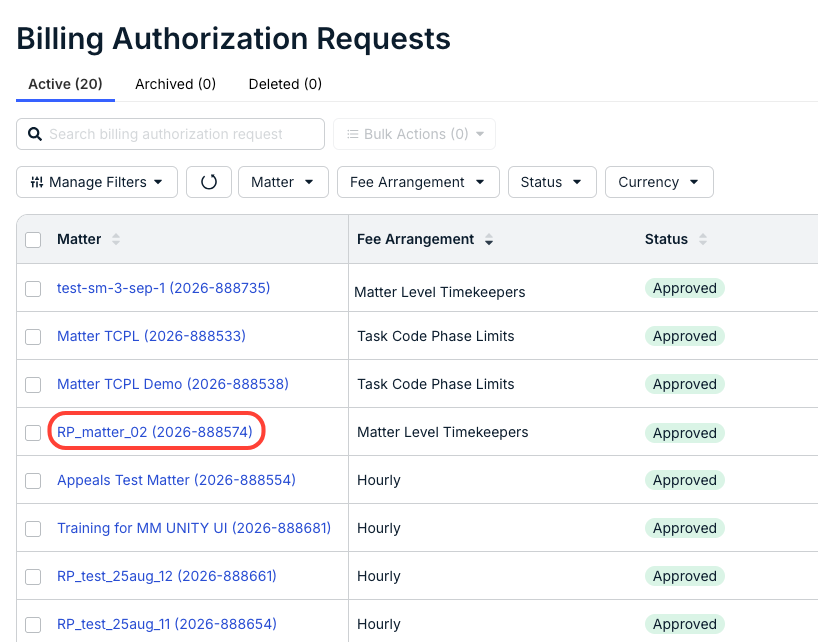
- Choose the matter you'd like to change.
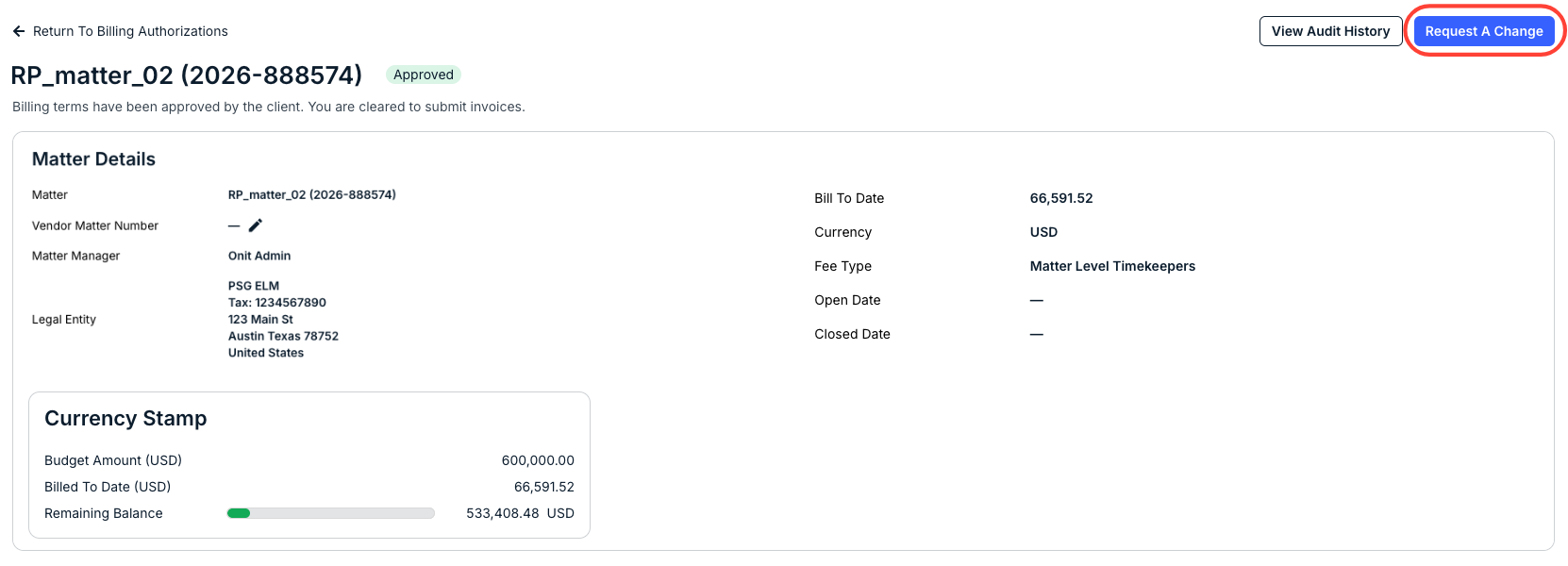
- The Matter Detail screen will open; click on Request a Change in the upper-right hand corner.
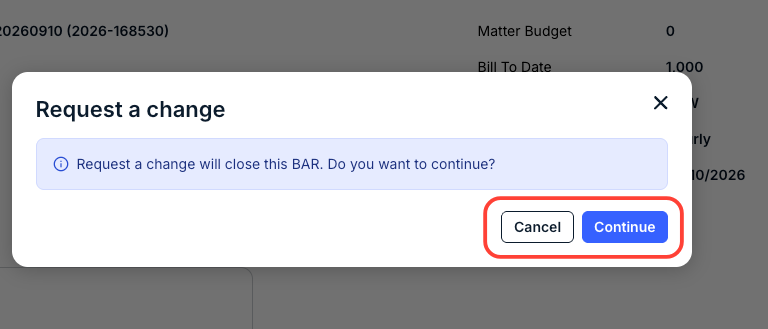
- An alert will appear letting you know that the current Billing Authorization Request (BAR) will be closed.
Click Continue to move on with closing the BAR or Cancel to back out.
- An alert will appear letting you know that the current Billing Authorization Request (BAR) will be closed.
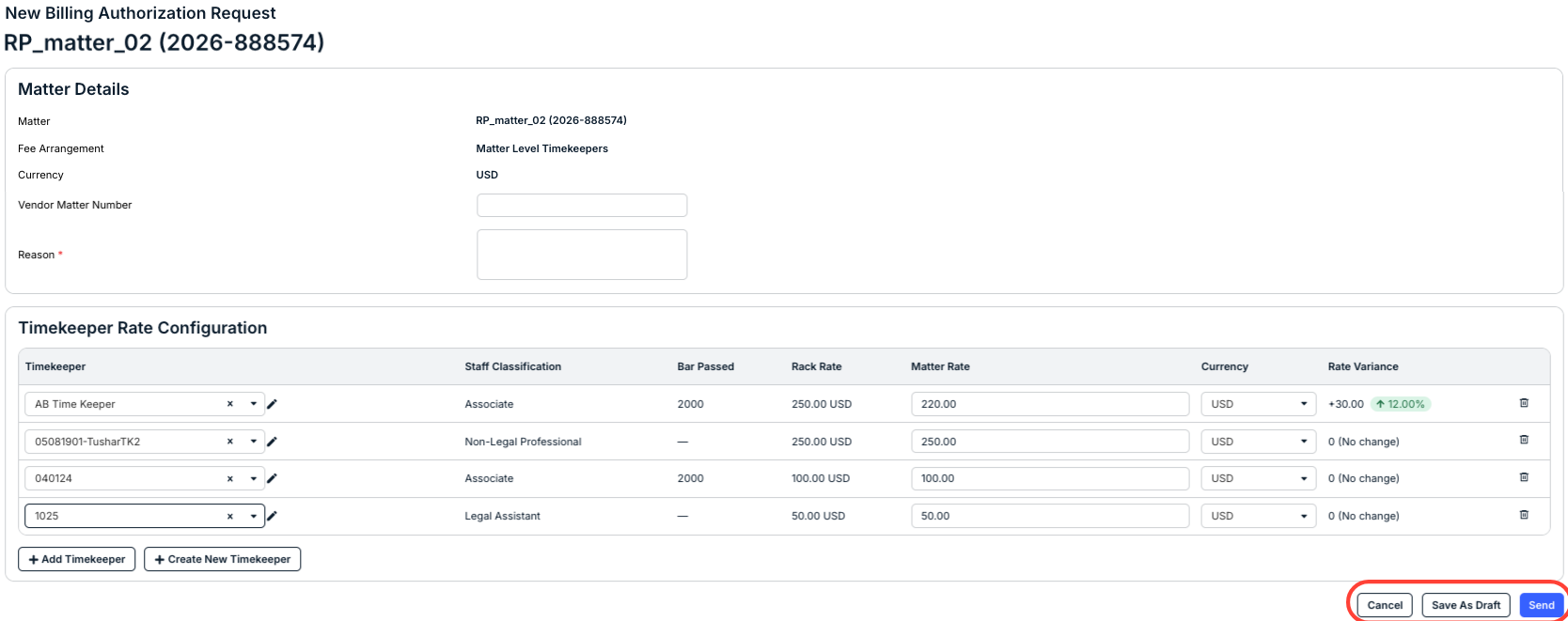
- The New Billing Authorization form will appear.
You need to enter the reason for the requested change, then make your changes (add any additional timekeepers that will bill on the matter and their matter specific rates or adjust the matter specific rate of any of the current timekeepers), and then click Send, or Save As Draft to save and finish later, or Cancel to back out.
- The client has to then approve the requested change; once it is approved you can submit your invoice(s).