Here's how to retrieve your API tokens from Counsel Exchange to distribute for third-party processors:
- Log into Counsel Exchange and switch to any Unity Client.
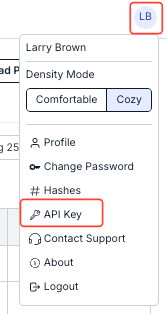
- To retrieve the API key, open up your profile menu in the top-right corner and click on "API Key."
- The API Key screen will appear.
Click the Generate API Key button to create an API token.

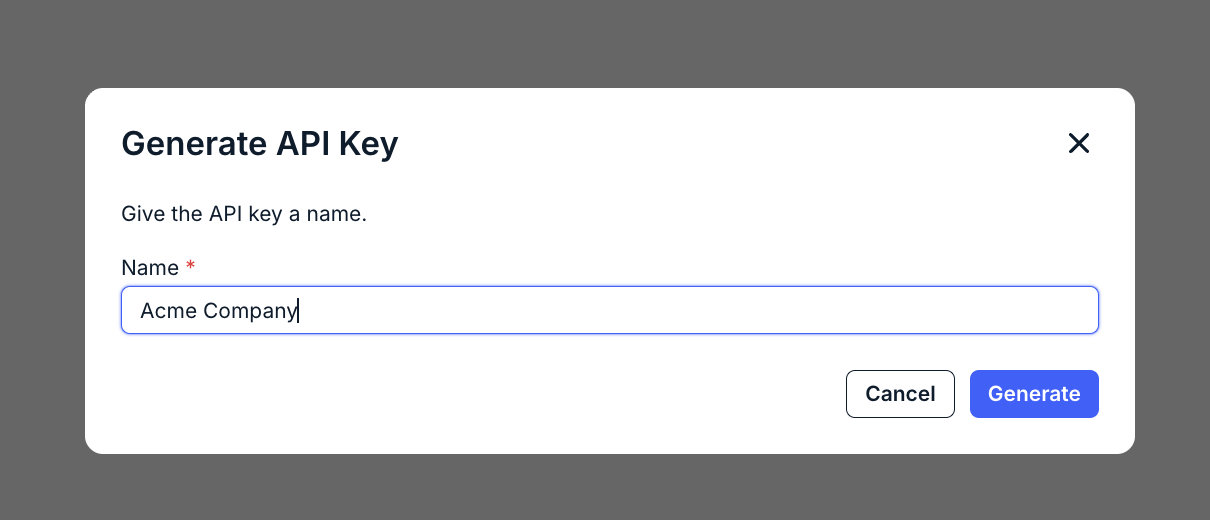
- The "Generate API Key" screen will appear.
Give the API Key an appropriate name for the usage (for example, Acme Company); click Generate to generate or Cancel to back out.
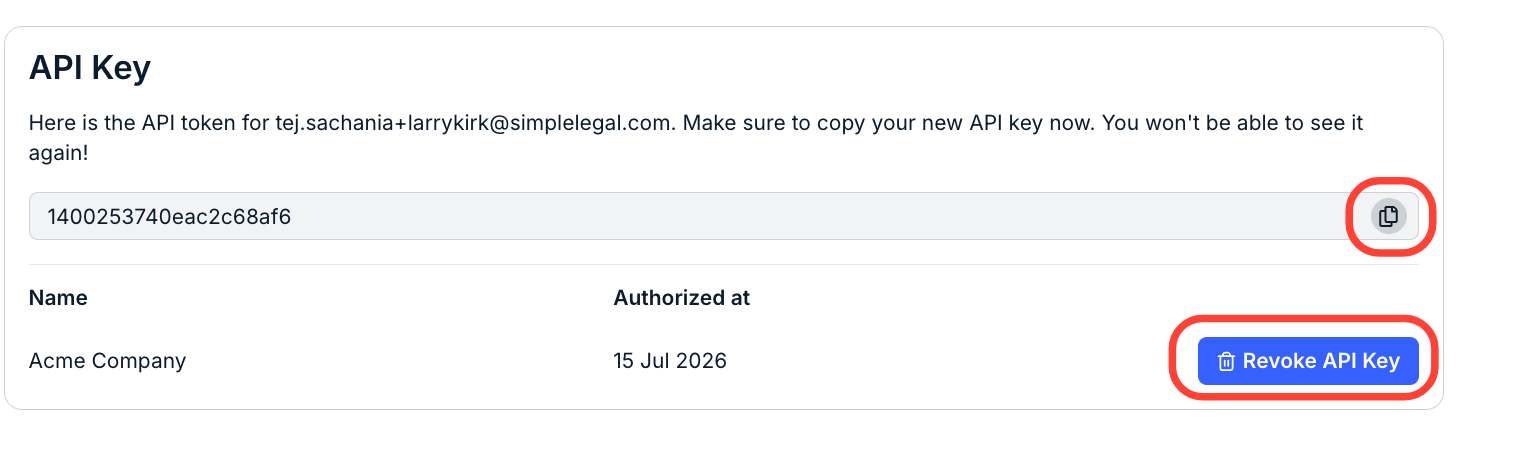
- The API token will generate.
Click the Copy button to copy the key. You'll see the Name and Authorized at date. Make sure to copy your new API key at this point - you won't be able to see it again (you'll have to regenerate a new key if needed).
Click the Revoke API Key button to revoke API access.
Note that if you click on API Key in the menu after you've generated an API key in the past, the menu will look like this:
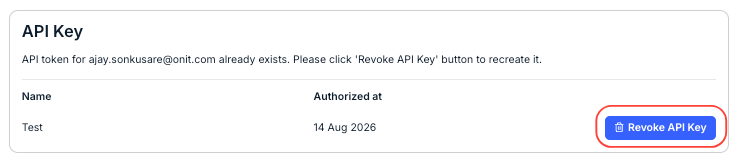
- The API Key screen will appear.
- To generate hashes, open up your profile menu in the top-right corner and click on "Hashes."
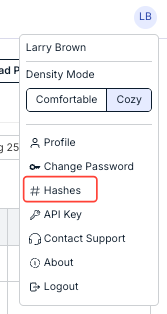
- You can copy the "Client Name" and "Vendor Name" hashes.
Note that this will also let you know what Client Product you are using; you'll have to provide that to the aggregator.
Click OK to close the window.
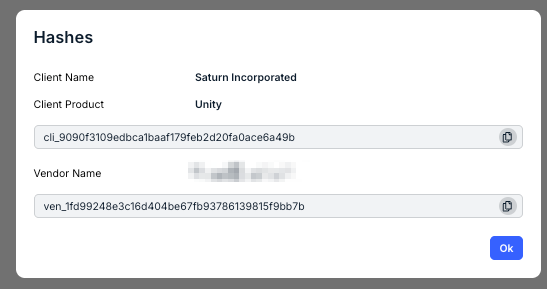
- You can copy the "Client Name" and "Vendor Name" hashes.