Here's how to configure a new currency in Counsel Exchange:
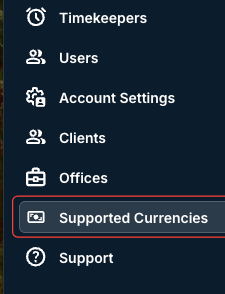
- After logging into Counsel Exchange and navigating to the Master Settings, click on "Supported Currencies" in the left-hand-side menu.
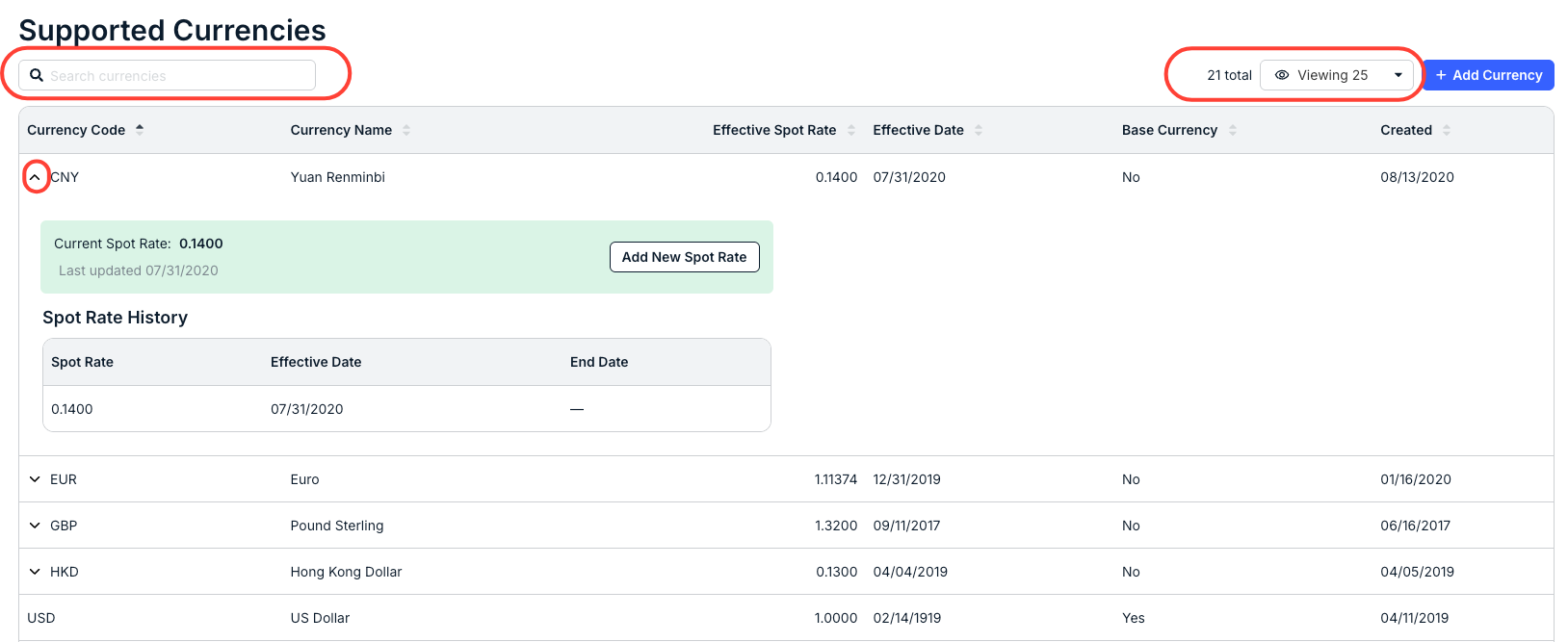
- The full list of current Supported Currencies will appear.
The directory will show the Currency Code, Currency Name, Effective Spot Rate, Effective Date, Base Currency, and Created date. Use the search bar to search for supported currencies. Use the up/down arrow next to each column to sort by that column. Use the Viewing drop-down menu to customize exactly what you want to see on the screen.
Additionally, you can click the down arrow next to each currency to open details, see the Current Spot Rate and Spot Rate History, and Add New Spot Rates.
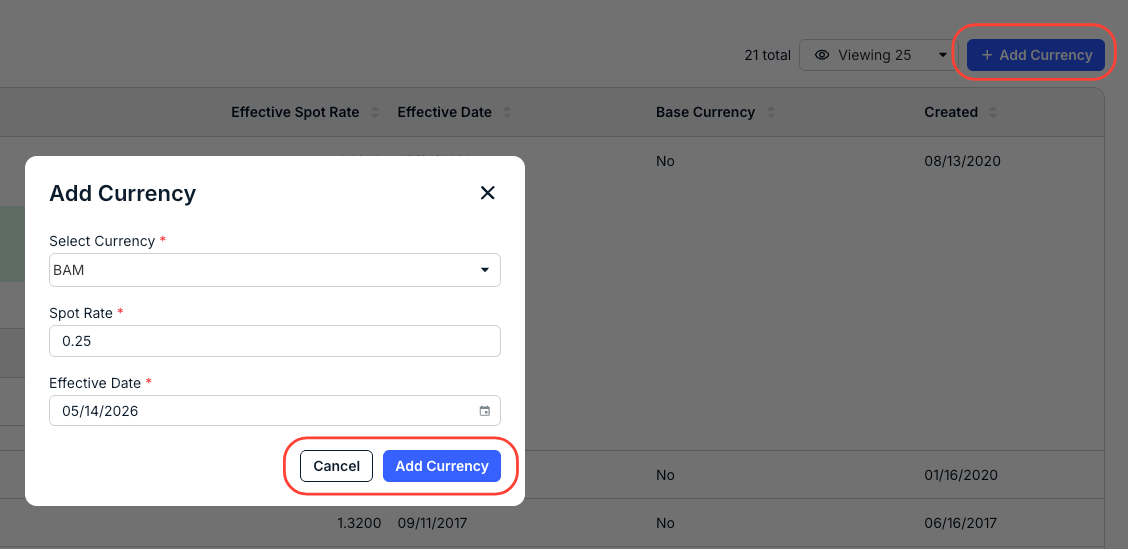
- Click on "Add Currency" to add a new currency.
You'll have to Select Currency from the drop-down menu and fill in the Spot Rate and Effective Date.
Click Add Currency to add the currency or Cancel to back out.
The new supported currency will appear in the main directory.