Here's how to add a new timekeeper in Counsel Exchange:
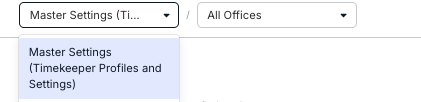
- Switch to the Master Settings option within your Counsel Exchange environment.
Use the drop-down menu at the top of the page to select this option (if you have access)
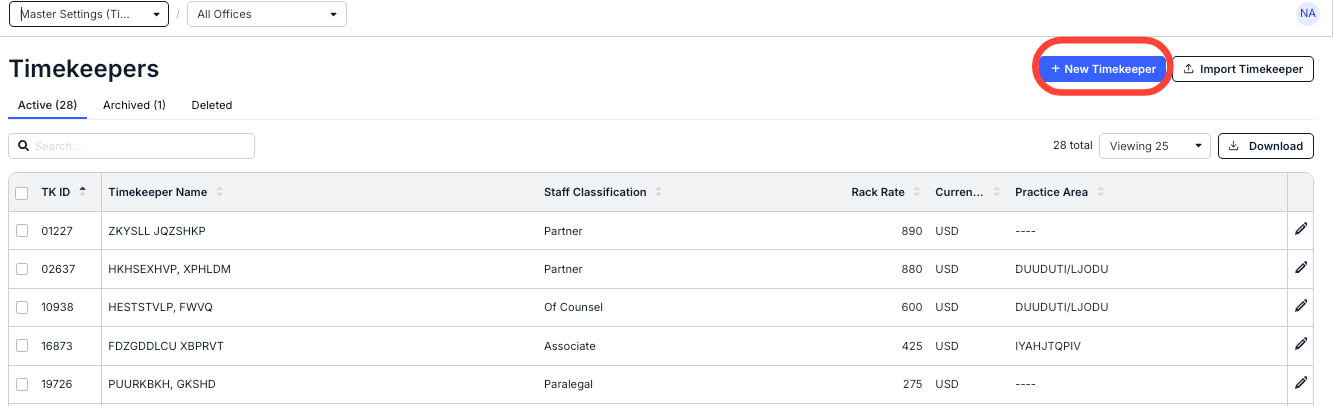
- Click on the New Timekeeper button on the top right of the page.
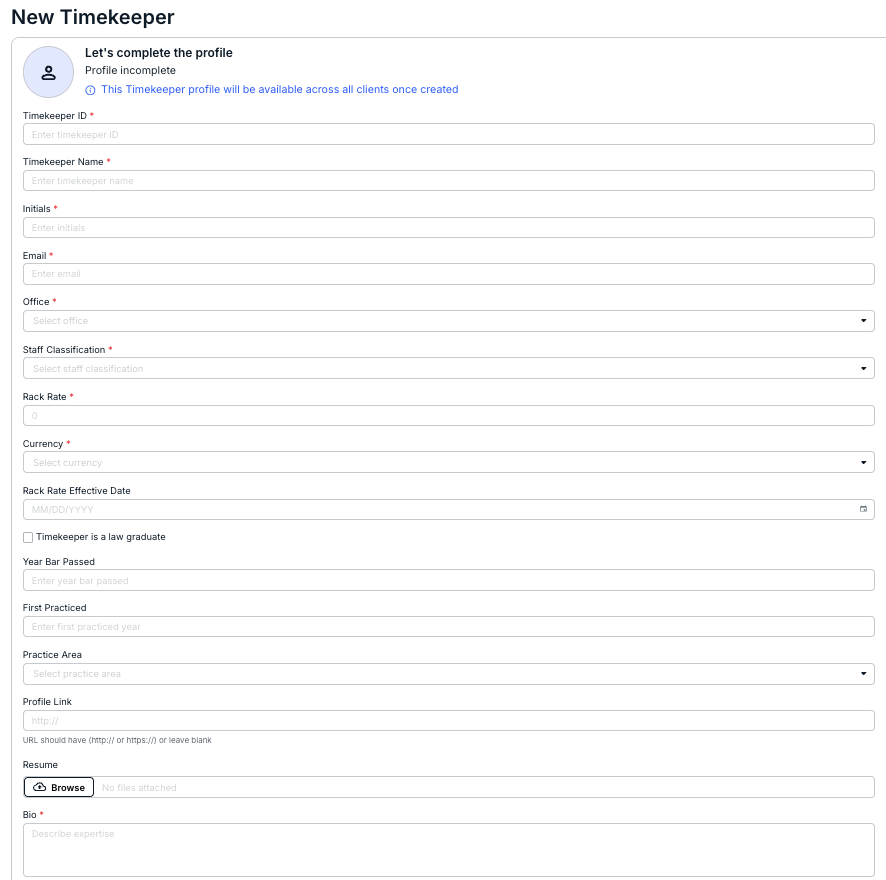
- The New Timekeeper screen will appear.
Note that this timekeeper profile will be available across all clients once created.
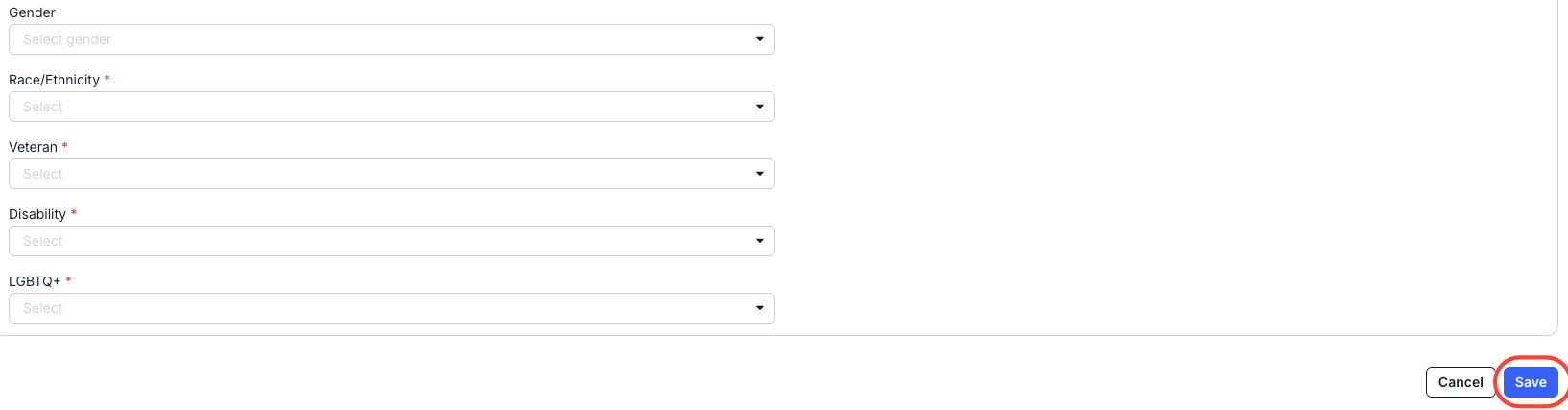
Anything with a red asterisk is required (note: Date Bar Passed and First Practiced Year are only required if the timekeeper is a law graduate). Click the X in selected fields to remove a selection. Click Save once your updates are complete or Cancel to back out.
You'll have to add in:
Users can edit:
- The Timekeeper ID; this is created by the user in question and has no checks within Counsel Exchange. You can use anything you or your organization would like.
- The Timekeeper Name
- The Initials of the timekeeper
- The timekeeper Email
- The Office (drop-down menu)
- The Staff Classification (drop-down menu)
- The Rack Rate
- The Currency (drop-down menu)
- The Rack Rate Effective Date (calendar)
- Whether the Timekeeper is a law graduate; check or uncheck the Check if this timekeeper is a law graduate box.
- The Year Bar Passed
- The First Practiced date
- The Practice Area (drop-down menu)
- The timekeeper Profile Link
- The timekeeper Resume
- The Bio of the timekeeper (250 character limit)
- The Gender (drop-down menu)
- The Race/Ethnicity (drop-down menu)
- Whether the timekeeper is a Veteran or not (drop-down menu)
- Whether the timekeeper has a Disability or not (drop-down menu)
- Whether the timekeeper is LGBTQ or not (drop-down menu)