Frequently Asked Questions
What languages does Counsel Exchange support?
Counsel Exchange supports English, French, German, Italian, Japanese, Portuguese, and Spanish. Note that our chat assistant supports additional languages beyond those listed here.
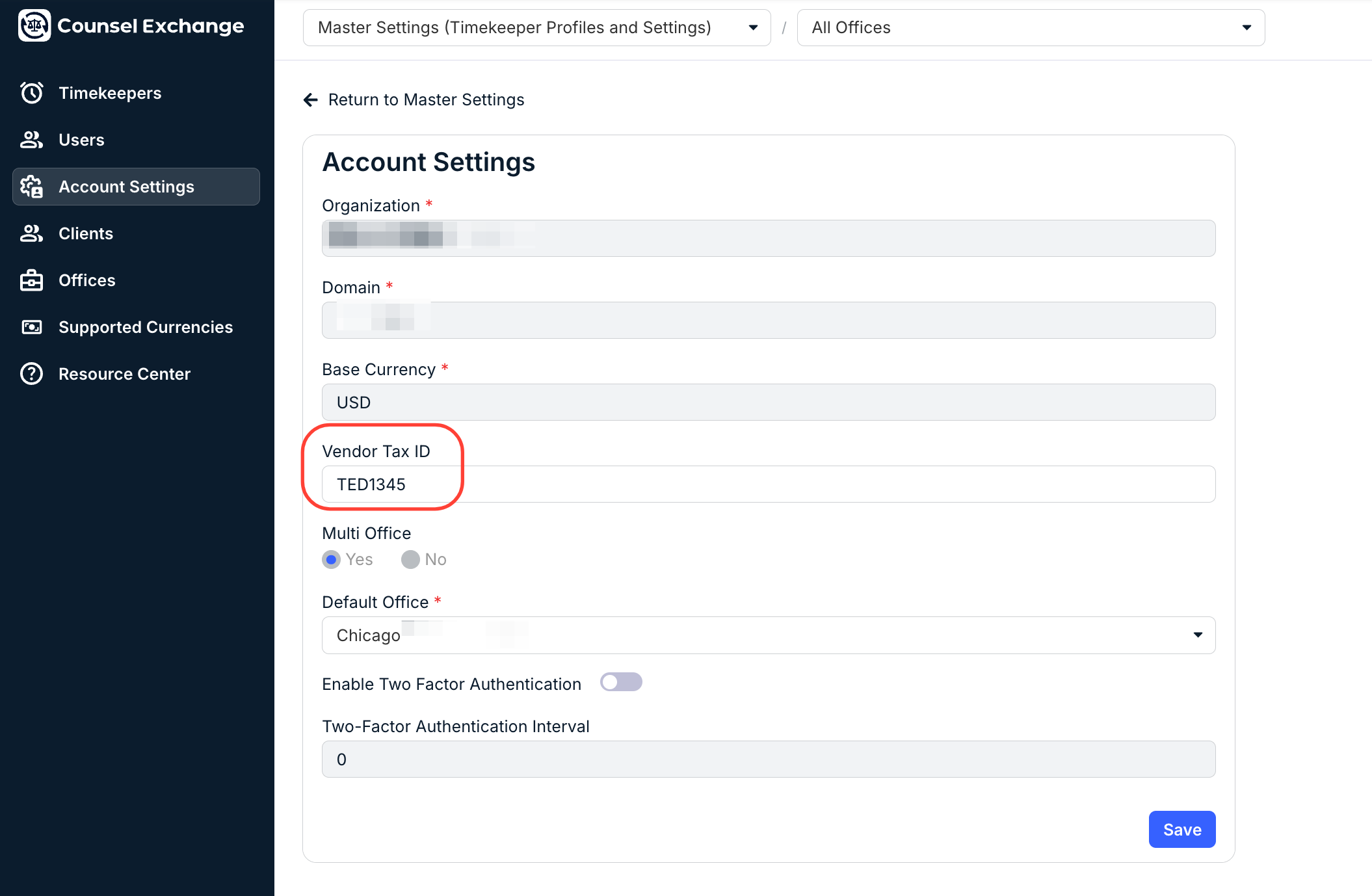
How can I find the Vendor Tax ID?
Within the Master Settings, click on Account Settings. You'll see the Vendor Tax ID within the account settings.
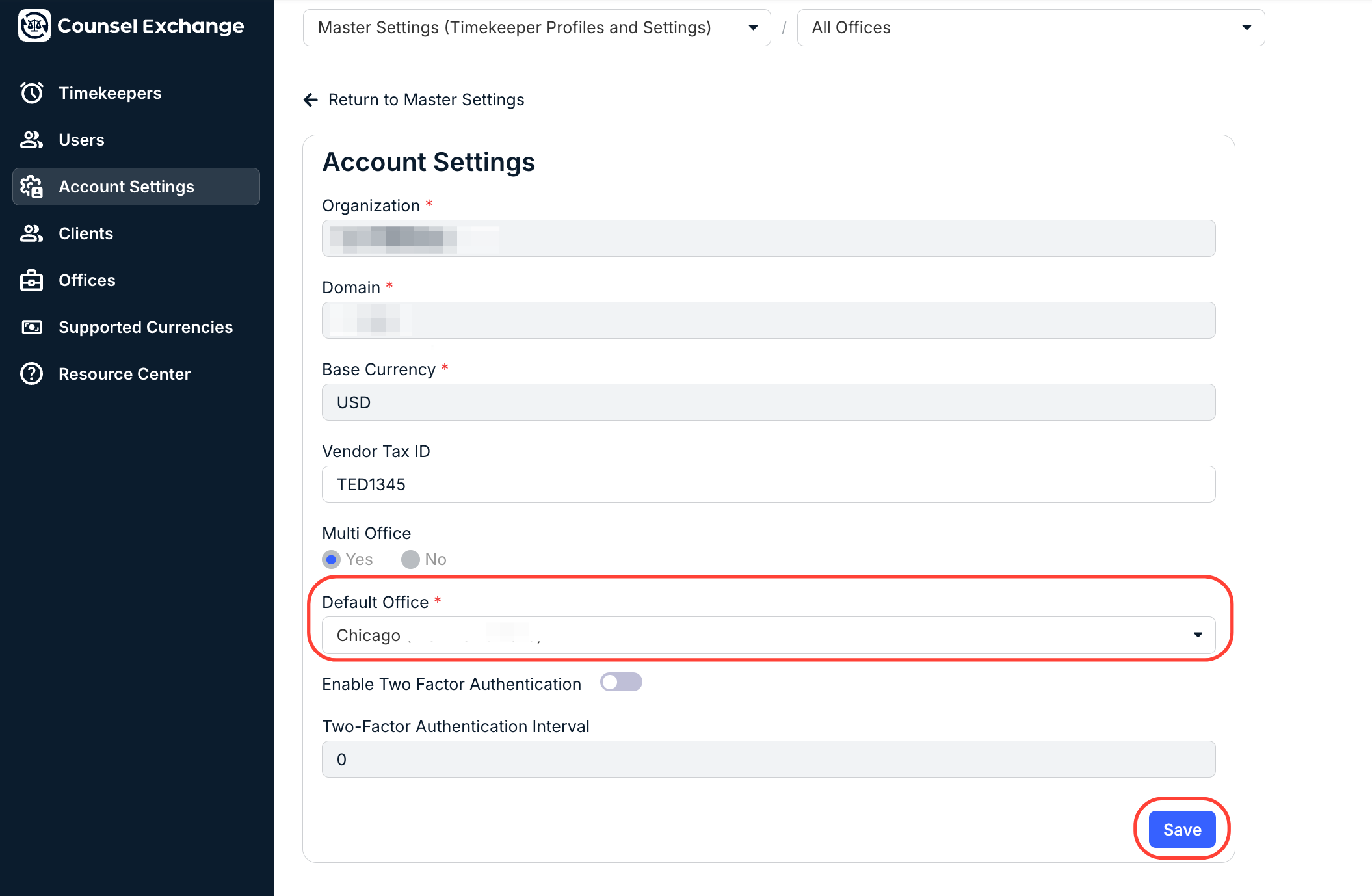
How can I change the default office?
Within the Master Settings, click on Account Settings. You can change the Default Office from the drop-down menu. Click Save when you're done updating the office.
What are my UTBMS codes?
UTBMS (Uniform Task-Based Management System) is a standardized coding system used to classify fees and expenses on electronic invoices. If present, customers will see these codes in the Billing Guidelines for Counsel Exchange.
I don't see all of my clients in my drop-down view. What should I do?
If you do not see all of your clients, check whether you have multiple logins for Counsel Exchange. If you do, check each login for the missing clients. If you are not sure if you have multiple logins or have checked and the client is not visible in any of them, open a support case for further assistance.
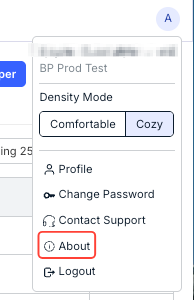
How can I find the terms of service in Counsel Exchange?
After logging in to Counsel Exchange, click on your profile icon (the circle with your initial) in the upper right corner, and then click on About.
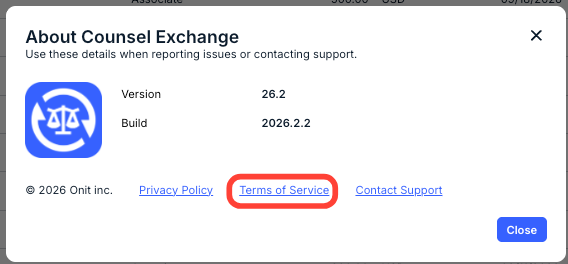
The About Counsel Exchange screen will appear. Click on Terms of Service to open the terms.
How can I request the addition of a new client to my account?
For OnitX users, reach out to Counsel Exchange support.
For Unity users, if you know who the client contact is, reach out to the client so they can add you as a user. If you don't know, reach out to Onit support or your own Counsel Exchange admin.
I'd like to transfer notifications from a prior employee to me; how can I switch the user over?
Note that these settings are usually set on the the Onit/Unity (customer) side, and is not editable on the user side. The user will need to contact the customer for assistance.