Onit Documentation

Finding an Invoice

by Michael Nadeau Updated on

Here's how to find a specific invoice within BillingPoint:

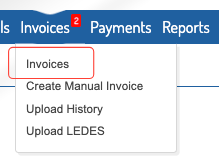
  1. After logging into the standard client view in BillingPoint, navigate to "Invoices" on the top of the screen and click on "Invoices."
     

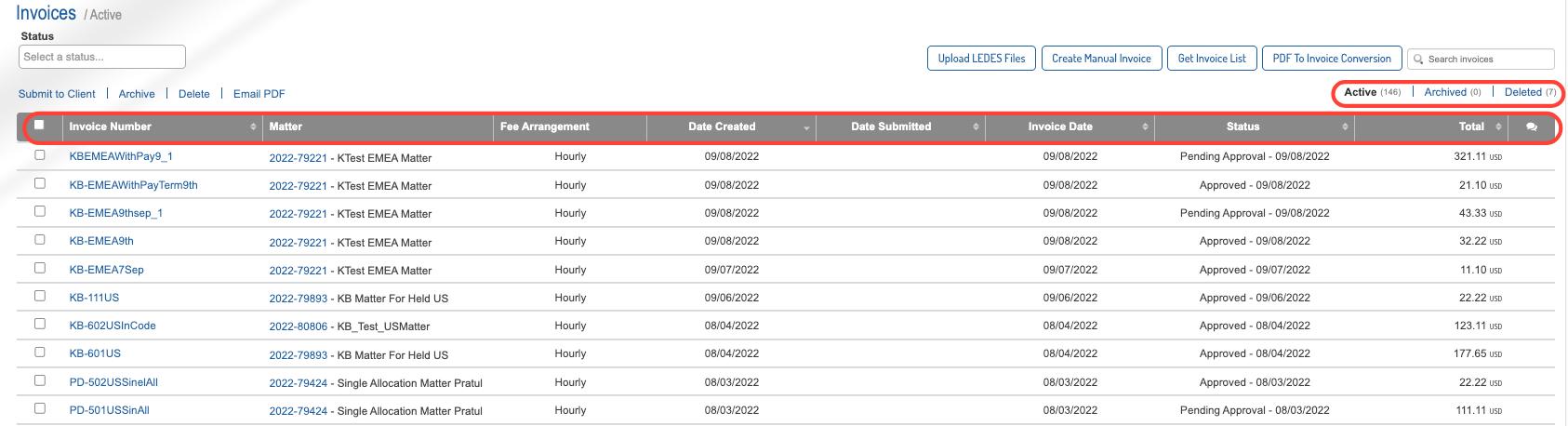
  2. The full list of invoices will appear. 

    Here, you can sort by:

    • Invoice Number/Name
    • Matter
    • Date Created
    • Date Submitted
    • Invoice Date
    • Status
    • Total

    You can also use the links at the top to switch between Active, Archived, and Deleted invoices. 
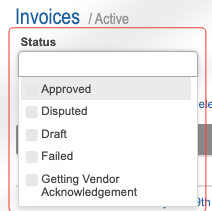
    Use the Status bar to filter by a specific invoice status. 
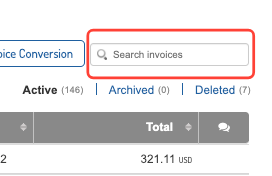
    Use the Search invoices search bar to search for a specific invoice. 


Previous Article Glossary of Date Terms
Next Article Fee Arrangements Glossary

© 2025 Onit, Inc.

docs.onit.com contains proprietary and confidential information owned by Onit, Inc. that is subject to copyright. Onit presents it exclusively to you for your sole use in conjunction with using Onit products. No portion of the materials contained herein may be used for any other purpose. No portion of the materials contained herein may be shared with third parties or reproduced in any form.