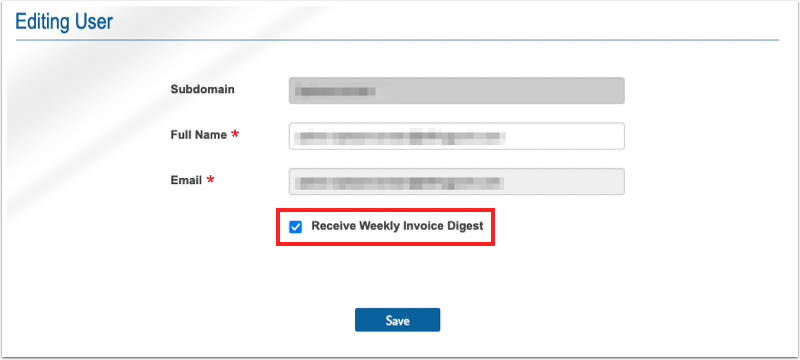
Here's how to set up weekly invoice digest emails. Invoices appear in the digest when they are in a failed or disputed state (anything pending or problematic).
Vendors need to void invoices they no longer need to remove them from the digest.
1. Select Master Settings under the client dropdown.

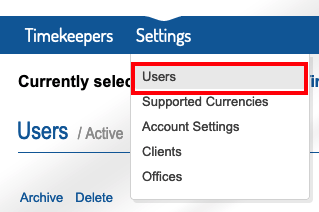
2. Under the settings tab, go to Users.
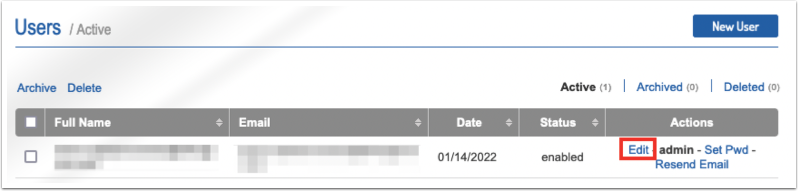
3. Select edit next to the user whose settings need to be adjusted.
4. Check or uncheck the Receive Weekly Invoice Digest box (uncheck to opt out).