Column-level encryption allows sensitive data to be encrypted at rest. This means that the data is encrypted before being stored in the database and can only be readable when viewed through the OnitX application. When data is encrypted at rest, the data is readable in the OnitX UI for users with access to the records. Encrypted data will not be included in search results and should be excluded from datawarehouse for reporting.
Data that can be encrypted at rest includes:
Incoming email data
Email Subject
Email Body
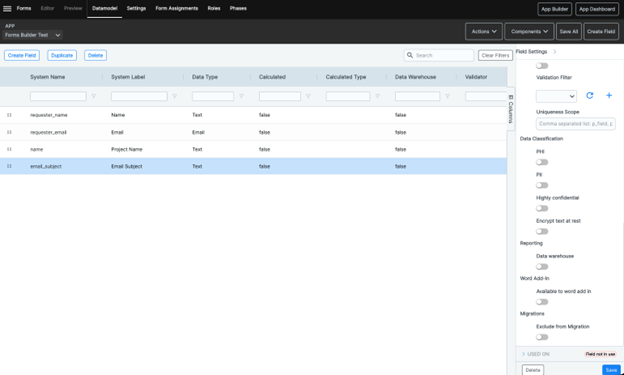
App Fields
Text
Textarea
HTML Fields
Here's how to enable encryption for incoming email:
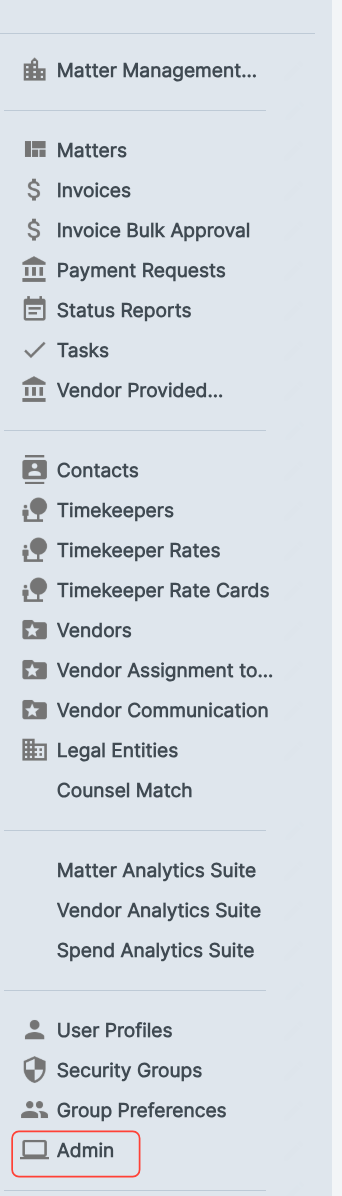
- Navigate to the "Admin" menu.
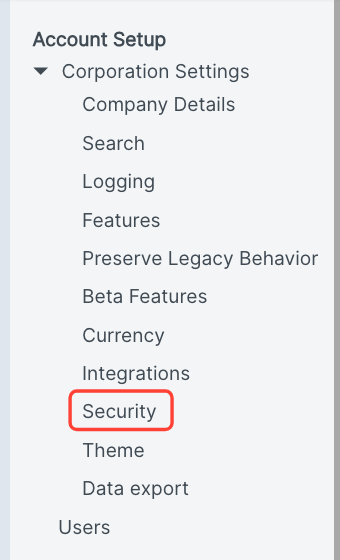
- Click on "Security"
- Click the "Encrypt inbound mail subject and body in the database (at rest)" check box
When enabled, new data entries on these fields will be encrypted before being stored in the database. To encrypt existing data, please reach out to your Onit point of contact.
Click Update to save your changes.
