Platform Code Release Information:
| Platform | Release Date |
|---|---|
| Alpha | April 28th, 2026 (Completed) |
| Gold | May 8th, 2026 (Completed) |
| Tau | May 11th, 2026 (Completed) |
| Prod. | May 13th, 2026 (Completed) |
Available on Release
New Features
Upgraded major internal framework dependencies to improve platform stability and security.
The default text editor has been upgraded to a newer version of the editor. It now includes some new features, such as:
Improved formatting retention when copying from Microsoft Word
Ability to copy and paste images directly into the text area
Ability to copy and paste multiple images from Word
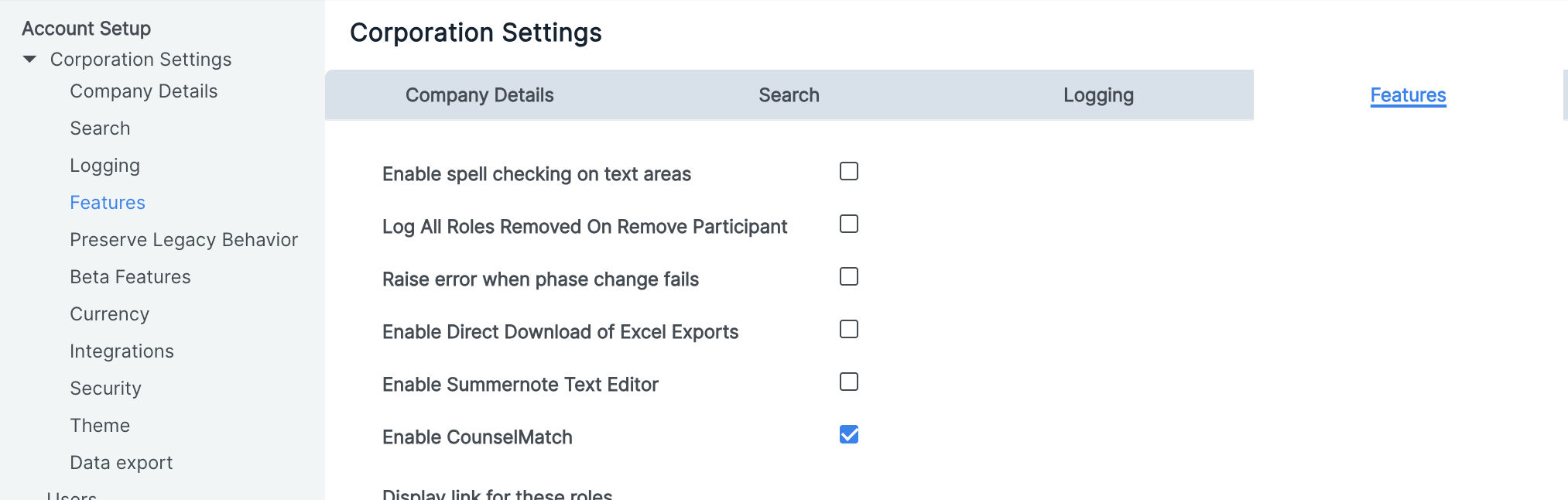
Note: If you have the Summernote text editor enabled then these new features will not be available until Summernote is disabled. The setting can be found in Admin > Corporation Settings > Features. Although it is generally safe to switch text editors, different text editors can interpret and display custom HTML differently so it is recommended to review any custom html you may have after switching.
Prior to the 26.2 release this checkbox was labeled "Enable New Text Editor"
- New saves for Do Not Require Login time length will be limited to a max of 1 hour. This is to limit the risk of compromised access if the links are unintentionally shared.
Issues Resolved
Fixed an error where Multiselect Grids would fail if the underlying TLP has a Multicurrency field
Fixed an error where Displayfields did not show field contents in CLC Formlets
We now prevent the deletion of formlets that are in use in order to prevent issues
- Fixed incorrect status for rejected emails — Rejected emails were sometimes incorrectly showing as "Pending" instead of "Failed"
- Fixed stale error messages on delivered emails — Emails that delivered successfully were sometimes still showing an error message from a previous failed attempt
- Fixed an issue where bulk update would fail when a listcombo field had an existing blank value
- Health Check will now warn when a Save and Relate new form button does not have a relationship set
- Fixed an issue with FCRT where attachments would be automatically copied over without being defined in the FCRT when the fields had the same name. Now the fields must be specified in the FCRT for copying in order to prevent unintended copying.
Configuration Required - May Require Services
New Features
New optional security feature for Anonymous Attachment URLs
Anonymous Attachment URLs are an existing feature which, when configured, allow a file to be downloaded by anyone with the link even if they are not an Onit user. Generation of the URL allows different timeout values to be set.
In order to improve security around these URLs, we have now added a new mechanism to ensure URLs don’t give direct access for too long. If your URL is set to expire longer than an hour then, after an hour, a user clicking the link will see the following screen:
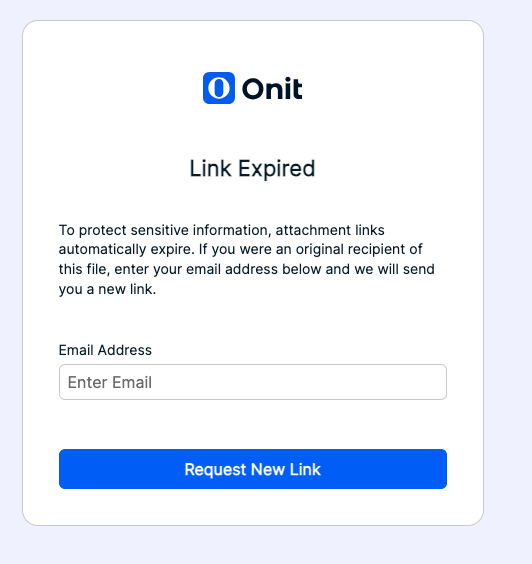
They will be able to enter their email address and, if they were the original recipient of the URL, they will receive a new URL to retrieve the file. This helps reduce the risk of links being leaked or forwarded unknowingly.To enable this feature please reach out to your Support team.