LSR's LSR to Matter functionality allows users to create matters directly from Legal Service Requests.
Here's how to set up the functionality:
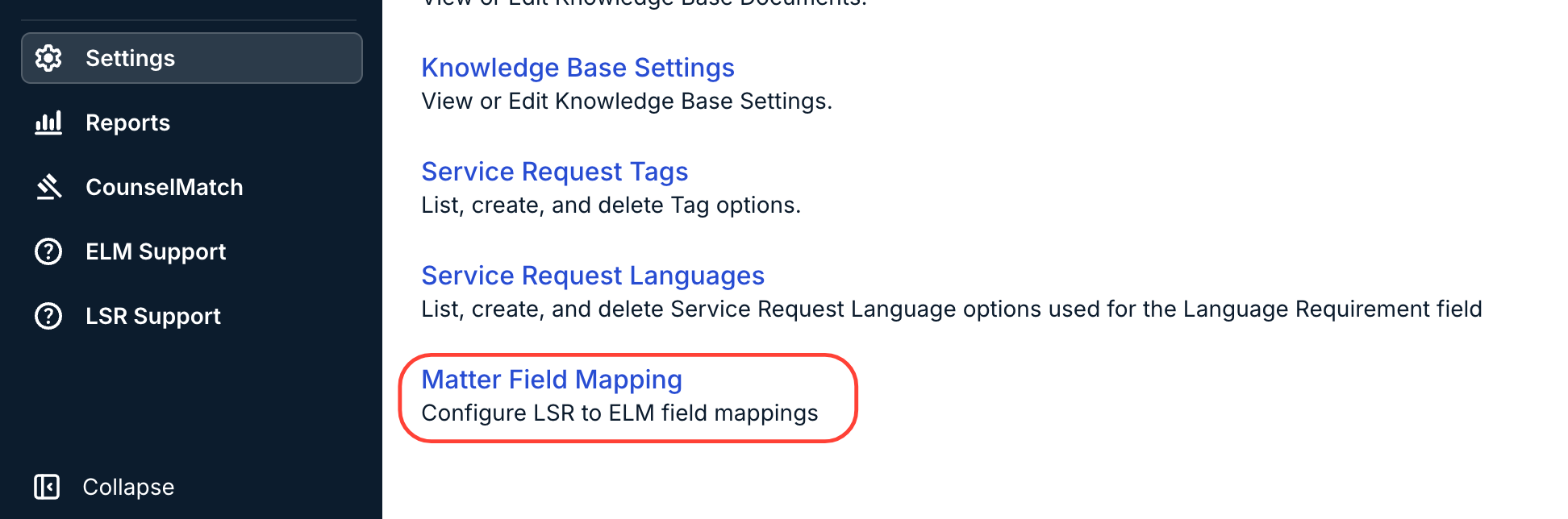
- To set up and configure LSR to ELM field mappings, open "Matter Field Mapping" in the "Settings" section.
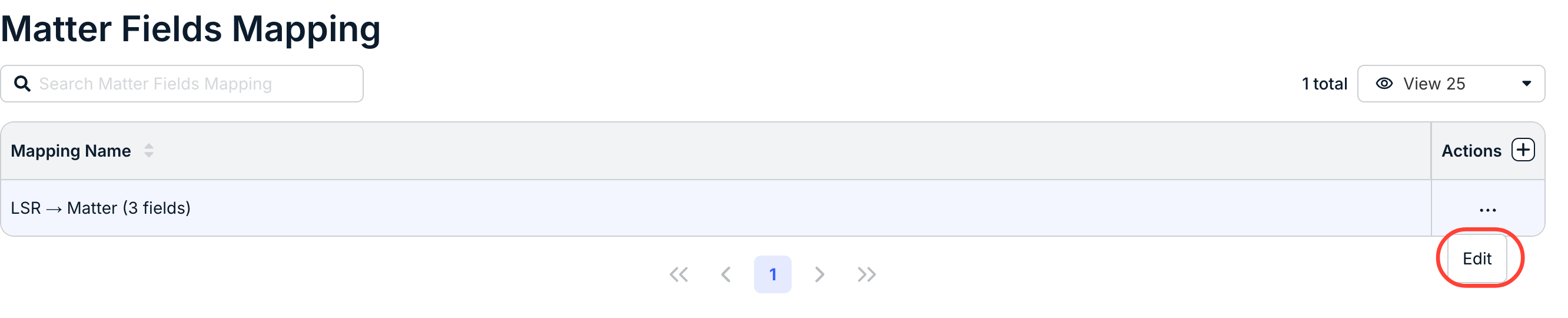
- Default/existing field mappings will appear on the page. Click on "Edit" to edit or view the mappings.
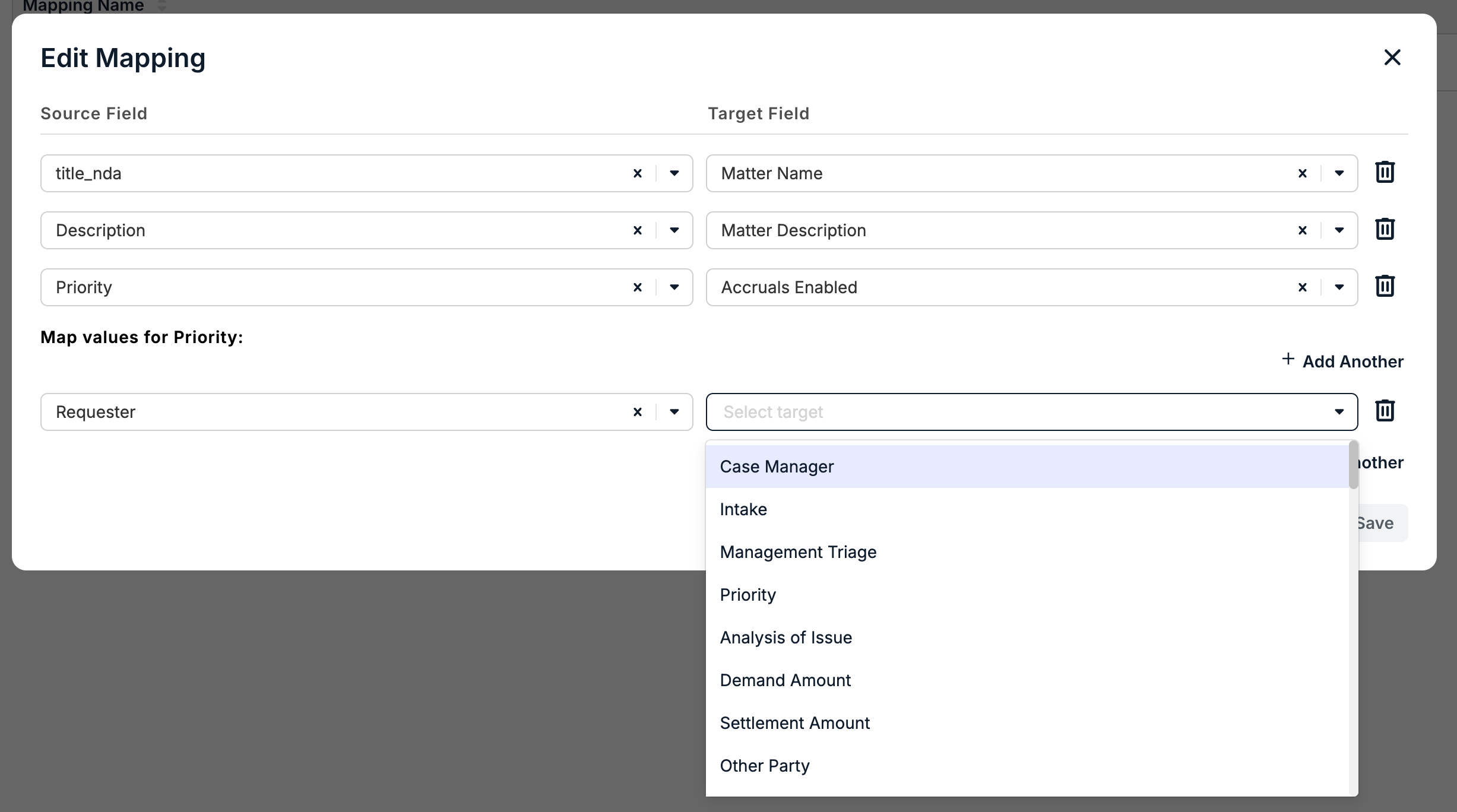
The Edit Mapping fields will appear. Note that there will be default mapping settings within the system.
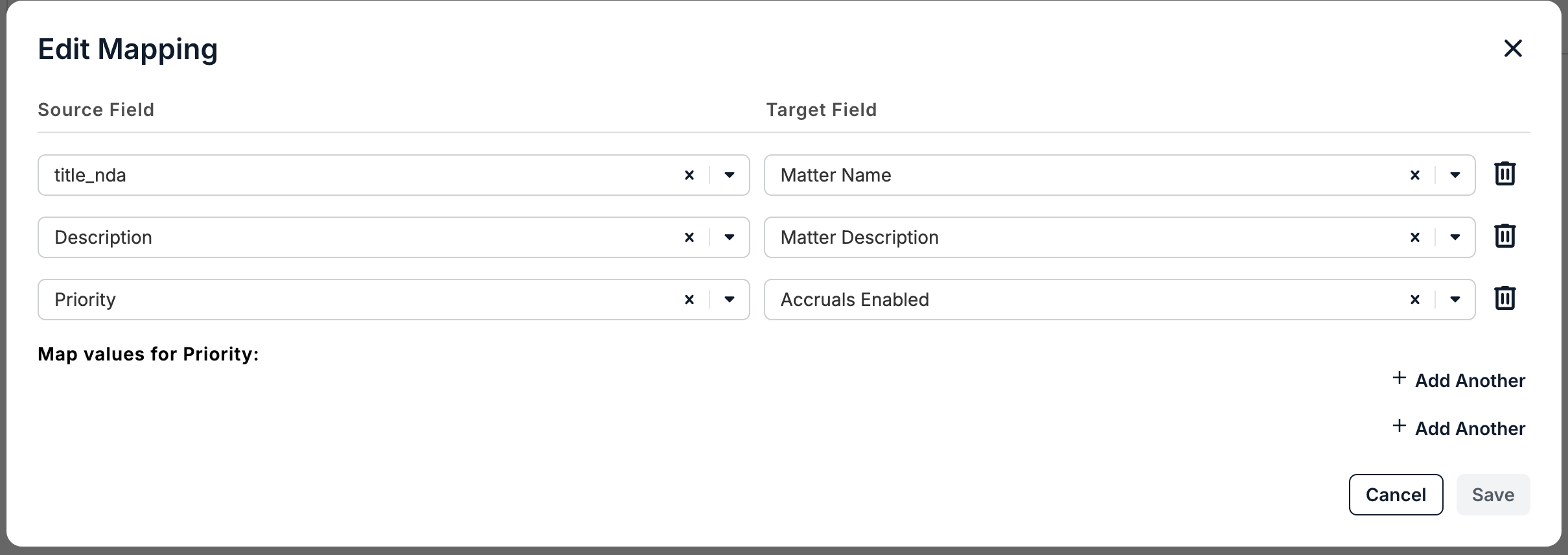
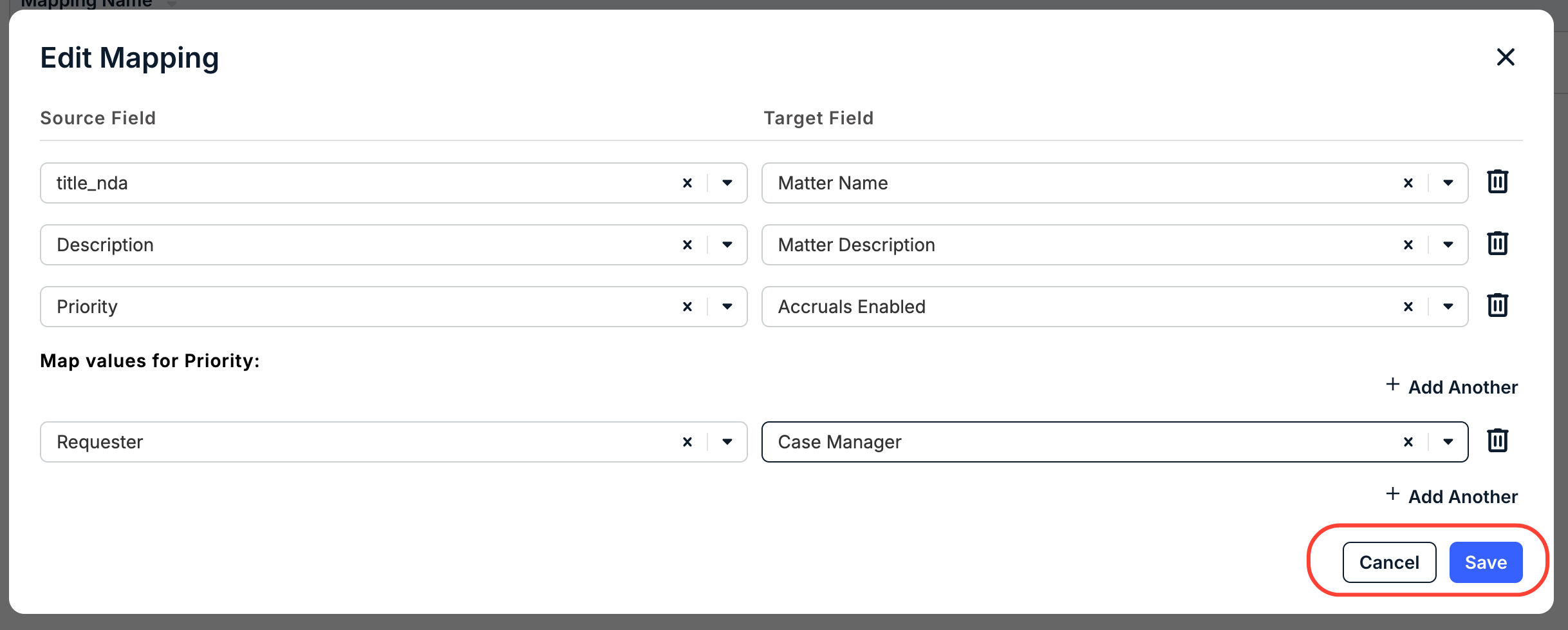
Each Source Field corresponds to a Target Field within matter creation. For example, this default configuration automatically populates the LSR title_nda field into the Matter Name field, the Description field into the Matter Description field, etc. Click on Add Another to map other fields from LSR to the Matter. Use the X icons and the Delete (trash can) icon to remove selections or fields.
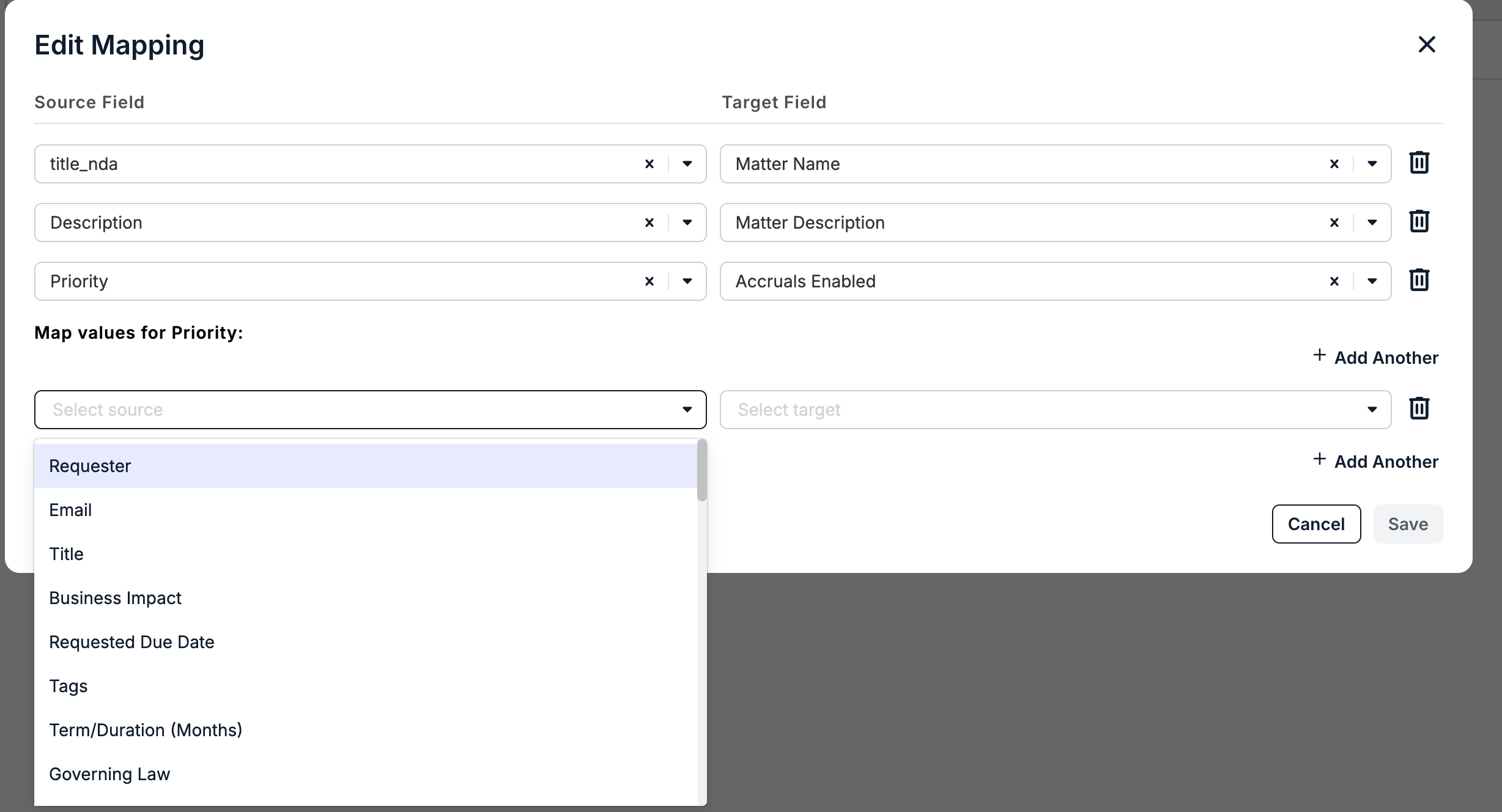
Click Save to save your changes or Cancel to back out.
Here's how it works:
Creating Matters from Legal Service Requests
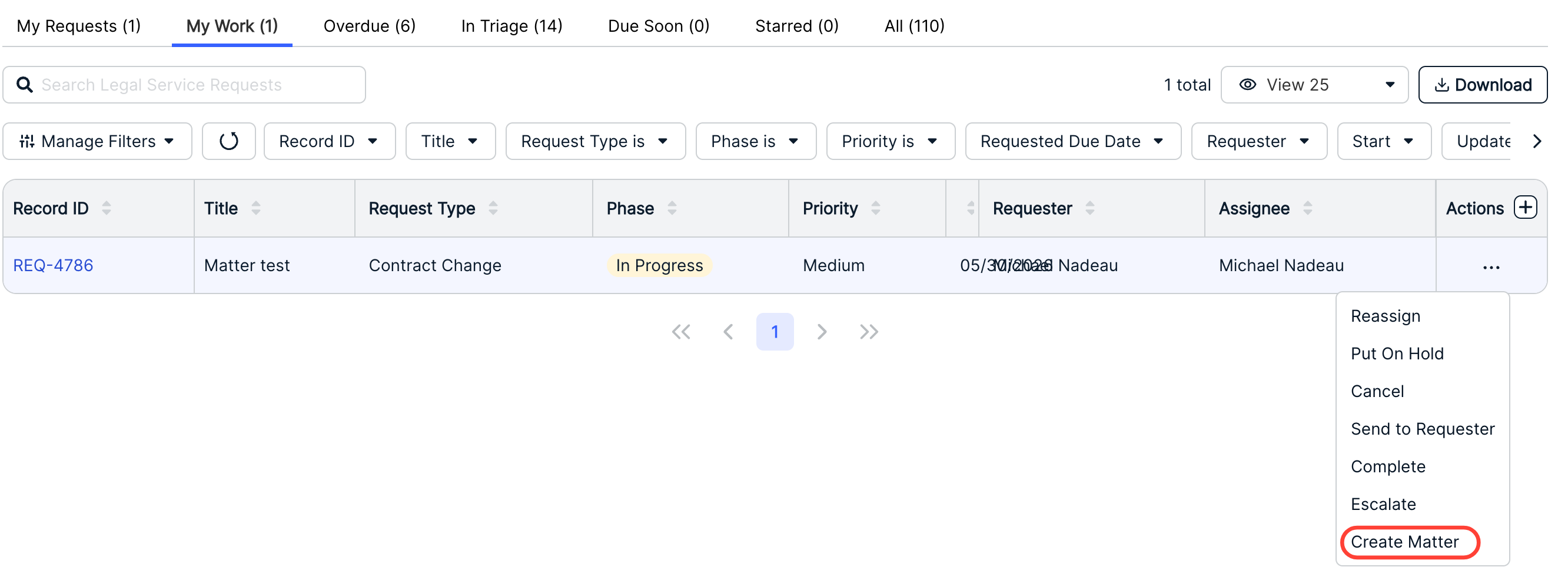
- After creating a Legal Service Request, find the LSR in your directory and select "Create Matter" within the three-button Actions menu.
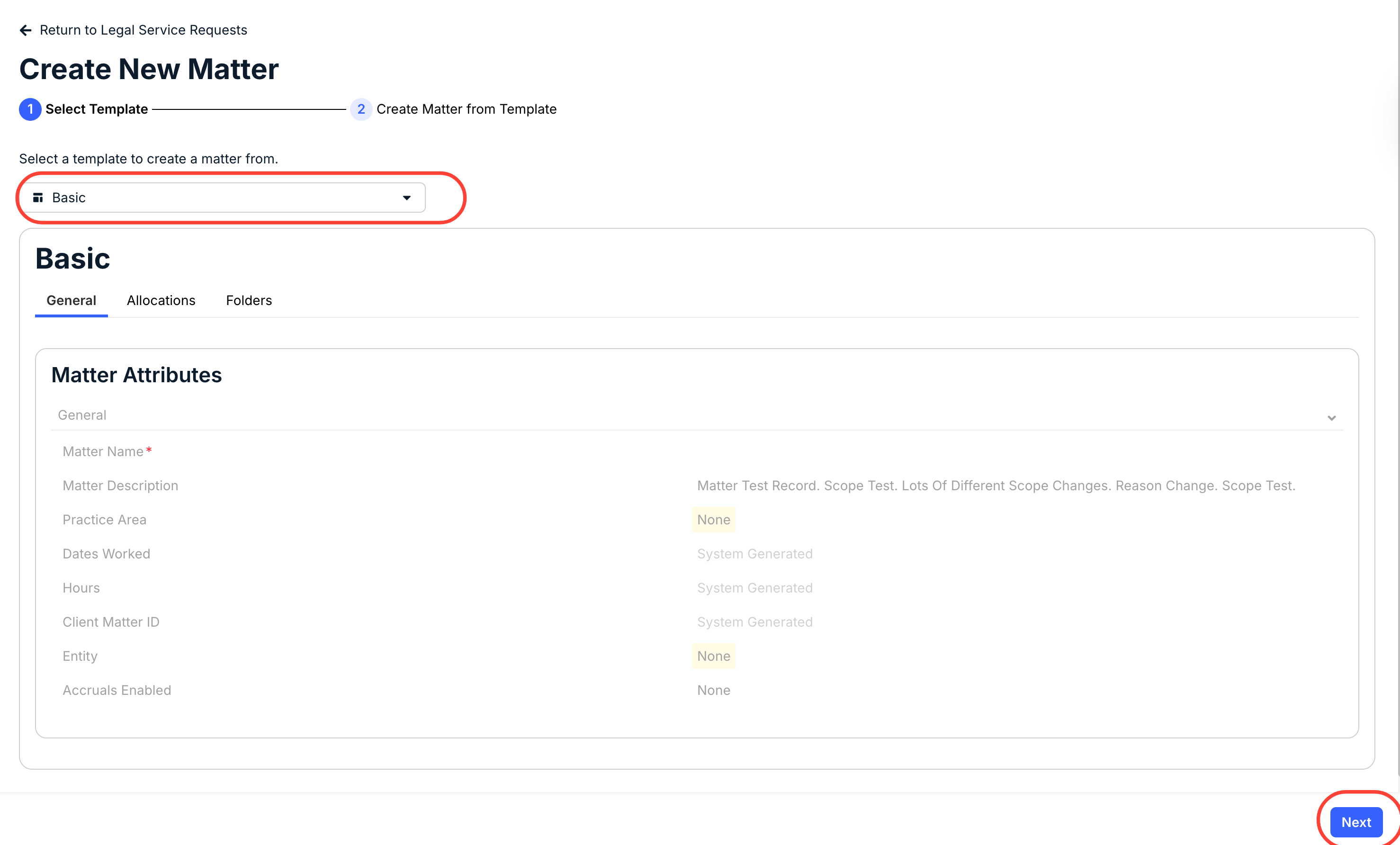
- The Create New Matter screen will appear with pertinent information filled in.
Select the template you'd like to use with the new matter and click Next to move on to the next screen.
- Fill out the Matter Attributes and optional fields.
When finalized, click on Create to add to the list of matters or Back to Templates to select a different template.
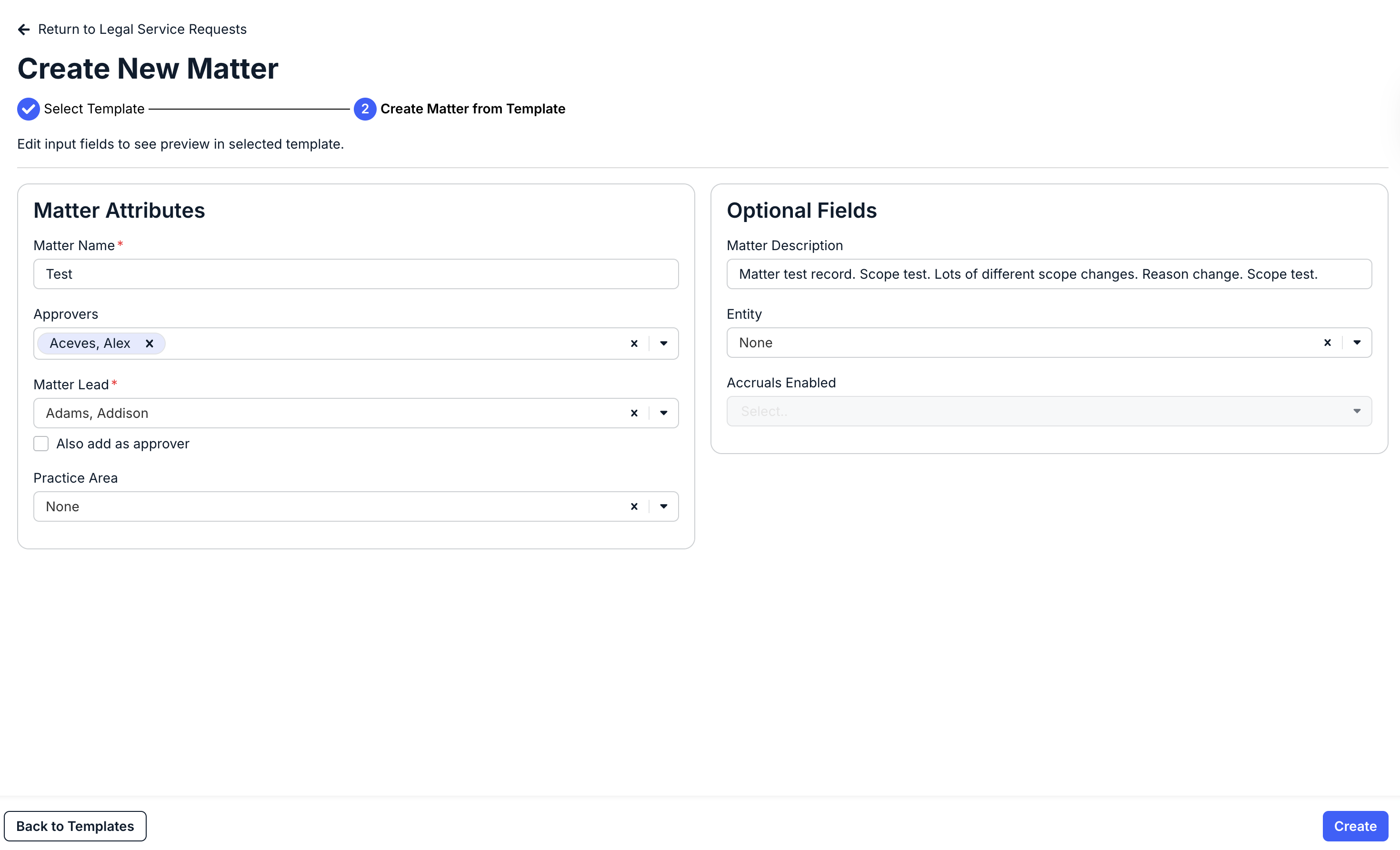
- Fill out the Matter Attributes and optional fields.