Available on Release
Enhancements
Reviewing Spend Agent adjustments will be easier and more transparent. Users can jump from a line-level verification finding directly to the relevant invoice line, see the total number of Spend Agent adjustments, identify where each adjustment came from, and filter adjustments by source such as Spend Agent, user-made, or IVR.
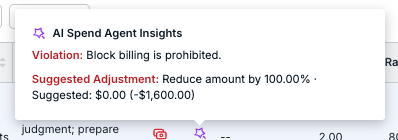
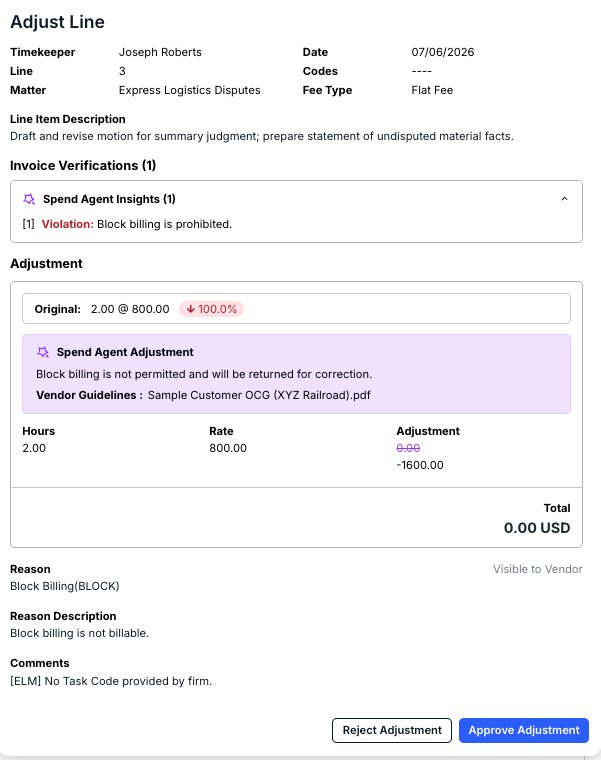
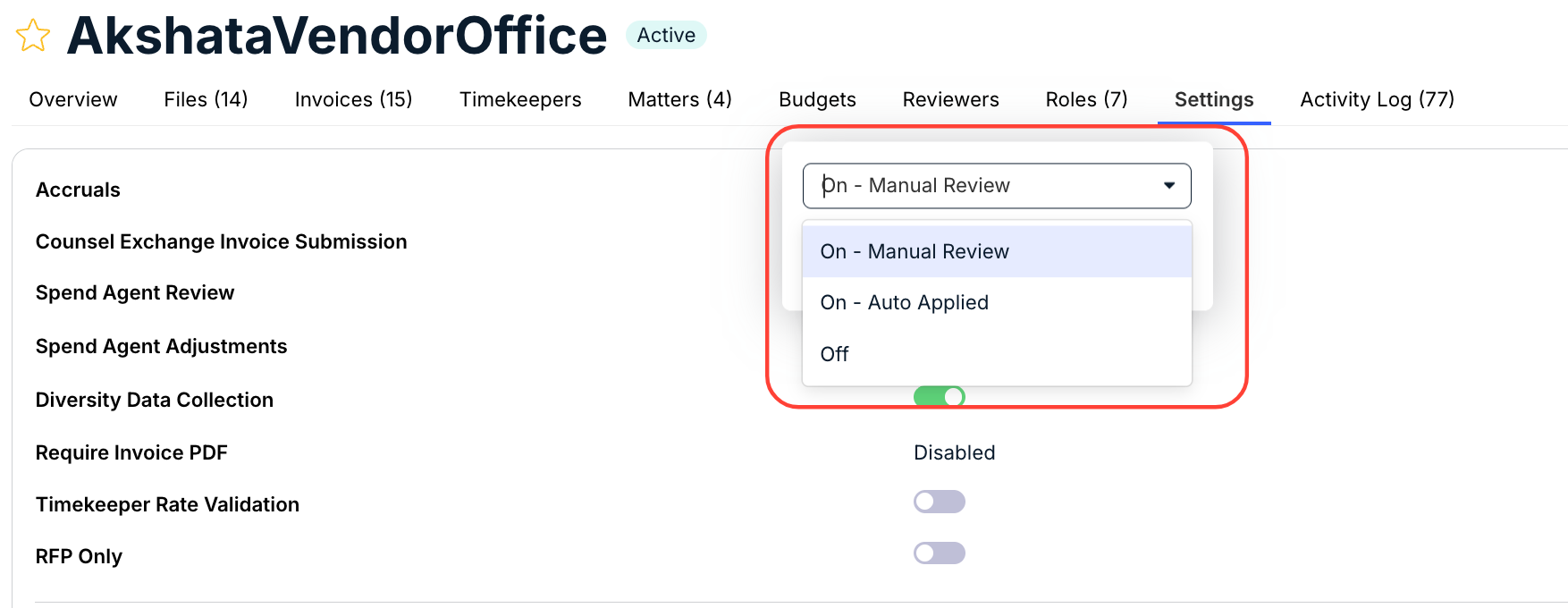
Vendors have three different options for Spend Agent Adjustments:
- On - Manual Review: Adjustments are shown as recommendations for the reviewer to approve or reject.
- On - Auto Applied: Eligible adjustments are applied before the invoice is reviewed. A reviewer still reviews the invoice, unlike Auto mode.
- Off: Spend Agent will not identify monetary adjustments.
Users can turn on Spend Agent Adjustments within the vendor Settings tab.
See our Spend Agent User Guide for more details on Spend Agent Adjustments.