Available on Release
Enhancements
- Line-item numbers listed in the Excel invoice export now match the line-item numbers displayed on the UI.
Issues Resolved
- Restricted removal of BillingPoint invoice system-made expense adjustments.
- With Spend Agent on Auto mode, once invoices pass all AI validations, they are now auto-approved rather than staying in “Pending Approval.”
Configuration Required - May Require Services
New Features
General File Sharing
Introduces a secure, centralized capability within our Vendor Portal that enables clients and vendors to exchange key operational documents within the system. With this new functionality, both clients and vendors can upload, review, and maintain visibility into shared documents tied to their business relationship.
This enhancement addresses a long-standing gap in legal operations where foundational agreements and documents are often managed through disconnected email threads or external portals. These fragmented processes create inefficiencies, increase compliance risks, and reduce transparency.
Ultimately, this capability strengthens operational alignment, enhances compliance, and builds trust between corporate legal departments and their outside counsel while reducing administrative overhead and improving user experience.
View the General File Sharing user guide here.
Enhancements
- Timekeeper Rates Card navigation link automatically is shown or hidden depending on the “Timekeeper Rates” toggle from ELM Configuration.
- Added the “Estimate Spend” field to the vendor onboarding notification.
- Added a column to the Invoice Grid page that now displays a “Yes/No” indication for Spend Agent review.
- Added safeguards to reduce the possibility of a duplicate vendor being requested and set up.
- Adjustments to the Fee Arrangement Change workflow.
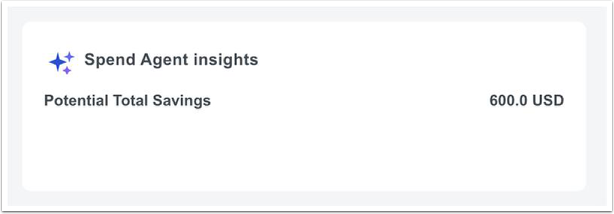
- Cost-saving metrics are displayed in the Spend Agent insights section on the invoice review page.
Issues Resolved
- The “New Comment” notification now goes to the proper user when a comment is added using the BillingPoint iFrame.
- In Budget Forecast, the subject and body for the forecast now show the client’s name rather than the matter manager’s name.
- In ELM, manual invoices do not default to a number when created, and a rule requires that each vendor's invoice number be unique.
- ELM report links are now updated to the newest Best Practice Templates.
- Resolved security bug with Law Department user group access.
Known Issues
- When Invoice Currency is updated on a Vendor's Assignment to a Matter, and there is an existing External Budget, the budget does not get linked to the new Billing Authorization; thus, the Total Spend on the Budget in BillingPoint does not get updated.
- Months of cloned fiscal years refer to the wrong fiscal year.
- The Early Payment Discount email is displaying wrong amounts.
- Once the 1st reforecast for the period cadence is triggered, the consecutive reforecasts are not properly triggered (specific to Period cadence).
- The office address is not getting updated in ELM (on the office record) after updating the office address in BillingPoint.
- When both Tiered Volume Discount and Early Pay Discount are applicable on an invoice, the EPD amounts are calculated on the Invoice Total prior to TVD being applied, resulting in an incorrect discount.