Legacy OnitX ELM users will have the opportunity to see a refreshed Onit environment built to provide users with a more modern and comprehensive experience.
This guide will take you through some of the changes in the Unity UX for OnitX. Have questions about the new experience? Reach out to your Onit support representative.
The Dashboard / Home Screen / General Navigation
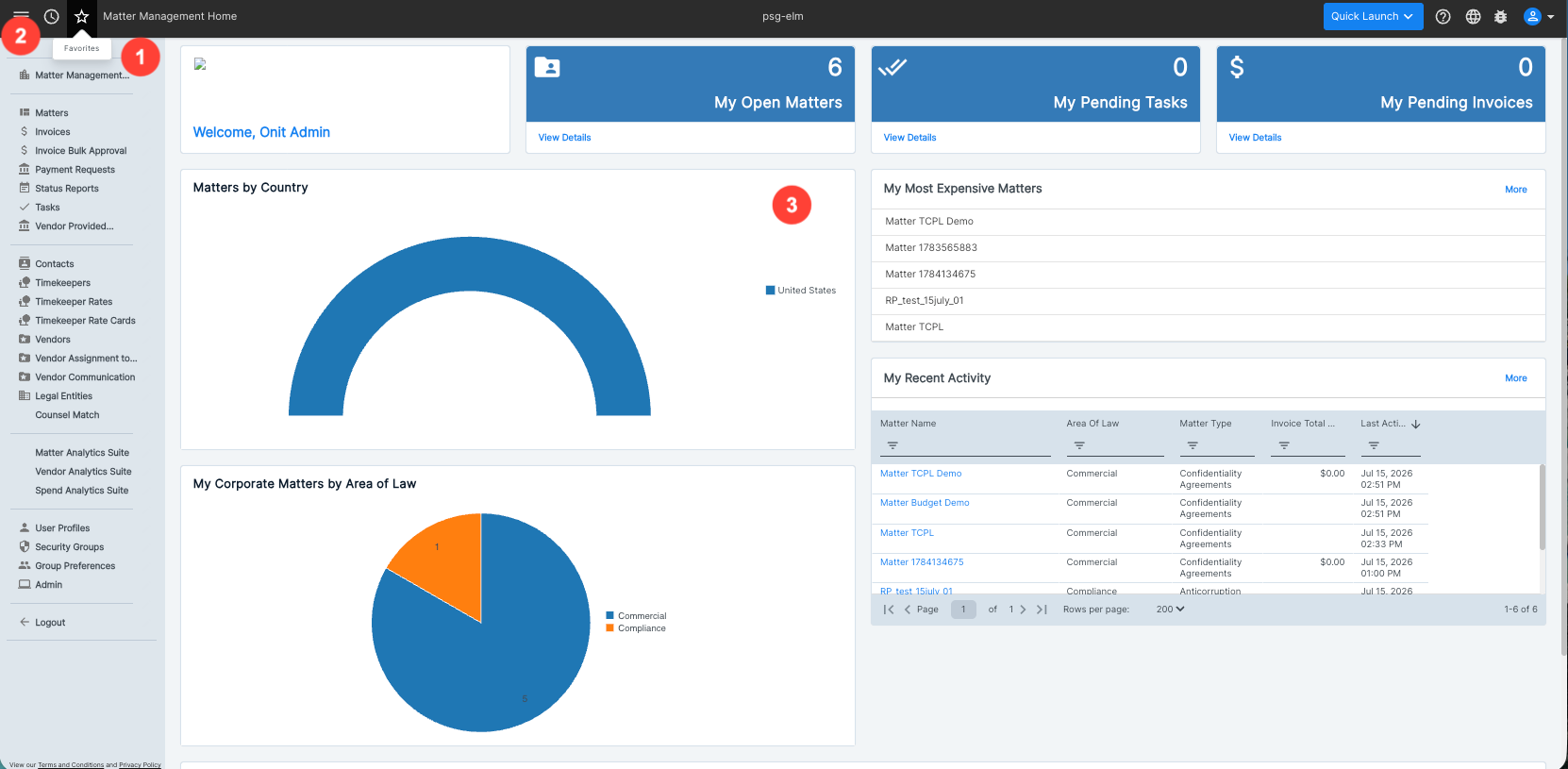
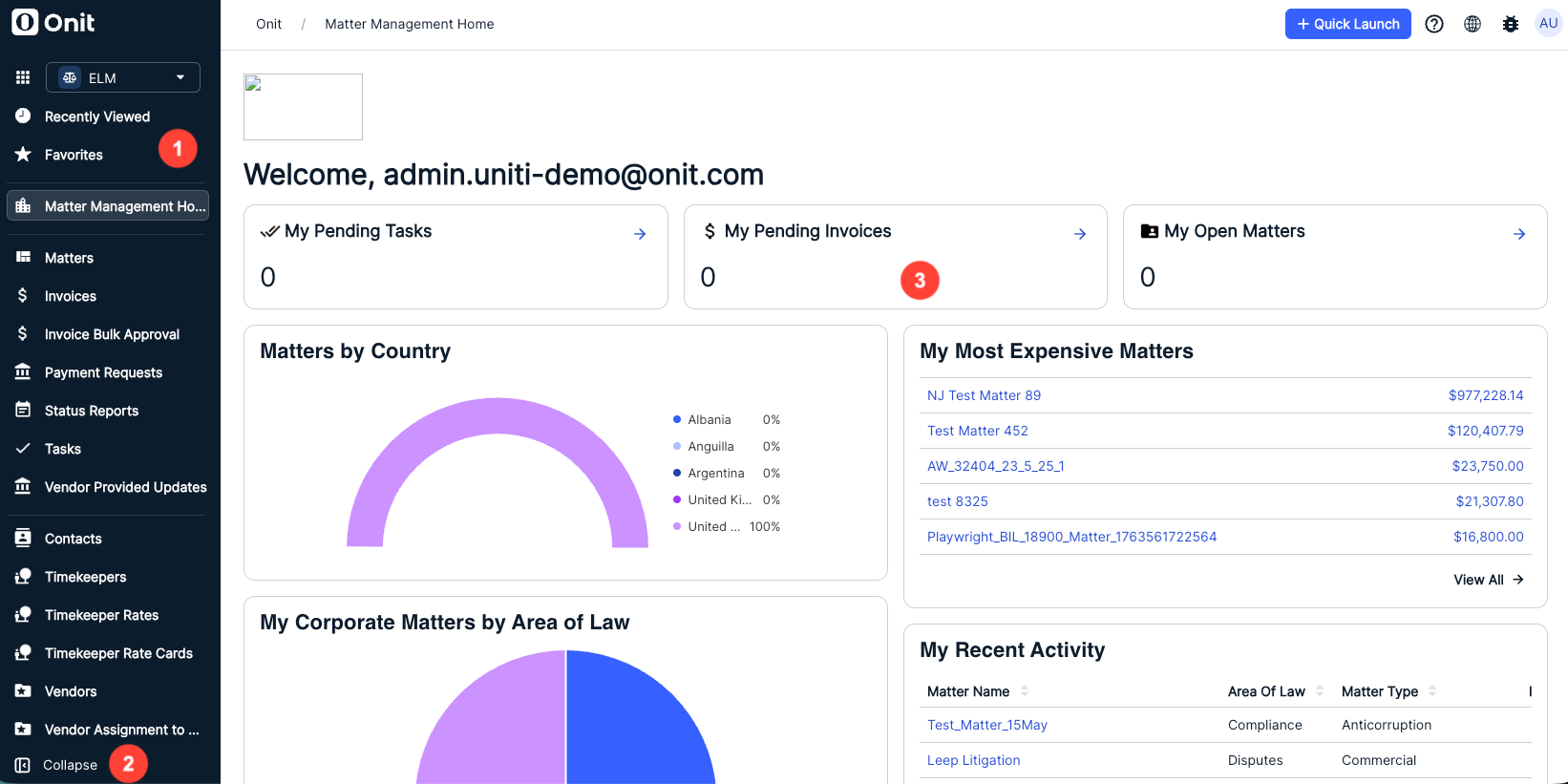
- Recently Viewed and Favorites sections have been moved to the left-hand navigation bar.
- Collapsible Side Panel allows users to adjust their workspace layout without needing to reconfigure widgets; widgets will retain configuration and appearance regardless of panel state.
All widgets on the main dashboard canvas will maintain configuration and placement, ensuring a seamless transition between the Legacy and Unity UX, with no need for users to reconfigure the widgets.
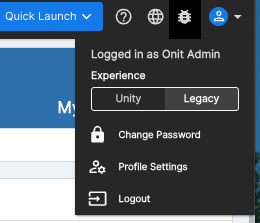
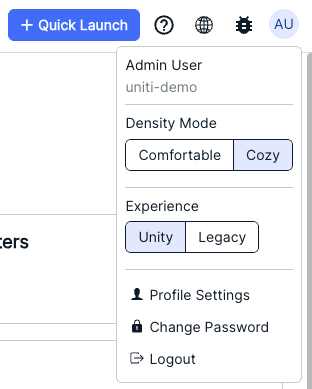
Users can switch between the Legacy and Unity environments using the Profile icon; this capability will be in place for about a month after implementation.
 | 
|
List/Grid Pages
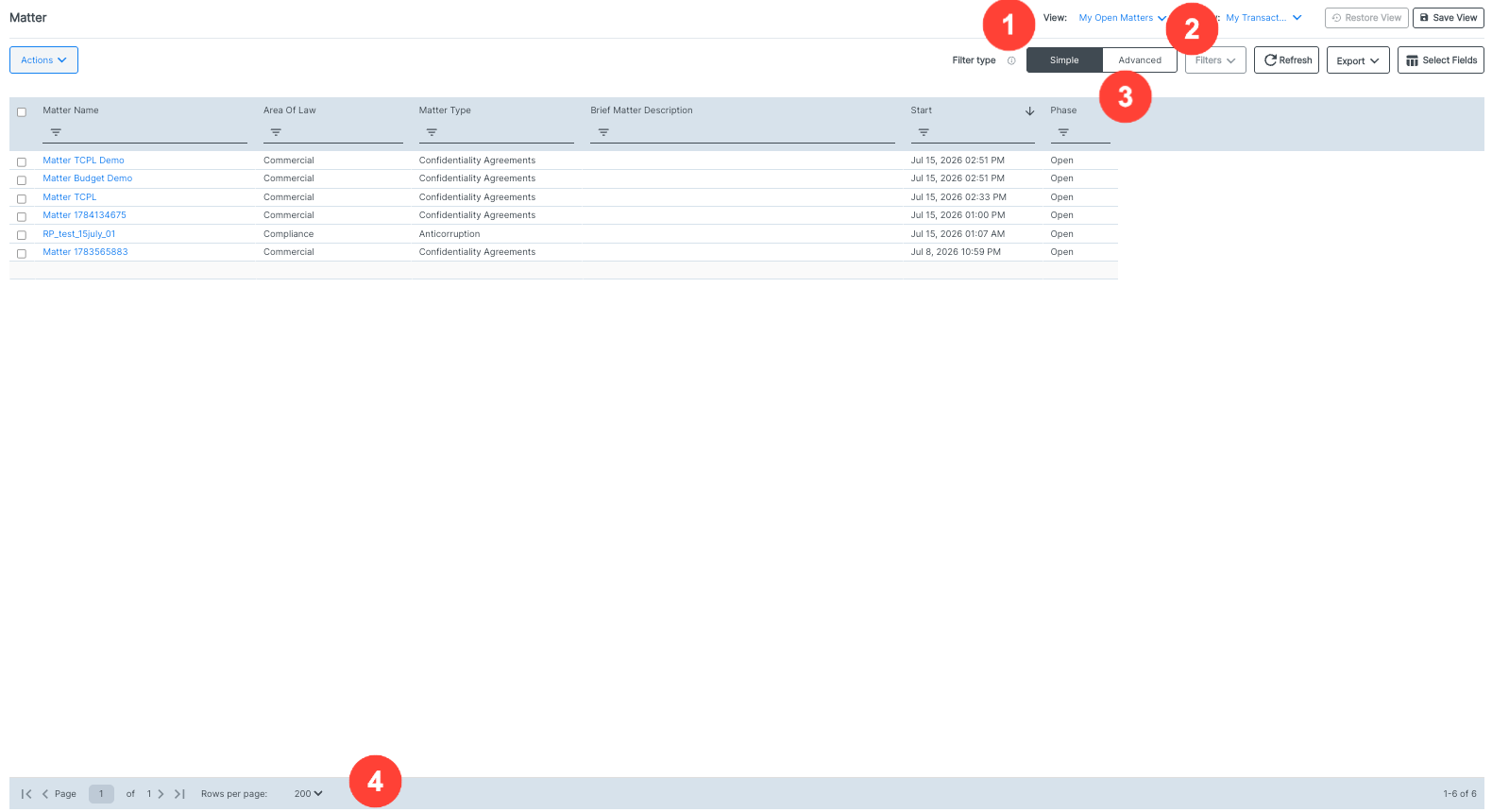
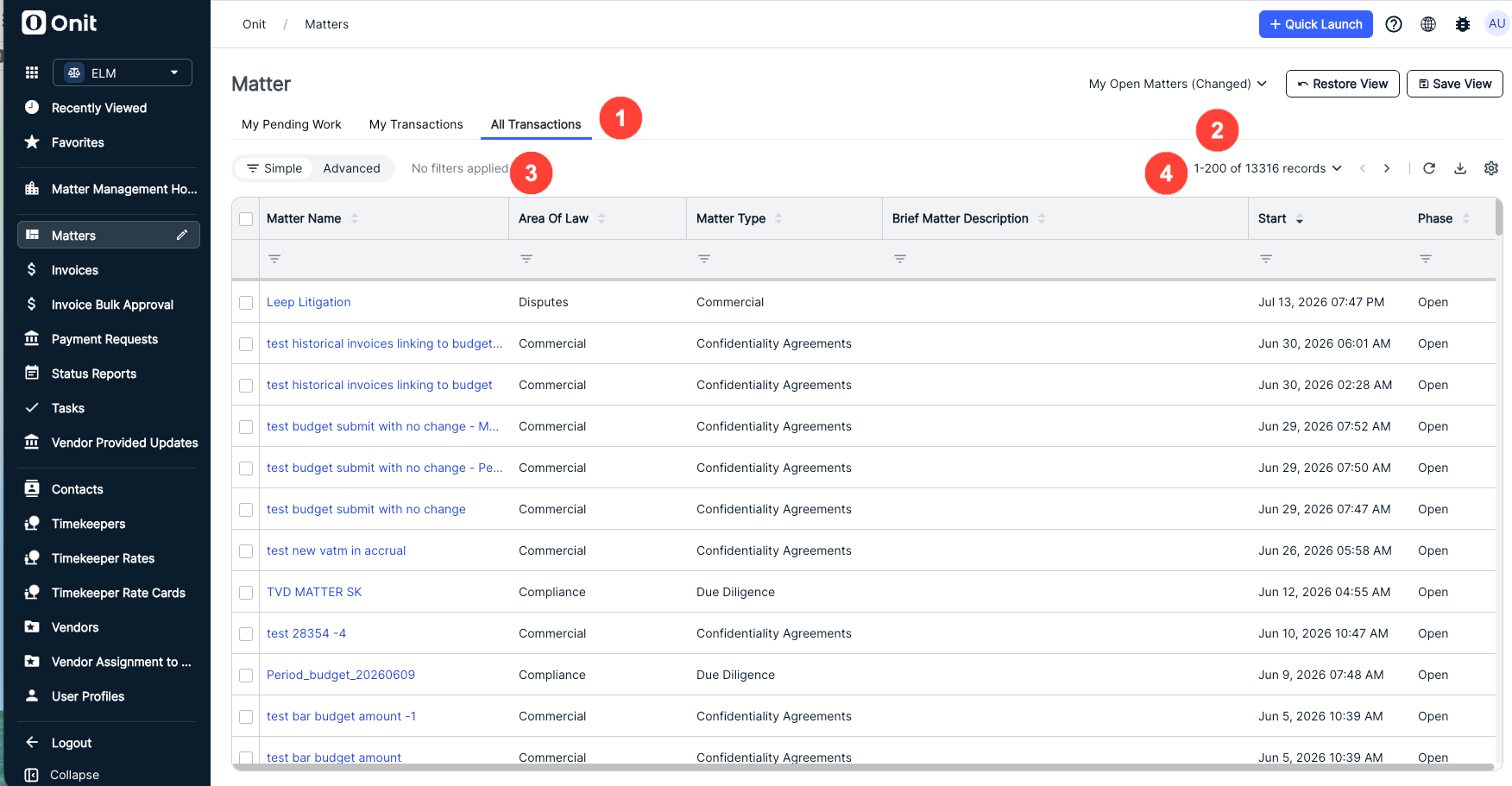
- The legacy Subview selection has moved to a tabbed layout in the center of the page.
- A "Changed" message has been added to the My Open Matters dropdown menu to flag unsaved view modifications.
- Simple/Advanced filter toggles and other filter information have been moved to this side of the page.
- The record display/page navigation has been moved to the top of the screen.
Record Pages
There are several changes to the individual record pages within ELM.
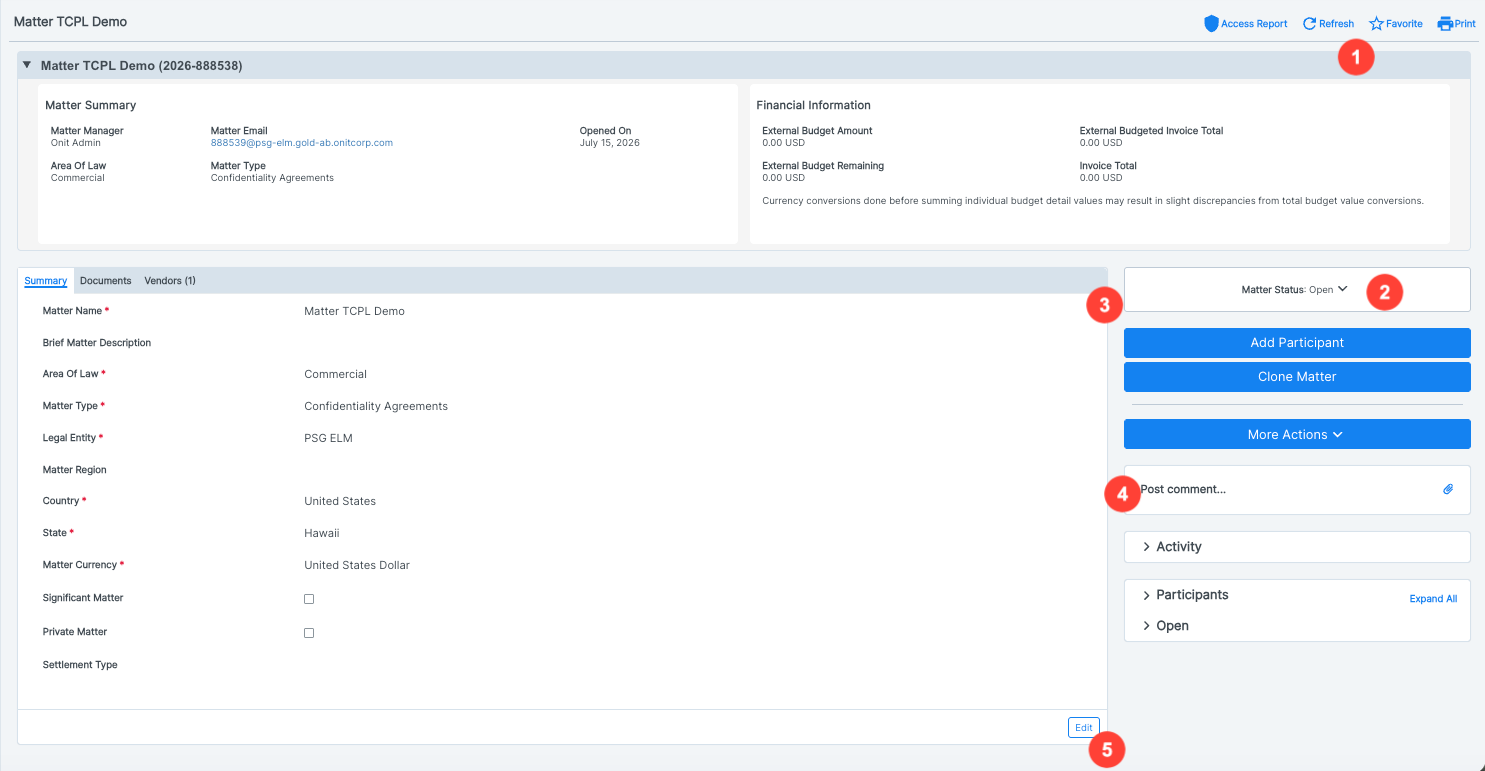
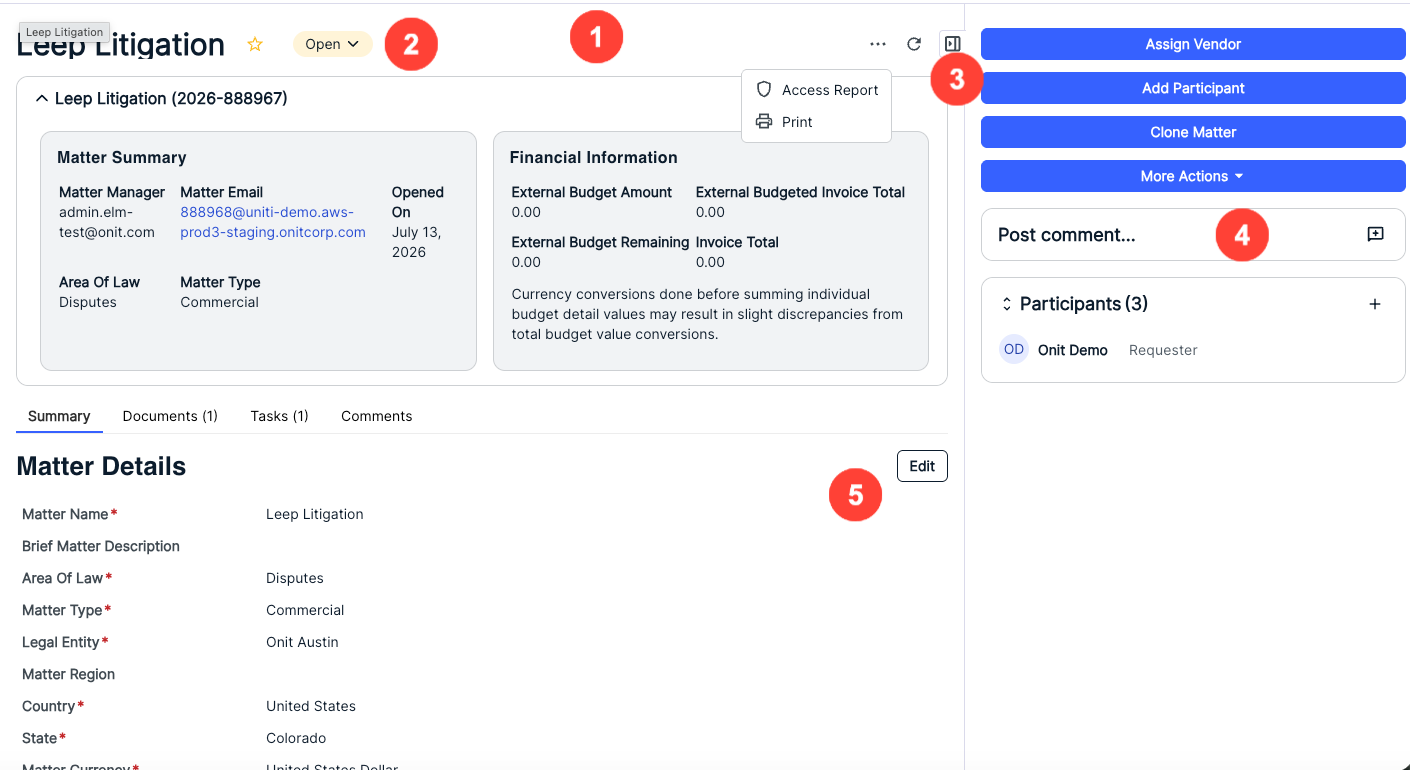
- Access Report, Refresh, Favorite, and Print commands are now in this area of the page (note that Favorite is the star icon and Refresh is now the refresh icon).
- The Matter Status action menu is now in the top-right corner.
- A Collapse button has been added to the side panel to streamline the record page layout (not present in the legacy environment).
- The Comments modal functions as before; however, a new Comments tab will be added to the new layout to replace the Activity feed.
- The Edit button has been moved up on the screen.
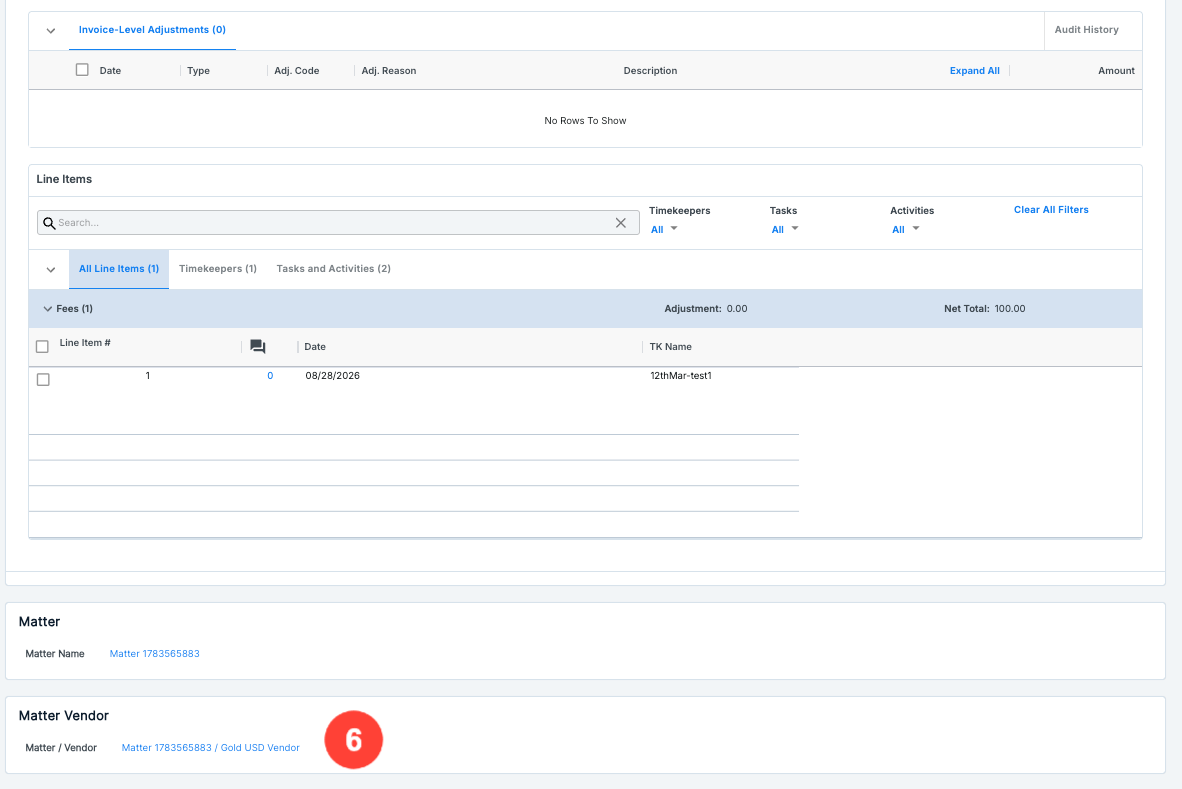
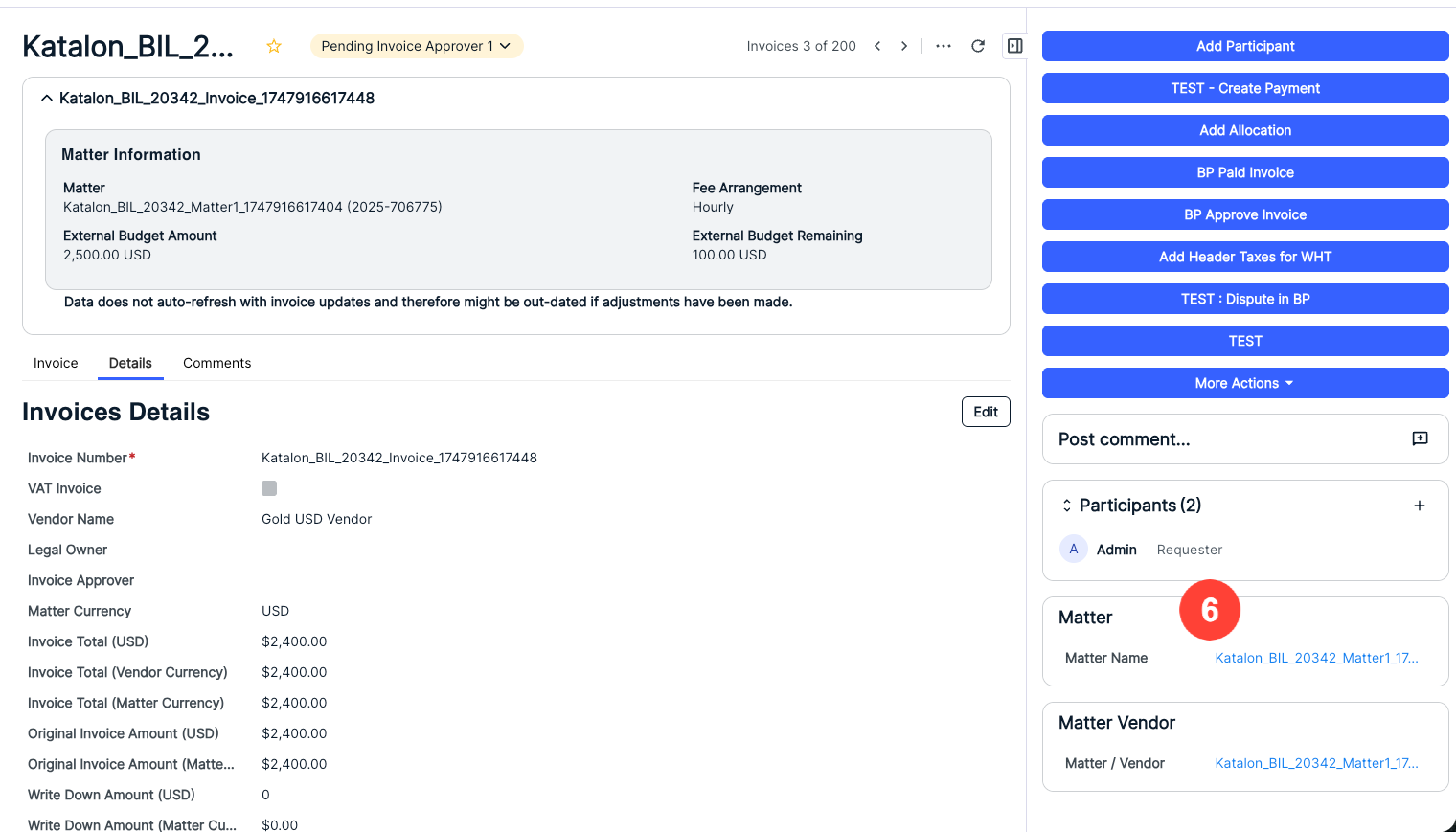
6. Related Matter and Matter Vendor information has been moved to a different area of the page.