This application allows customers to visualize the amount of time spent in various phases of the workflow. Users can leverage these reports to gain insight into how much time various stages of the different contract types take and help identify bottlenecks in the processes.
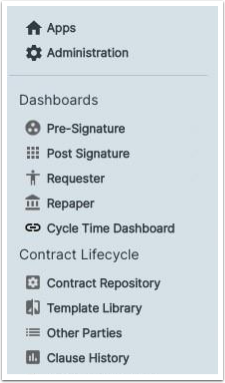
A link to open Tableau reports, called the Cycle Time Dashboard, inside CLM will be available on the sidebar of the CLM Suite.
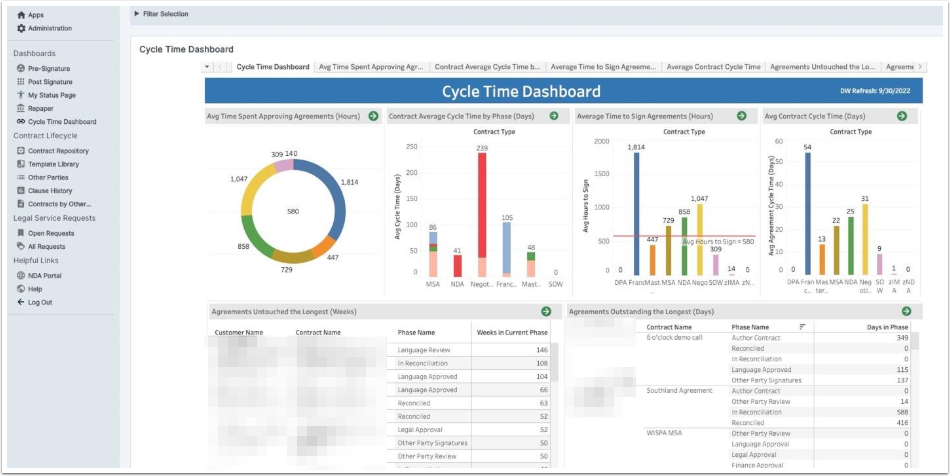
Once the customer opens this link, the Cycle Time Dashboard launches inside CLM. This dashboard features six widgets which can be opened by clicking the green arrow found on each report widget thumbnail.
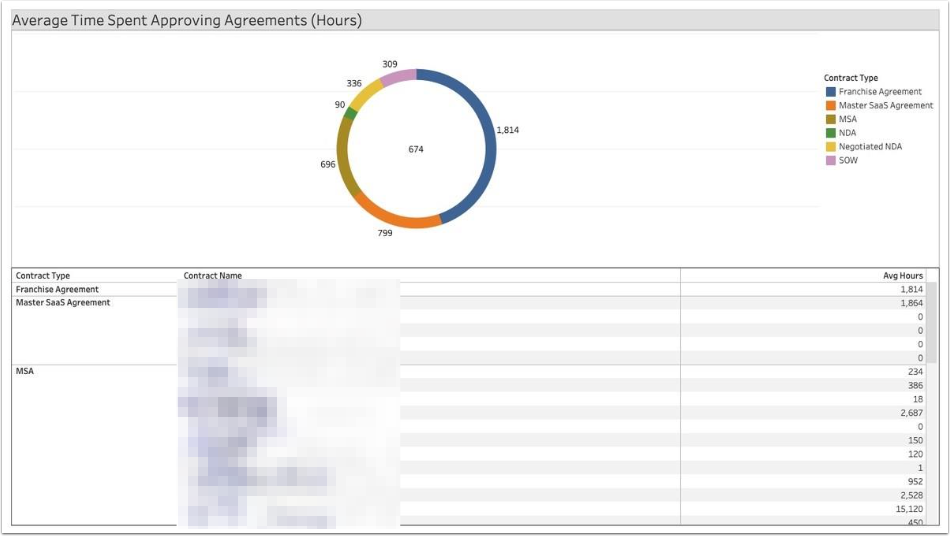
Average Time Spent Approving Agreements
This report shows the average time contract types spend in the Approval phase of CLM. Customers can drill down into individual contract records grouped by ContractTypes to understand why some contract types take longer than others to approve.
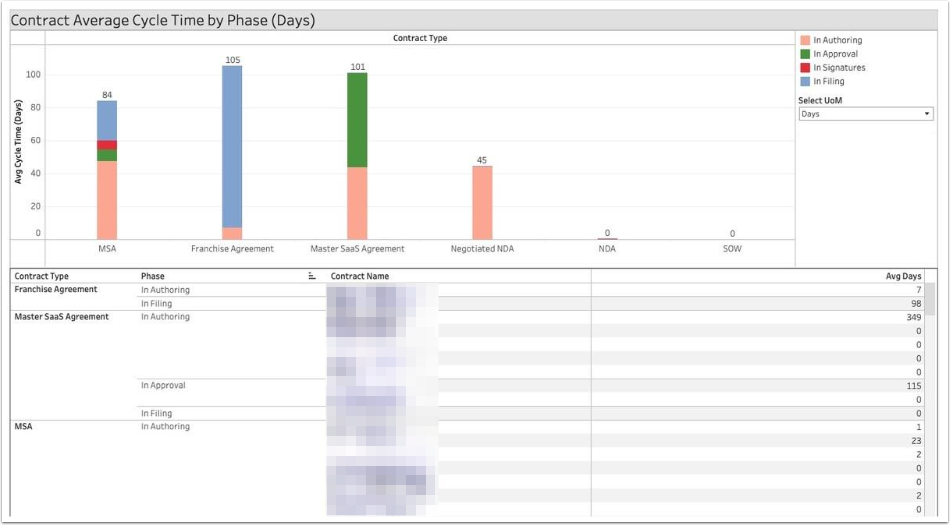
Contact Average Cycle Time by Phase
The intent of this report is to show how long, on average, contract types take in phases. Customers will gain insights on where they can improve cycle time over the entire life of the contract.
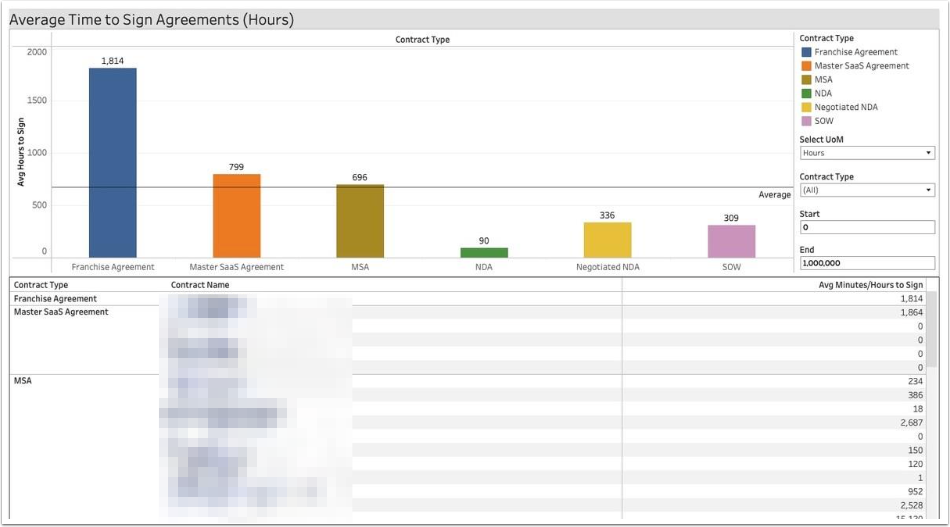
Average Time to Sign Agreements
Customers can quickly understand trends with the average time to sign a contract grouped by Contract Type, which will enable them to look at why the signing process is taking too much time.
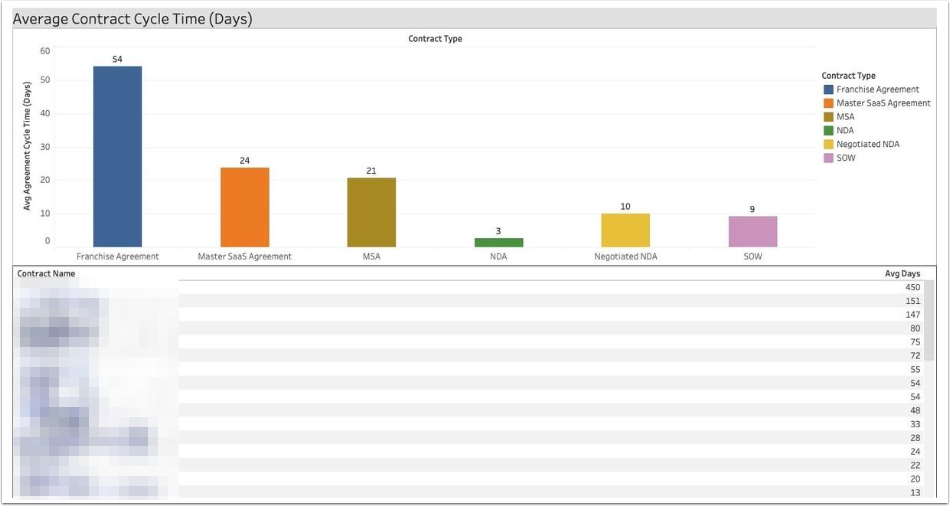
Average Contract Cycle Time
The report provides a holistic look at how long different types of contracts take to complete, from creation to activation.
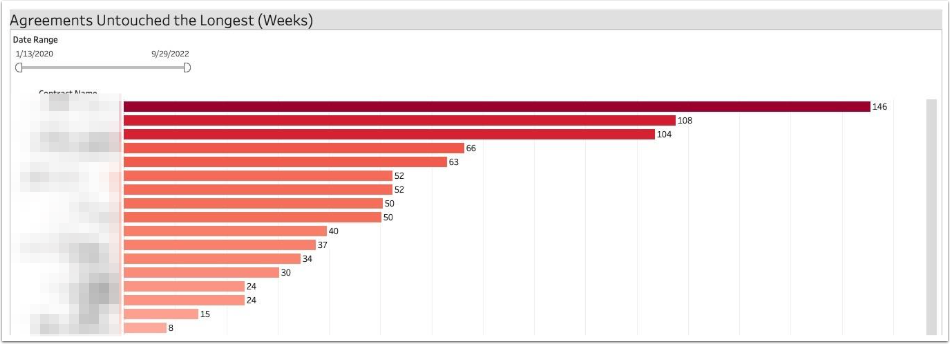
Agreements Untouched the Longest
Customers wanting to action contracts which have not been touched in a week can quickly identify individual records to get moving again.
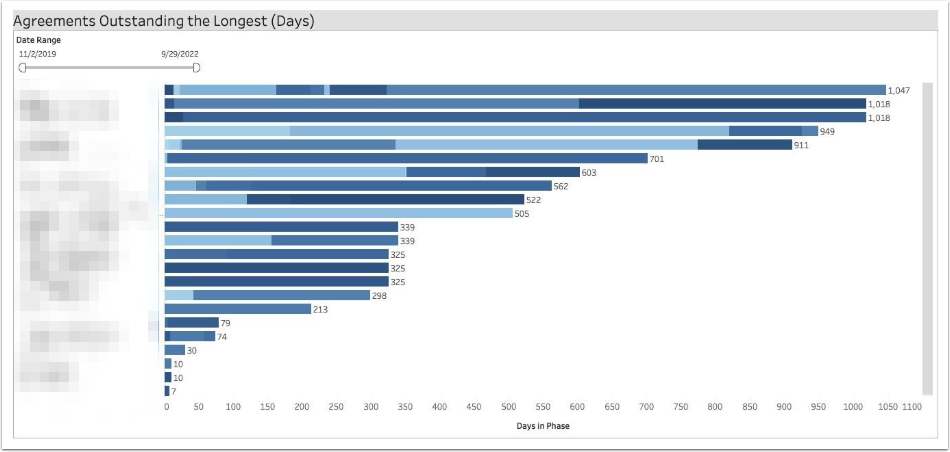
Agreements Outstanding the Longest
This report will help customers understand how long contracts are taking by visualizing all phases a contract has gone through and the phase in which it currently sits to determine how to improve cycle time for open contracts.