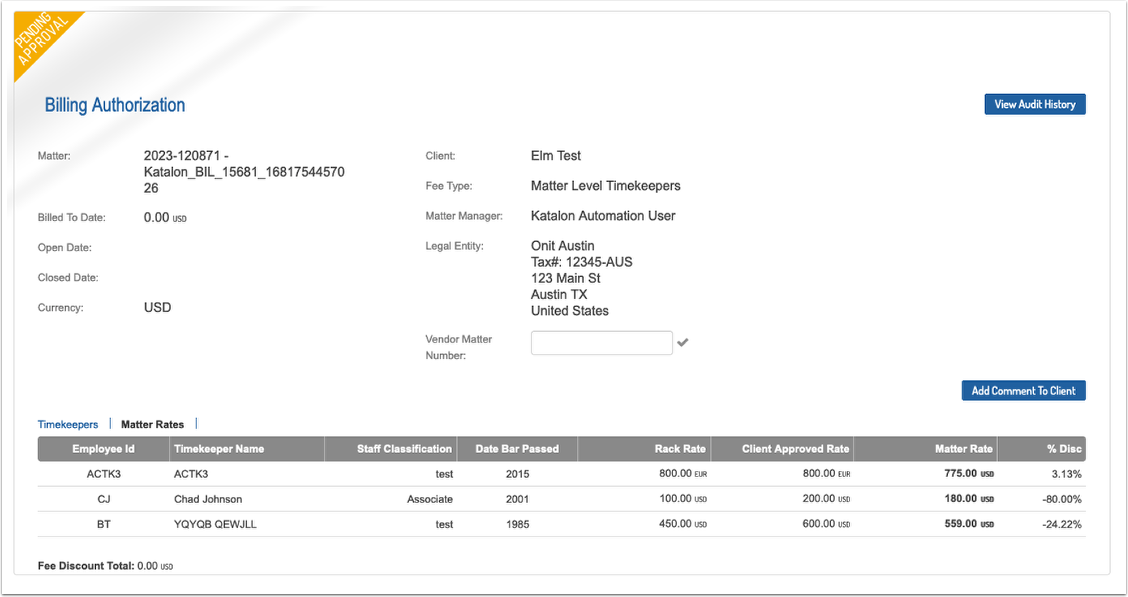
Submitting Matter Level Timekeepers (Bulk Upload)
1. The primary Billing Contact will receive an email notification of the new matter.
2. Sign into BillingPoint and choose the Billing Authorizations tab, download the Matter Level TKs template by clicking the download button in the upper right corner.
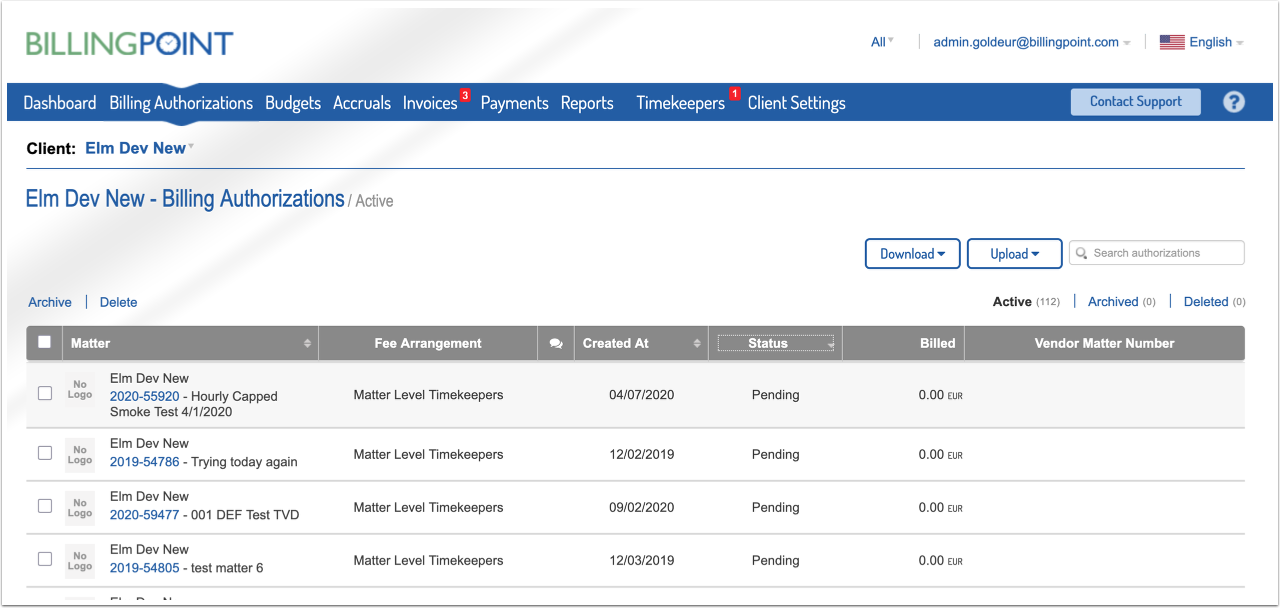
3. Complete the template with your timekeeper information for 1 or more matters requesting Matter Level Timekeeper Rates.

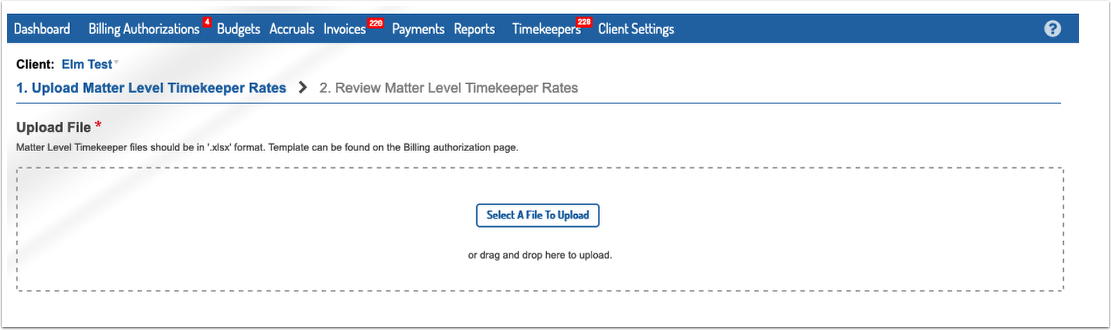
4. Select Upload Matter Level TK button from Billing Authorizations tab.

5. Upload your saved template.
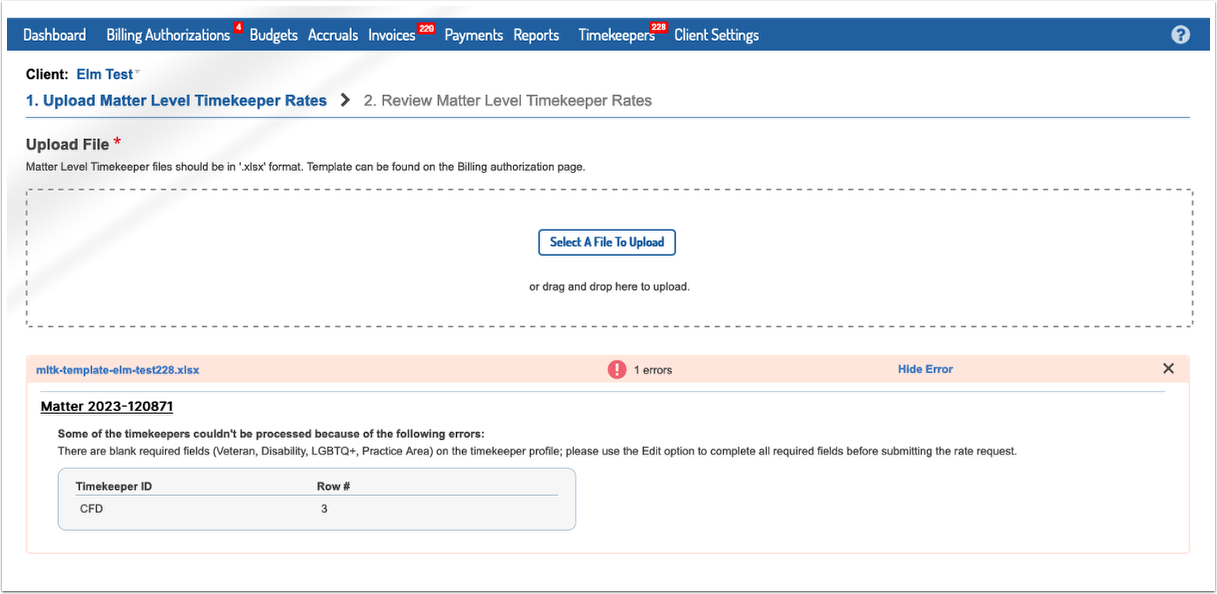
6. If there are errors in your file you will be presented a list; errors must be corrected before the file can be processed.
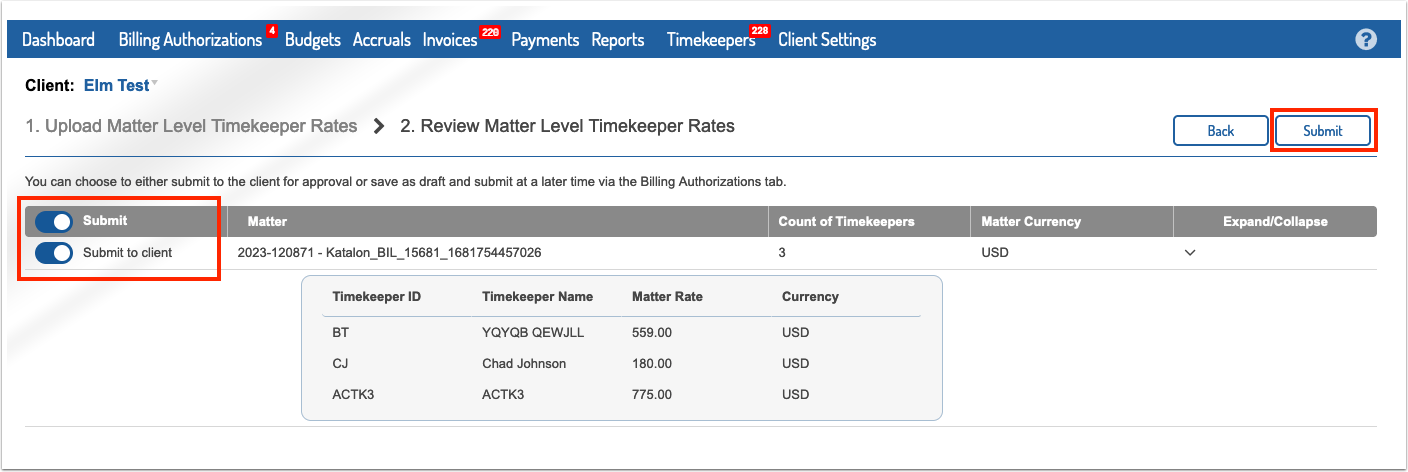
7. If your file is valid, you will see an overview of what is being uploaded. On this screen, toggle the Submit switch to upload as a draft or submit upon upload. Click Submit to complete upload.
8. You will be redirected back to the Billing Authorization tab where you can view your draft or submitted Billing Authorization.