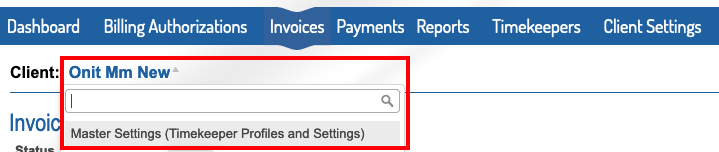
1. Within the Master Settings, under the Timekeeper tab on the top blue bar, select either New Timekeeper or Manage Account Timekeepers.

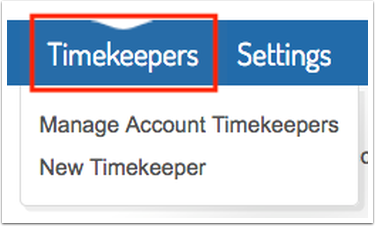
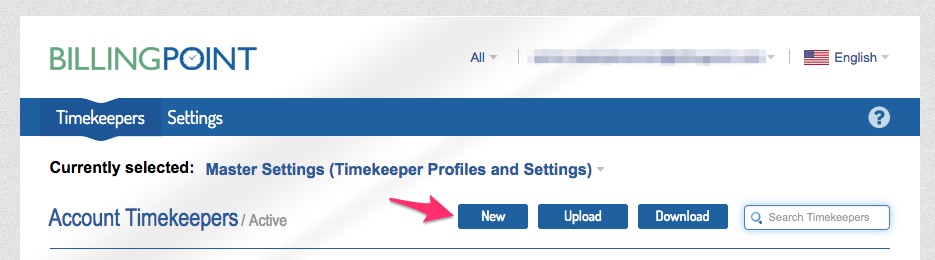
2. If you chose Manage Account Timekeepers, then click the New button.
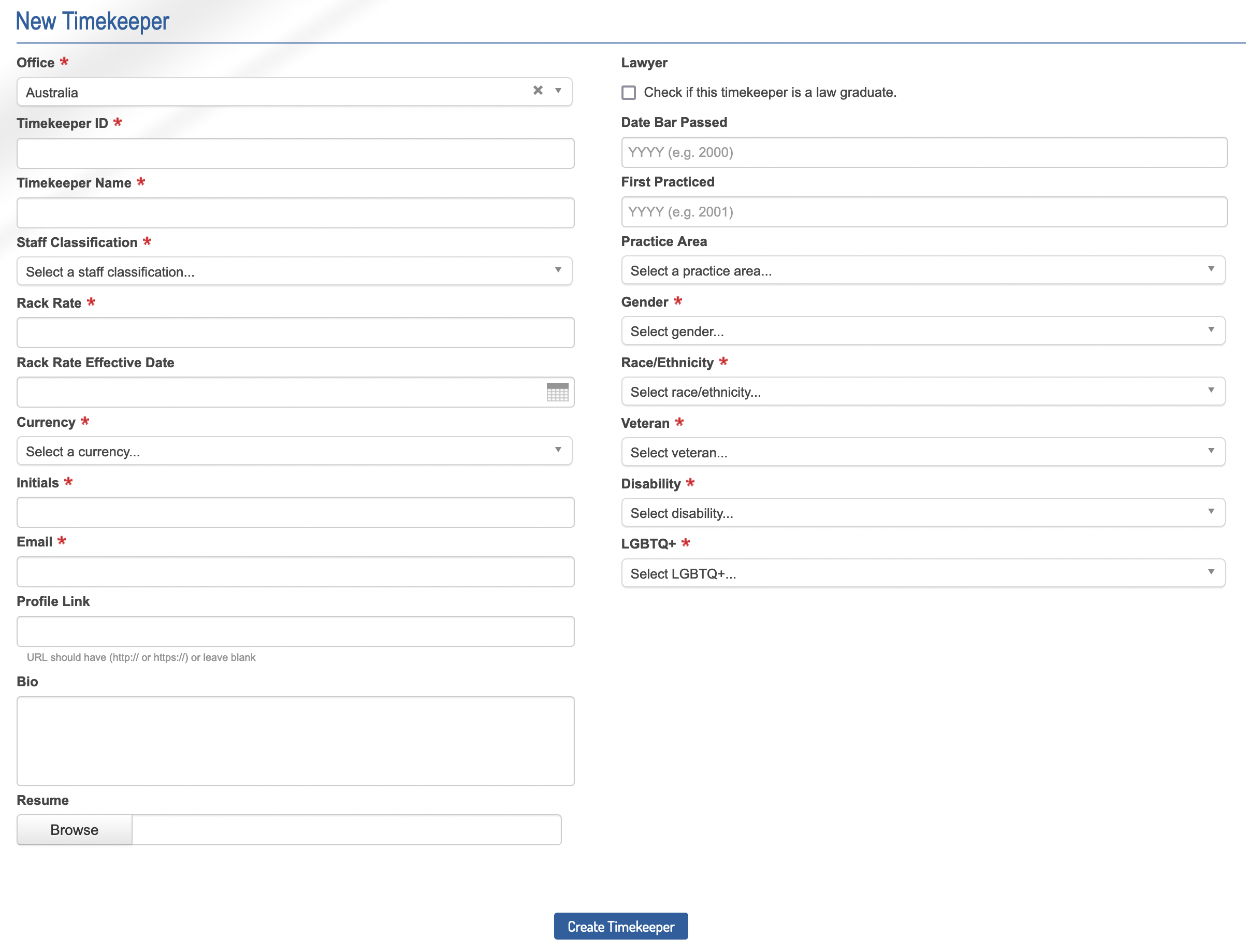
3. Complete the New Timekeeper form with the timekeeper’s information. Anything with a red asterisk is required (note: Date Bar Passed and Year First Practiced Law are only required if the timekeeper is a law graduate).
System-level available staff classifications:
| Code | Staff Classification | Description |
| AS | Associate | An associate is a lower-level professionally licensed attorney who does not hold an ownership interest in a law firm. |
| LA | Legal Assistant | A mid-level position within a legal organization, used only when the timekeeper has not been licensed or certified by a jurisdictional authority where required. Paralegal should be used if the timekeeper has a certification or license issued by a jurisdictional authority where required. |
| NA | Not Set | A status to indicate a system timekeeper whose classification is currently unknown or not set in the system. |
| NP | Non-Legal Professional | A non-attorney position within the law firm that may provide assistance or testimony in a legal matter. Can include positions such as: Accountant; Actuary; CPA; Compliance Professional; Construction Expert; Damages Specialist; Diversity Specialist; Engineer; Forensic Accountant; Government Affairs Specialist; Investigator; IP Specialist; Jury Consultant; Lawyer qualified in a country other than the one where that lawyer's work was performed; Legislative Monitor; Lobbyist; Media Relations Specialist; Medical Doctor; Ph.D.; Political or Grassroots Campaign Advisor; Regulatory Advisor; Scientist; Tax Specialist. |
| OC | Of Counsel | An attorney employed by the law firm who is not an associate or a partner but who is on track to become partner or who was previously a partner and is now retired. Typically Of Counsel timekeepers are: - A status in the firm senior to associate but not yet partner. In this situation counsel receives a salary and may have a measure of compensation based on the profitability of the partnership. - An attorney who has changed careers entirely, i.e., a former judge or government official, or one transitioning from corporate/in-house practice to law firm practice. - A retired partner of the firm who, although not actively practicing law, nonetheless remains associated with the firm and available for occasional consultation. - A lawyer who is, in effect, a probationary partner-to-be, sometimes a lateral hire brought in with the expectation of becoming partner after a relatively short period of time. |
| PL | Paralegal | A mid-level position within the firm, used only when the timekeeper has a certification or license issued by a jurisdictional authority where required (as in the State of California). |
| PT | Partner | A partner owns and directs the business of a law firm and may be either an equity or non-equity shareholder. - Equity partners are considered to have ownership stakes in the firm, and share in the profits and losses of the firm. - Non-equity partners are generally paid a fixed salary, and may be granted certain limited voting rights with respect to firm operations. |
| SE | Secretary or Clerk | Lower-level administrative staff within the firm or legal vendor company. Includes, but is not limited to, Assistant, Clerk, Copy Staff, Courier, File Clerk, Scanner, Secretary, Support Staff, etc. |
| SI | Summer Intern | Any law student or non-student clerk working at a law firm in an internship, co-op, or summer associate program. |
4. After the timekeeper is added in the New Timekeeper form, they will be listed as an account timekeeper.
Information for Matter Level Timekeeper Rates can be found here.